
Farm Control Plugin untuk Minecraft 1.20.1, 1.19.2
Pembatas dan pengatur farm.
FarmControl
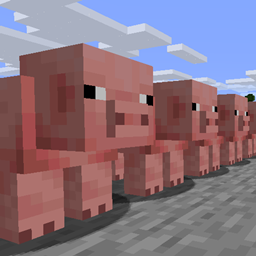
FarmControl allows you to limit and govern certain aspects of mob farms on your server.
Features
- Limit the size of mob farms on your server.
- Reduce unnecessary collisions and movement within mob farms.
- Disable the awareness or AI of mobs in farms in response to the size of the farm or the server's performance.
- Highly configurable - allowing you to tailor the plugin to your needs.
- Low impact - with the brunt of the plugin's processing performed asynchronously.
Installation
To install the plugin, simply place the downloaded jar into your plugin directory.
Be sure to configure the plugin by looking through its config.yml and profiles.yml, both located in the FarmControl folder of your plugin directory. By default, the plugin will only remove the random movement capabilities of and disable collisions for mobs in animal farms.
Configuration
There is much to configure with this plugin. See the config.yml and profiles.yml configuration files located in the FarmControl folder of your plugin directory.
For help with making profiles, please visit the wiki.
Commands
To run the command /farmcontrol <subcommand> the user will require farmcontrol.command.<subcommand>.
- /farmcontrol reload - Reload the plugin's configuration.
- /farmcontrol status <world> - Show the status of the given world.
- /farmcontrol history - Display actions performed by the plugin in the recent past.
- /farmcontrol notify - Toggle notifications from the plugin.
Metrics
This plugin uses bStats to collect some (non-identifying) data about the servers running this plugin. You can opt-out by editing the config.yml in the bStats folder located within your server's plugin directory.
Cara memasang Farm Control
A server on Paper or Spigot
The plugin runs on the server core for Minecraft 1.16–1.20.1; players do not need to install anything.
File goes into the plugins folder
Download the file FarmControl-1.2.5.jar (243 KB) and put it into the server’s plugins folder.
Restart the server
On startup the plugin creates its own settings folder in plugins.
Use the “To server” button
On Millida Hosting, the button at the top of the page uploads the file to your server and restarts it for you.
Minecraft 1.20.1 runs on Java 17: with a different Java version the game may close right after launch.
Versi
Dengan dependensi
| Minecraft | Loader | File | Tanggal | Tindakan |
|---|---|---|---|---|
| 1.16 | — | FarmControl 1.2.5243 KB |
FAQ
Which Minecraft versions does Farm Control work on?
There are files for 1.16–1.20.1, 12 versions in total. The newest is 1.20.1.
Which Java does Farm Control need?
Minecraft 1.20.1 runs on Java 17. If the game closes right after launch, the usual cause is the wrong Java version in the profile settings.
Where can I download Farm Control safely?
On this page: the file FarmControl-1.2.5.jar (243 KB) is stored on Millida’s server, with no link shorteners. SHA-1 checksum: 67f4855abd294fdb0ea3f26bd5636fd0515eb836.
Ulasan
Jadilah yang pertama menilai Farm Control



