

Description
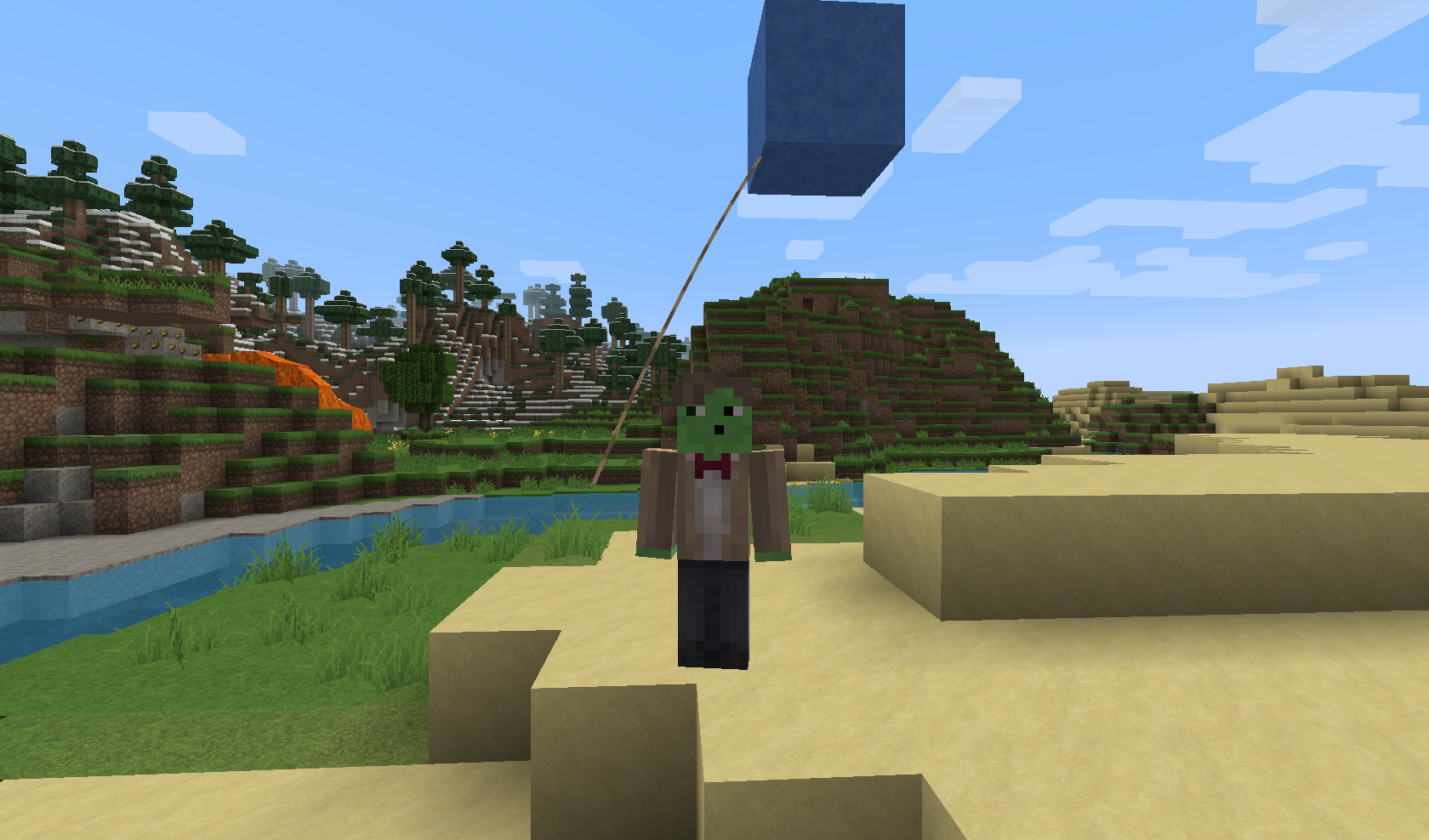
BalloonFiesta is a Plugin which adds a new Cosmetic to your Server: Balloons
There are plenty of different Balloons available. If you do not like a Balloon, you can disable it in the Config.
You need to have mob-spawning enabled on the Server/the Region you are in, otherwise this Plugin will NOT work
Pro TIP: Since 1st August "Pay to win" is forbidden! But since Cosmetics are allowed, feel free to use this as a Donator Perk.
Videos
Even more Videos can be found here...
Balloons
Name Block/Mob Permission
blue Blue stained Clay balloon.blue
red Red stained Clay balloon.red
green Green stained Clay balloon.green
yellow Yellow stained Clay balloon.yellow
pink Pink stained Clay balloon.pink
aqua Aqua stained Clay balloon.aqua
lime Lime stained Clay balloon.lime
orange Orange stained Clay balloon.orange
purple Purple stained Clay balloon.purple
melon Melon balloon.melon
pumpkin Pumpkin balloon.pumpkin
hay Hay Bale balloon.hay
TNT TNT balloon.tnt
Gold Gold Block balloon.gold
Diamond Diamond Block balloon.diamond
Emerald Emerald Block balloon.emerald
Feel free to suggest more Balloons in the Comments.
Since v1.2 you can also specify Particles to be shown around your Balloon. This is disabled by default because it may cause a small bit of lag! For a full List of supported Particles, visit: http://dev.bukkit.org/bukkit-plugins/balloonfiesta/pages/particles/
Commands/Permissions
Command Description
/balloon Shows you all Balloons you can use
/balloon off Turns off your Balloon
/balloon [type] Enables the specified Balloon (if you have the required Permission)
/balloon gui Opens up a GUI allowing you to activate one of your available Balloons
Auto-Updater and Metrics
All my Plugins are using an Auto-Updater to make sure, you're always using the latest and hopefully most bug free version of my Plugin. If you don't want this Plugin to be auto-updated, you can turn it off in the config file at "options -> auto-update: true/false"
They also use a Metrics-System which collects the following Informations:
A unique identifier The server's version of Java Whether the server is in offline or online mode The plugin's version The server's version The OS version/name and architecture The core count for the CPU The number of players online The Metrics version Opting out of this service can be done by editing plugins/Plugin Metrics/config.yml and changing opt-out to true.
Cara memasang BalloonFiesta
A server on Paper or Spigot
The plugin runs on the server core; players do not need to install anything.
File goes into the plugins folder
Download the file BalloonFiesta_v1.2.2.jar (93 KB) and put it into the server’s plugins folder.
Restart the server
On startup the plugin creates its own settings folder in plugins.
Use the “To server” button
On Millida Hosting, the button at the top of the page uploads the file to your server and restarts it for you.
Versi
Dengan dependensi
| Minecraft | Loader | File | Tanggal | Tindakan |
|---|---|---|---|---|
| — | — | BalloonFiesta v1.2.293.5 KB |
Ulasan
Jadilah yang pertama menilai BalloonFiesta



