
Accessories
What can it do?
This plugin contains many useful commands for OPs to play with Minecraft world. You can click on some of these commands to visit advanced help.
- /entity <[count*]entity_name:metadata][/parent]> [X Y Z] - spawns an entity with many attributes.
- /enchant [player] <enchantment> [level|max|min|0] - enchants an item.
- /tileentity or /tentity <name[:meta]> - creates a tile entity.
Example: /tentity mobspawner:irongolem - creates an iron golem spawner.
- /explosion <size> [creates fire] [disable drops] [X Y Z] - boom!
- /potion <effect> [tier] [extended] [splash] [count] - gives you a potion.
- /fireball [on/off] [damage] - toggles the fireball mode - click somewhere.
- /vanish [player] [on/off] [show on list] - hides a player.
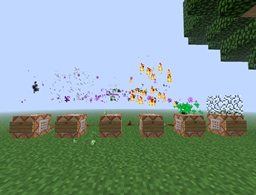
- /seffect <type> [data] [X Y Z] - creates a special effect.
- /hat [player] <block id:damage> - a block hat!
- /wolf <player> [baby] - give a gift - tamed wolf!
- /cat <player> [type] [baby] - give a gift - tamed cat!
- /name <name> - names item holding in the hand.
- /lore <text> - appends a line to item's lore text.
- /skull <player name> - gives you the skull of given player.
- /dye <[0x]color> - dyes the holding item to the specified color in string, decimal or hexadecimal in 0xRRGGBB format.
- /put <block[:damage]> [X Y Z] - sets a block on the location.
- /pop [show effect] [X Y Z] - pops and drops a block on the location.
- /sound <sound> [volume] [pitch] [X Y Z] - plays a sound on the location.
- /painting <type> - creates a fixed-type painting item.
- /removeentity <id> - removes an entity by ID.
- /particle <name> [amount] [radius] [offsetX offsetY offsetZ] [X Y Z | player | world X Y Z] - creates particle effect.
- /animation [player] <animation> - plays an animation.
- /addpotion <effect> [amplifier] [duration] [overwrite current] - adds a custom potion effect to a potion.
Location parameters
This parameter is denoted by [X Y Z] in the description. If it is ommited, the command will use the location of the player or location of the command block. By default, coordinates are absolute. If you use values in the format of "~number", they will be relative to the current position.
Download (1.7.9)
Versions
1.9.1-RBB Updated for Rainbow BukkitBridge. Command toggling was disabled. 1.9.1-R5 1.7.9 update. 1.9.1-R4 1.7.2 update. 1.9.1-R3 1.6.4 update. 1.9.1-R2 Fixed player parameter in /particle. 1.9.1 Additional location parameters in /particle. 1.9 Horse parameters. Drop items parameter in /explosion. 1.8-R2 1.6.2 update. 1.8 config.yml to remove commands. Load plugin once, then open config.yml and change true to false after the desired command to disable it. 1.7 New commands: addpotion. Changed position counting. /potion accepts effect name. 1.6 New commands: particle, animation. Changed position counting. New special effects. Pop has effect parameter. 1.5 New commands: removeentity. Updated /entity format. Special effect #2005 is visible on air blocks. 1.4 New commands: lore, painting. Removed peffect. Enchant works on enchanted books. 1.3 New commands: name, skull, dye, put, pop, sound. Location parameters for: entity, tileentity, explosion, seffect. Command block compatible commands: entity, peffect, tileentity, explosion, vanish, seffect, hat, wolf, cat, put, pop, sound. 1.1 Added {player} parameter for /vanish. 1.0 Initial public release.
Cara memasang Accessories
A server on Paper or Spigot
The plugin runs on the server core; players do not need to install anything.
File goes into the plugins folder
Download the file Accessories.jar (50 KB) and put it into the server’s plugins folder.
Restart the server
On startup the plugin creates its own settings folder in plugins.
Use the “To server” button
On Millida Hosting, the button at the top of the page uploads the file to your server and restarts it for you.
Versi
Dengan dependensi
| Minecraft | Loader | File | Tanggal | Tindakan |
|---|---|---|---|---|
| — | — | Accessories v1.9.1-RBB49.6 KB |
Ulasan
Jadilah yang pertama menilai Accessories


