
Zombies Hates Light Mod untuk Minecraft 1.20.1, 26.1
Zombie akan mencoba menghancurkan sumber cahayamu
 NeoForge
 Forge
Forge Fabric
Tentang mod Zombies Hates Light
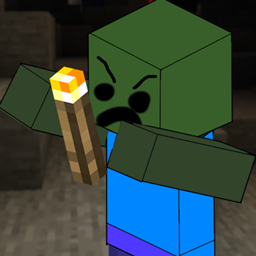
Have you ever had your door broken down, thanks to a Zombie who couldn't keep their hands off it?
Now, they have found a new object of irritation, lights!
Currently they will look for the following light sources and try to get rid of them, if they can.
Now since version 1.3.0, this can be changed through datapacks (it's called affected_blocks), and you can also affect what mobs will try to destroy lights through affected_entities
affected_blocks.json
{ "replace": false, "values": [ "minecraft:torch", "minecraft:wall_torch", "minecraft:lantern", "minecraft:shroomlight", "minecraft:redstone_lamp", "minecraft:campfire", "minecraft:beacon" ] }
affected_entities.json
{ "replace": false, "values": [ "minecraft:zombie" ] }
Cara memasang Zombies Hates Light
With Millida Launcher
Install Millida Launcher
The launcher is free: download it at millida.net/launcher and sign in with any nickname.
Click “Install” on this page
The launcher opens and installs the mod for Minecraft 1.20.1–26.1 on Fabric, Forge or NeoForge automatically.
Launch the game
A profile with it appears in the launcher: click “Play”.
Manually
Install Fabric, Forge or NeoForge
The loader must match the game version of the mod file, for example Minecraft 26.1. After installing it, a separate profile appears in your launcher.
Download the file for your version
In the version list above, pick the file zombieshateslight-neoforge-26.1-1.3.0.jar (93 KB) for your game version and loader.
Put it in the mods folder
The folder is inside .minecraft (Windows: %appdata%\.minecraft\mods). If it does not exist, create it.
Launch the loader profile
Open “Mods” in the main menu: Zombies Hates Light should be in the list.
Versi
Dengan dependensi
| Minecraft | Loader | File | Tanggal | Tindakan |
|---|---|---|---|---|
| 1.20.1 | Fabric | zombieshateslight-fabric-1.20.1-1.3.1.jar93.2 KB | ||
| 26.1 | NeoForge | zombieshateslight-neoforge-26.1-1.3.0.jar93.1 KB | ||
| 26.1 | Forge | zombieshateslight-forge-26.1-1.3.0.jar93.2 KB 2 |
FAQ
Which Minecraft versions does Zombies Hates Light work on?
There are files for 26.1, 1.20.1. The newest is 26.1.
Is Zombies Hates Light for Forge or Fabric?
There are files for Fabric: 1.20.1, for Forge: 26.1 and for NeoForge: 26.1.
Does Zombies Hates Light need other mods?
The author lists no required dependencies: the Fabric, Forge or NeoForge loader is enough.
How do I download Zombies Hates Light?
With Millida Launcher: it installs Zombies Hates Light into a modpack by itself, for the right game version and loader. The launcher is free.
Ulasan
Jadilah yang pertama menilai Zombies Hates Light


