

Treasure2 Mod untuk Minecraft 1.20.1, 1.21.1
Siapa yang tidak suka menemukan loot? Selalu menyenangkan menemukan barang gratis!
 NeoForge
 Forge
ForgeTentang mod Treasure2
Treasure2 menambah sensasi penemuan di Minecraft. Mod ini menambahkan berbagai peti harta karun baru dan langka untuk ditemukan. Peti-peti tersebut diamankan dengan berbagai kunci dan hanya dapat dibuka dengan menemukan kunci yang sesuai.
GottschCore
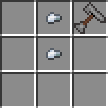
Kamu dapat menggunakan pouch untuk menyimpan kunci, kunci gembok, koin, dan permata ekstra. Kamu dapat menggunakan Key Ring untuk menyimpan banyak kunci dan akan berfungsi seperti kunci, memilih kunci yang tepat dari inventarisnya untuk gembok tersebut.
Tanpa membuat sub-mod tersendiri, Treasure2 menambahkan satu set senjata baru, versi standar dan koleksi. Semuanya disesuaikan untuk permainan vanilla, jadi seharusnya tidak terlalu kuat.
Mimics kembali! Model yang didesain ulang dan 5 mimic baru (Cardboard, Crate, Moldy Crate, Viking dan Cauldron).
Kamu dapat dengan mudah membuat mod add-on untuk Treasure2. Berikut daftar beberapa di antaranya:
Treasure2: Twilight Forest Loot Pack - oleh gottsch
Treasure2 dapat digunakan sebagai mod mandiri, namun, hanya ada sekian banyak item vanilla untuk dijadikan loot yang bagus. Treasure2 dirancang untuk menggunakan datapack guna mengisi tabel loot peti harta karun. Berikut datapack Twilight Forest untuk digunakan di Treasure2:
treasure2-twilight-forest-datapackv1.0.0.zip
Kamu dapat memeriksanya sebagai contoh cara menyiapkan datapack apa pun untuk Treasure2.
Jawabannya adalah Ya. Silakan gunakan Treasure2 atau mod saya lainnya di modpack kamu.
https://www.tiktok.com/@louisetherose/video/7277901152363056391
Cara memasang Treasure2
With Millida Launcher
Install Millida Launcher
The launcher is free: download it at millida.net/launcher and sign in with any nickname.
Click “Install” on this page
The launcher opens and installs the mod for Minecraft 1.12.2–1.21.1 on Forge or NeoForge automatically.
Launch the game
A profile with it appears in the launcher: click “Play”.
Manually
Install Forge or NeoForge
The loader must match the game version of the mod file, for example Minecraft 1.21.1. After installing it, a separate profile appears in your launcher.
Download the file for your version
In the version list above, pick the file treasure2-neoforge-1.21.1-5.0.2.jar (3.4 MB) for your game version and loader.
Put it in the mods folder
The folder is inside .minecraft (Windows: %appdata%\.minecraft\mods). If it does not exist, create it.
Launch the loader profile
Open “Mods” in the main menu: Treasure2 should be in the list.
Minecraft 1.21.1 runs on Java 21: with a different Java version the game may close right after launch.
Versi
Dengan dependensi
| Minecraft | Loader | File | Tanggal | Tindakan |
|---|---|---|---|---|
| 1.20.1 | Forge | treasure2-1.20.1-4.0.6.jar3.4 MB 1 | ||
| 1.21.1 | NeoForge | treasure2-neoforge-1.21.1-5.0.2.jar3.4 MB 1 | ||
| 1.12.2 | — | Treasure2-mc1.12.2-f14.23.5.2859-v2.0.0.jar4.5 MB |
FAQ
Which Minecraft versions does Treasure2 work on?
There are files for 1.21.1, 1.20.1, 1.12.2. The newest is 1.21.1.
Is Treasure2 for Forge or Fabric?
There are files for Forge: 1.20.1 and for NeoForge: 1.21.1. There are no files for Fabric: a mod for another loader will not start.
Does Treasure2 need other mods?
The author lists no required dependencies: the Forge or NeoForge loader is enough.
Which Java does Treasure2 need?
Minecraft 1.21.1 runs on Java 21. If the game closes right after launch, the usual cause is the wrong Java version in the profile settings.
How do I download Treasure2?
With Millida Launcher: it installs Treasure2 into a modpack by itself, for the right game version and loader. The launcher is free.
Ulasan
Jadilah yang pertama menilai Treasure2


