

Topography Mod untuk Minecraft 1.12.2
Generator medan khusus yang ditentukan pengguna
- dilihat
- 8 dilihat
- Diperbarui
- Diperbarui 18.10.2026
- 1.12 — 1.12.2
 Forge
Forge
Tentang mod Topography
Meskipun versi 1.16 memiliki konfigurasi default/contoh, versi tersebut belum memiliki dokumentasi. Gunakan dengan risiko Anda sendiri.
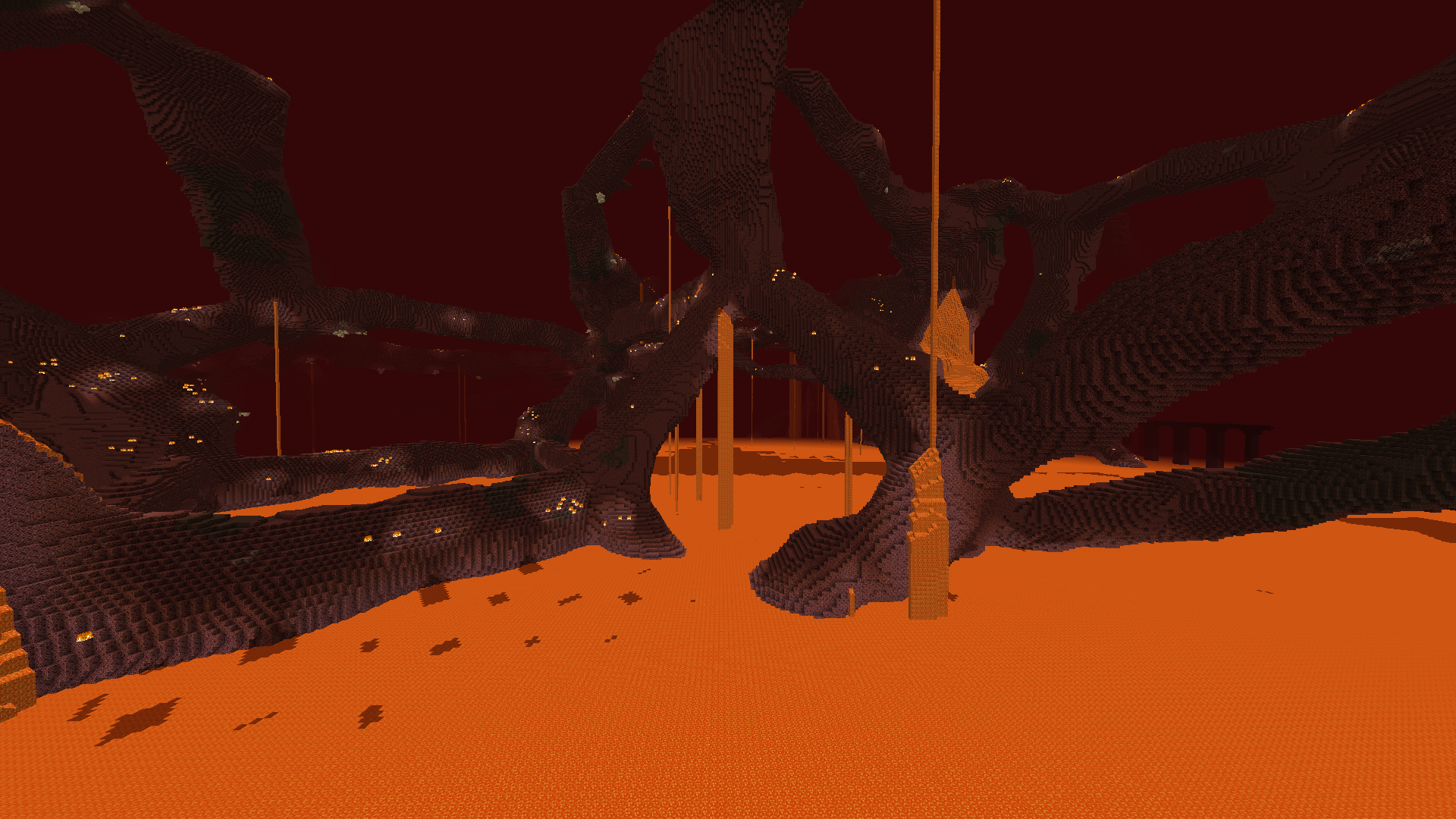
Topography adalah mod yang dirancang untuk memungkinkan pengembang modpack membuat dimensi khusus yang ditentukan untuk modpack mereka menggunakan sistem skrip. Generator medan khusus, skybox, struktur spawn, preset dunia, dan lainnya tersedia.
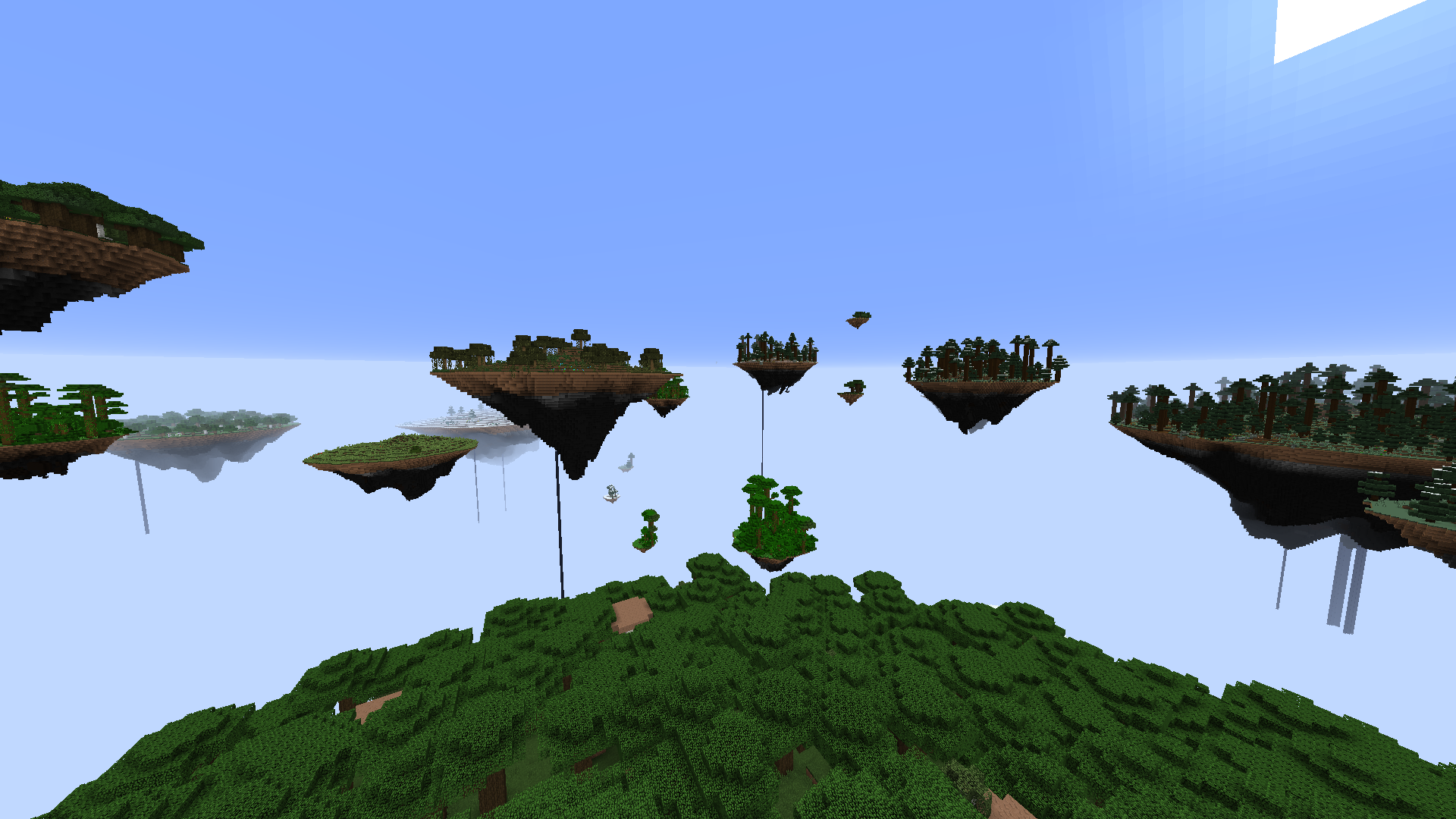
Fitur yang Saat Ini Diimplementasikan
Generator:
- Sky Island Terrain Generator
- Overworld Generator
- Scattered Block Generator
- Fluid Pocket Generator
- Hanging Crystal Generator
- Deformed Sphere Generator
- Cell Noise Generator
- Layer Generator
- Ice and Snow Generator
- Biome Block Replacement Generator
- Vanilla Fire Generator
- Vanilla Lava Pocket Generator
- Vanilla Glowstone Generator
- Vanilla Quartz Generator
- Vanilla Decoration Generator
- Vanilla Animal Generator
- Vanilla Cave Generator
- Vanilla Ravine Generator
- Vanilla Lake Generator
- Vanilla Dungeon Generator
Struktur:
- Nether Fortress
- End City
- Mansion
- Mineshaft
- Ocean Monument
- Stronghold
- Village
- Temple
Lainnya:
- Preset dunia untuk memungkinkan pemain memilih di antara beberapa opsi dunia untuk modpack Anda. Preset dapat memiliki deskripsi dan gambar agar berbagai opsi tersebut sangat jelas bagi pemain. Preset juga dapat dikunci secara default, dan dibuka dengan sebuah perintah, sehingga preset tertentu dapat dikunci di balik advancement, quest, atau mod Prestige.
- Layar pembuatan dunia khusus.
- Atur struktur spawn dunia void khusus.
- Atur warna kabut dengan transisi warna sudut celestial.
- Atur skybox khusus dengan transisi gambar sudut celestial.
- Aktifkan kabut sferis jarak pendek seperti di nether vanilla.
- Atur sudut celestial statis untuk siang, malam, matahari terbenam, dsb. secara permanen.
- Nonaktifkan rendering langit sepenuhnya.
- Nonaktifkan awan.
- Nonaktifkan cahaya langit.
- Buat dimensi bioma tunggal.
- Ubah kecerahan cahaya.
- Tambahkan efek seperti pengubah atribut atau damage pada tingkat cahaya tertentu ke entitas.
- Nonaktifkan respawn.
- Uapkan air.
- Paksa Hardcore.
- Paksa kesulitan awal.
- Kunci kesulitan.
- Jalankan fungsi perintah awal pada pemain saat mereka bergabung ke dunia.
- Jalankan fungsi perintah awal pada server saat dunia pertama kali dibuat.
Dokumentasi dan contoh preset disertakan bersama mod ini.
Kunjungi server Discord resmi Blood N Bones Gaming kami untuk bantuan dan diskusi tentang semua mod kami!
Cara memasang Topography
With Millida Launcher
Install Millida Launcher
The launcher is free: download it at millida.net/launcher and sign in with any nickname.
Click “Install” on this page
The launcher opens and installs the mod for Minecraft 1.12–1.12.2 on Forge automatically.
Launch the game
A profile with it appears in the launcher: click “Play”.
Manually
Install Forge
The loader must match the game version of the mod file, for example Minecraft 1.12.2. After installing it, a separate profile appears in your launcher.
Download the file for your version
In the version list above, pick the file Topography-1.12.2-1.14.5.jar (3.8 MB) for your game version.
Put it in the mods folder
The folder is inside .minecraft (Windows: %appdata%\.minecraft\mods). If it does not exist, create it.
Launch the loader profile
Open “Mods” in the main menu: Topography should be in the list.
Minecraft 1.12.2 runs on Java 8: with a different Java version the game may close right after launch.
Versi
Dengan dependensi
| Minecraft | Loader | File | Tanggal | Tindakan |
|---|---|---|---|---|
| 1.12.1 | Forge | Topography 1.12-1.14.53.8 MB | ||
| 1.12.1 | — | Topography 1.12-1.14.43.8 MB | ||
| 1.12.1 | — | Topography 1.12-0.11.01.2 MB |
FAQ
Which Minecraft versions does Topography work on?
There are files for 1.12.2, 1.12.1, 1.12. The newest is 1.12.2.
Is Topography for Forge or Fabric?
Only for Forge: 1.12–1.12.2. There are no files for Fabric or NeoForge: a mod for another loader will not start.
Does Topography need other mods?
The author lists no required dependencies: the Forge loader is enough.
Which Java does Topography need?
Minecraft 1.12.2 runs on Java 8. If the game closes right after launch, the usual cause is the wrong Java version in the profile settings.
Where can I download Topography safely?
On this page: the file Topography-1.12.2-1.14.5.jar (3.8 MB) is stored on Millida’s server, with no link shorteners. SHA-1 checksum: 955e9f3339485d91657743d2a43e516e7051c361.
Ulasan
Jadilah yang pertama menilai Topography


