
Smooth Boot (Fabric) Mod untuk Minecraft 1.19.4
Sesuaikan pengaturan thread Java dan cegah Minecraft membuat komputer Anda lag saat memuat.
 Fabric
 Quilt
QuiltSmooth Boot tidak lagi diperlukan sejak versi 1.19.4!
Karena Minecraft telah memperbaiki masalah ini sendiri.
Tautan ke versi Forge
Smooth Boot - Optimalkan performa pemuatan Minecraft agar lebih lancar pada sistem kelas bawah dan berskala lebih baik pada sistem kelas atas.
Tersedia di Fabric dan Forge untuk Minecraft 1.14-1.19.3.
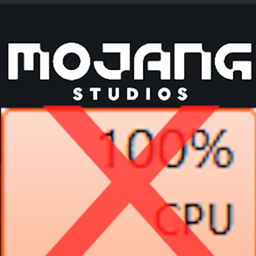
Jika Anda memiliki PC dengan CPU yang lebih tua atau kelas bawah (misalnya CPU dengan 8 thread atau kurang), Anda mungkin menyadari bahwa Minecraft menggunakan 100% CPU saat memuat ke layar judul, menyebabkan kursor tersendat dan membuat multitasking menjadi sangat sulit. Smooth Boot mengatasi masalah ini sepenuhnya, dan pemuatan seharusnya jauh lebih lancar dan berpotensi lebih cepat juga.
Fitur
- Ubah jumlah thread yang digunakan untuk pemuatan
- Ubah prioritas thread yang digunakan oleh Minecraft
- Menu konfigurasi otomatis untuk mengubah konfigurasi dari dalam game
Cara kerja mod ini
Minecraft menggunakan executor untuk menjalankan tugas multithread. Masalahnya adalah tugas-tugas yang dijalankan selama pemuatan cukup berat pada CPU, sehingga menyebabkan penggunaan CPU 100%. Dan, beberapa tugas tidak selalu mendapat manfaat dari multithreading. Smooth Boot memperbaiki masalah ini dengan mengubah parameter executor, termasuk jumlah thread yang digunakan dan prioritas setiap thread.
Untuk informasi lebih lanjut, silakan baca wiki Smooth Boot
Kompatibilitas
Mod ini seharusnya kompatibel dengan semua mod termasuk Optifine. Namun, perlu dicatat bahwa mod ini menggunakan mixin overwrites pada beberapa metode yang digunakan untuk memuat game. Jika Anda mengalami masalah ketidakcocokan, silakan tinggalkan komentar.
Cara memasang Smooth Boot (Fabric)
With Millida Launcher
Install Millida Launcher
The launcher is free: download it at millida.net/launcher and sign in with any nickname.
Click “Install” on this page
The launcher opens and installs the mod for Minecraft 1.17–1.19.4 on Fabric or Quilt automatically.
Launch the game
A profile with it appears in the launcher: click “Play”.
Manually
Install Fabric or Quilt
The loader must match the game version of the mod file, for example Minecraft 1.19.4. After installing it, a separate profile appears in your launcher.
Download the file for your version
In the version list above, pick the file smoothboot-fabric-1.19.4-1.7.0.jar (87 KB) for your game version and loader.
Put it in the mods folder
The folder is inside .minecraft (Windows: %appdata%\.minecraft\mods). If it does not exist, create it.
Launch the loader profile
Open “Mods” in the main menu: Smooth Boot (Fabric) should be in the list.
Minecraft 1.19.4 runs on Java 17: with a different Java version the game may close right after launch.
Versi
Dengan dependensi
| Minecraft | Loader | File | Tanggal | Tindakan |
|---|---|---|---|---|
| 1.19.4 | Fabric, Quilt | smoothboot-fabric-1.19.4-1.7.0.jar86.6 KB | ||
| 1.17 | Fabric | smoothboot-fabric-21w06a-1.4.0.jar85.5 KB |
FAQ
Which Minecraft versions does Smooth Boot (Fabric) work on?
There are files for 1.19.4, 1.17. The newest is 1.19.4.
Is Smooth Boot (Fabric) for Forge or Fabric?
There are files for Fabric: 1.17–1.19.4 and for Quilt: 1.19.4. There are no files for Forge or NeoForge: a mod for another loader will not start.
Does Smooth Boot (Fabric) need other mods?
The author lists no required dependencies: the Fabric or Quilt loader is enough.
Which Java does Smooth Boot (Fabric) need?
Minecraft 1.19.4 runs on Java 17. If the game closes right after launch, the usual cause is the wrong Java version in the profile settings.
Where can I download Smooth Boot (Fabric) safely?
On this page: the file smoothboot-fabric-1.19.4-1.7.0.jar (87 KB) is stored on Millida’s server, with no link shorteners. SHA-1 checksum: 295dd6dea9763a72ecf77682534d81b0129474fe.
Ulasan
Jadilah yang pertama menilai Smooth Boot (Fabric)


