
Simple Shops Mod untuk Minecraft 1.18.2
Menambahkan toko pemain dan toko kreatif yang sederhana dan mudah!
- dilihat
- 28 dilihat
- Diperbarui
- Diperbarui 17.10.2026
- 1.18.2
 Forge
Tentang mod Simple Shops
Simple Shops Mod
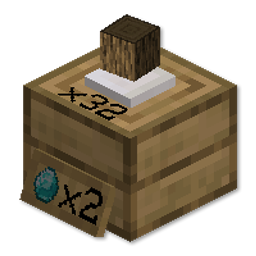
Mod ini menambahkan Player Shops dan Creative Shops
yang sangat mudah disiapkan dan digunakan!
Cukup buat shop dan letakkan di tanah.
Klik kanan dengan sebuah item untuk mengatur harganya,
lalu klik kanan lagi untuk memasukkan beberapa item yang akan dijual.
Kamu bisa meninggalkannya di mana saja, karena pemain lain tidak bisa menghancurkannya!
Kamu bisa mengambil keuntunganmu setelahnya dengan klik kiri.
Jika kamu ingin menghancurkan shop-mu, kamu bisa melakukannya dengan klik kiri sambil menyelinap.
Pembaruan:
Sekarang kamu bisa klik kanan dengan tangan kosong untuk memasukkan lebih banyak stok!
Kamu juga bisa menambahkan Stock Viewer ke shop-mu! Dengan warna yang bisa disesuaikan juga!
Tonton video tutorial di bawah ini!
Silakan bergabung ke discord dan bagikan ide serta masukanmu!
Disponsori oleh BISECT HOSTING Berdedikasi untuk membuat pengalaman hosting server Minecraft-mu semudah dan sehemat mungkin. Dapatkan diskon 25% untuk bulan pertamamu untuk server game apa pun dengan kode "wolforce".
MCTCG Mega Builds Simple Shops Player Tabs Dukung saya!
Hearth Well Vaultopic Mechanics Pristeel Groves Miner Golems
Cara memasang Simple Shops
With Millida Launcher
Install Millida Launcher
The launcher is free: download it at millida.net/launcher and sign in with any nickname.
Click “Install” on this page
The launcher opens and installs the mod for Minecraft 1.18.2 on Forge automatically.
Launch the game
A profile with it appears in the launcher: click “Play”.
Manually
Install Forge
The loader must match the game version of the mod file, for example Minecraft 1.18.2. After installing it, a separate profile appears in your launcher.
Download the file for your version
In the version list above, pick the file simpleshops-1.2.2.jar (148 KB) for your game version.
Put it in the mods folder
The folder is inside .minecraft (Windows: %appdata%\.minecraft\mods). If it does not exist, create it.
Launch the loader profile
Open “Mods” in the main menu: Simple Shops should be in the list.
Minecraft 1.18.2 runs on Java 17: with a different Java version the game may close right after launch.
Versi
Dengan dependensi
| Minecraft | Loader | File | Tanggal | Tindakan |
|---|---|---|---|---|
| 1.18.2 | Forge | simpleshops-1.2.2.jar148 KB |
FAQ
Which Minecraft versions does Simple Shops work on?
Only Minecraft 1.18.2: there are no files for other versions.
Is Simple Shops for Forge or Fabric?
Only for Forge: 1.18.2. There are no files for Fabric or NeoForge: a mod for another loader will not start.
Does Simple Shops need other mods?
The author lists no required dependencies: the Forge loader is enough.
Which Java does Simple Shops need?
Minecraft 1.18.2 runs on Java 17. If the game closes right after launch, the usual cause is the wrong Java version in the profile settings.
Where can I download Simple Shops safely?
On this page: the file simpleshops-1.2.2.jar (148 KB) is stored on Millida’s server, with no link shorteners. SHA-1 checksum: 6da213f138d70bcaf06b6d4723b4c7fb852b5d18.
Ulasan
Jadilah yang pertama menilai Simple Shops


