

Productive Trees Mod untuk Minecraft 1.20.1, 1.21.1
Spesies pohon yang dapat dikembangbiakkan
 NeoForge
 Forge
ForgeTentang mod Productive Trees
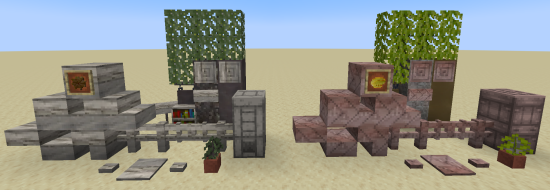
Memperkenalkan mod 'Productive Trees' untuk Minecraft, penerus spiritual dari mini-game pemuliaan pohon dari Forestry. Dengan mod ini, Anda kini dapat mendalami seni pemuliaan pohon, memungkinkan Anda melakukan penyerbukan silang berbagai spesies pohon dan membudidayakan varietas hibrida yang unik. Tidak ada lagi hari-hari membangun dengan kayu dari pohon vanilla lama yang membosankan, dengan koleksi lebih dari 160 set kayu unik baru.
Dengan Productive Trees, Anda memiliki kekuatan untuk memuliakan pohon secara strategis guna menghasilkan jenis kayu yang indah. Bereksperimenlah dengan berbagai kombinasi untuk menemukan dan membuka banyak kemungkinan menarik. Bayangkan memanen pohon yang tidak hanya menyediakan kayu langka tetapi juga menghasilkan buah atau kacang yang lezat!
Tingkatkan keterampilan kehutanan Anda, ciptakan spesies pohon unik Anda sendiri, dan ubah dunia dalam game Anda menjadi ekosistem yang subur penuh keajaiban hasil budidaya sendiri. Unduh mod Productive Trees hari ini dan mulailah perjalanan inovasi arboreal di lanskap piksel Minecraft yang luas.
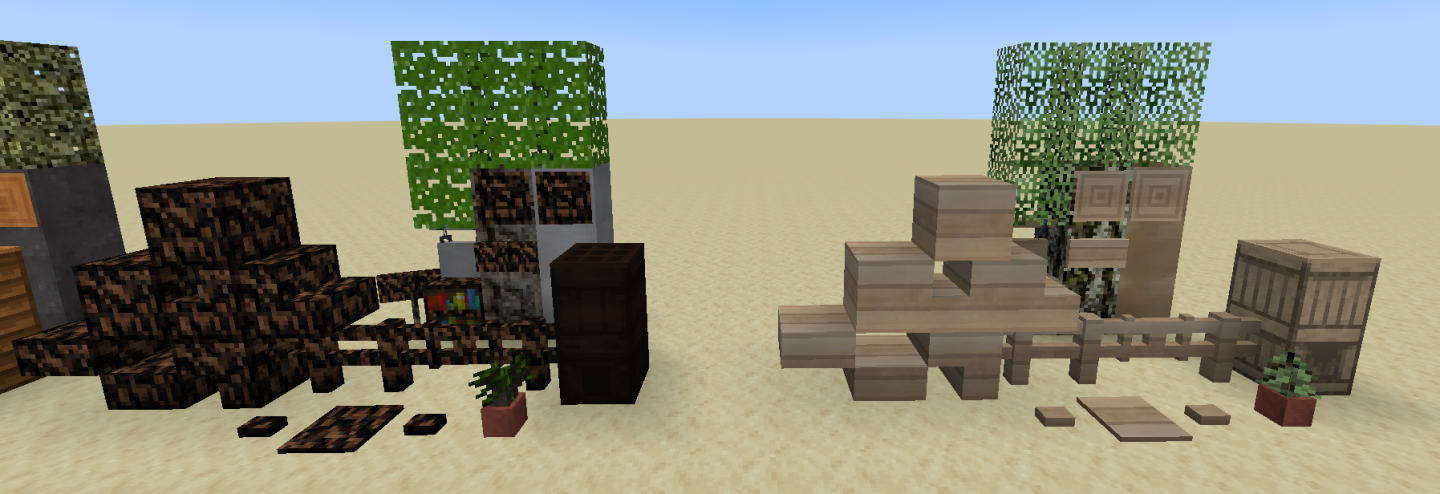
Mod ini masih dalam tahap beta dan belum selesai. Hal penting yang masih kurang adalah fitur pohon (bagaimana tampilannya saat tumbuh).
Ada server discord jika Anda butuh bantuan atau ingin mampir dan memuji teksturnya.
"Begitu banyak kayu sampai Anda akan mencari pertolongan medis" - anonim
Cara memasang Productive Trees
With Millida Launcher
Install Millida Launcher
The launcher is free: download it at millida.net/launcher and sign in with any nickname.
Click “Install” on this page
The launcher opens and installs the mod for Minecraft 1.20.1–1.21.1 on Forge or NeoForge automatically.
Launch the game
A profile with it appears in the launcher: click “Play”.
Manually
Install Forge or NeoForge
The loader must match the game version of the mod file, for example Minecraft 1.21.1. After installing it, a separate profile appears in your launcher.
Download the file for your version
In the version list above, pick the file productivetrees-1.21.1-1.1.1.jar (13 MB) for your game version and loader.
Put it in the mods folder
The folder is inside .minecraft (Windows: %appdata%\.minecraft\mods). If it does not exist, create it.
Launch the loader profile
Open “Mods” in the main menu: Productive Trees should be in the list.
Minecraft 1.21.1 runs on Java 21: with a different Java version the game may close right after launch.
Versi
Dengan dependensi
| Minecraft | Loader | File | Tanggal | Tindakan |
|---|---|---|---|---|
| 1.21.1 | NeoForge | productivetrees-1.21.1-1.1.1.jar13.4 MB 2 | ||
| 1.21.1 | NeoForge | productivetrees-1.21.1-0.6.0.jar3.2 MB | ||
| 1.20.1 | NeoForge, Forge | productivetrees-1.20.1-0.2.6.jar14 MB | ||
| 1.20.1 | NeoForge, Forge | productivetrees-1.20.1-0.1.0.jar13.3 MB |
FAQ
Which Minecraft versions does Productive Trees work on?
There are files for 1.21.1, 1.20.1. The newest is 1.21.1.
Is Productive Trees for Forge or Fabric?
There are files for Forge: 1.20.1 and for NeoForge: 1.20.1–1.21.1. There are no files for Fabric: a mod for another loader will not start.
Does Productive Trees need other mods?
The author lists no required dependencies: the Forge or NeoForge loader is enough.
Which Java does Productive Trees need?
Minecraft 1.21.1 runs on Java 21. If the game closes right after launch, the usual cause is the wrong Java version in the profile settings.
Where can I download Productive Trees safely?
On this page: the file productivetrees-1.21.1-1.1.1.jar (13 MB) is stored on Millida’s server, with no link shorteners. SHA-1 checksum: 33b7f304e4e13297fdbbef4822f8b178d73868cc.
Ulasan
Jadilah yang pertama menilai Productive Trees


