
PrimalCore Mod untuk Minecraft 1.12.2
Survival Awal Game, Nether Diperluas, Monster dan Misteri
- unduhan
- 1 unduhan
- dilihat
- 22 dilihat
- Diperbarui
- Diperbarui 01.11.2026
- 1.12 — 1.12.2
 Forge
Tentang mod PrimalCore
Survival Awal Permainan, Nether Diperluas, Monster dan Misteri
Mulai di GamePlay Wiki, Laporkan Masalah di Github, Lihat Changelog Pengembangan
Bergabunglah dengan Kami di Discord untuk mengobrol atau bermain di Server PrimalCore Resmi.
Kebijakan Paket: PrimalCore dapat disertakan dalam mod pack atau server apa pun sejauh pemiliknya mematuhi EULA Minecraft.
Donasi melalui dukungan sangat dihargai dan akan membantu menjaga mod ini tetap hidup
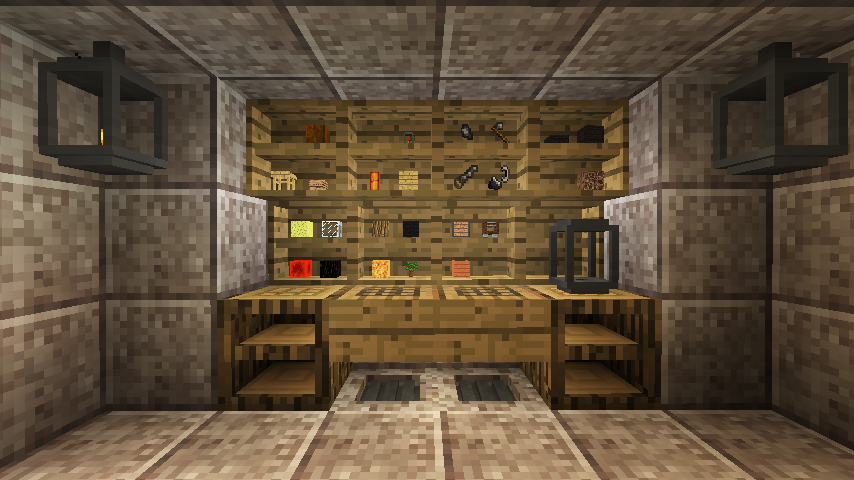
PrimalCore adalah mod survival yang berfokus pada mekanika awal permainan, teknologi primitif, dan membuat dunia menjadi tempat yang lebih sulit dan kurang pemaaf. Konfigurasi default memengaruhi banyak langkah pertama yang akan diambil pemain, seperti mengganti alat kayu dan batu dengan flint serpihan, mengubah pemanenan dan pembuatan item seperti log kayu, plank, dan slab agar memerlukan penggunaan alat, serta menambahkan ancaman dan sumber daya baru ke dunia dalam bentuk worldgen dan monster. Setiap fitur utama dapat dikonfigurasi atau dinonaktifkan, kompatibilitas adalah fokus utama, masukan tentang seberapa baik kami bermain dengan mod lain sangat dihargai!
Server ModPack Unggulan: periksa halaman curse atau discord untuk informasi koneksi server
Technicians' Survival 2
Primal Skies
Mod Terkait:
Kitsu's ForgeCraft
MagnumOpus
SharpBone
Daftar Putar Lengkap Di Sini
Cara memasang PrimalCore
With Millida Launcher
Install Millida Launcher
The launcher is free: download it at millida.net/launcher and sign in with any nickname.
Click “Install” on this page
The launcher opens and installs the mod for Minecraft 1.12–1.12.2 on Forge automatically.
Launch the game
A profile with it appears in the launcher: click “Play”.
Manually
Install Forge
The loader must match the game version of the mod file, for example Minecraft 1.12.2. After installing it, a separate profile appears in your launcher.
Download the file for your version
In the version list above, pick the file PrimalCore-1.12.2-0.6.105.jar (5.7 MB) for your game version.
Put it in the mods folder
The folder is inside .minecraft (Windows: %appdata%\.minecraft\mods). If it does not exist, create it.
Launch the loader profile
Open “Mods” in the main menu: PrimalCore should be in the list.
Minecraft 1.12.2 runs on Java 8: with a different Java version the game may close right after launch.
Versi
Dengan dependensi
| Minecraft | Loader | File | Tanggal | Tindakan |
|---|---|---|---|---|
| 1.12.1 | Forge | PrimalCore-1.12.2-0.6.105.jar5.7 MB 1 | ||
| 1.12.1 | — | PrimalCore-1.12.2-0.5.22.jar3.5 MB |
FAQ
Which Minecraft versions does PrimalCore work on?
There are files for 1.12.2, 1.12.1, 1.12. The newest is 1.12.2.
Is PrimalCore for Forge or Fabric?
Only for Forge: 1.12–1.12.2. There are no files for Fabric or NeoForge: a mod for another loader will not start.
Does PrimalCore need other mods?
The author lists no required dependencies: the Forge loader is enough.
Which Java does PrimalCore need?
Minecraft 1.12.2 runs on Java 8. If the game closes right after launch, the usual cause is the wrong Java version in the profile settings.
Where can I download PrimalCore safely?
On this page: the file PrimalCore-1.12.2-0.6.105.jar (5.7 MB) is stored on Millida’s server, with no link shorteners. SHA-1 checksum: d1cd14519d3a09abfa5d8ccc48c970933e57b93b.
Ulasan
Jadilah yang pertama menilai PrimalCore


