

Pipe Goggles Mod untuk Minecraft 1.21.1, 1.12.2
Membantu perpipaan Anda. Lihat pipa menembus dinding!
 NeoForge
 Forge
ForgePipe Goggles
Deskripsi
Pipe Goggles saat ini hanya menambahkan satu item, yaitu Pipe Goggles. Item ini memungkinkan pemakainya melihat berbagai perpipaan melalui dinding.
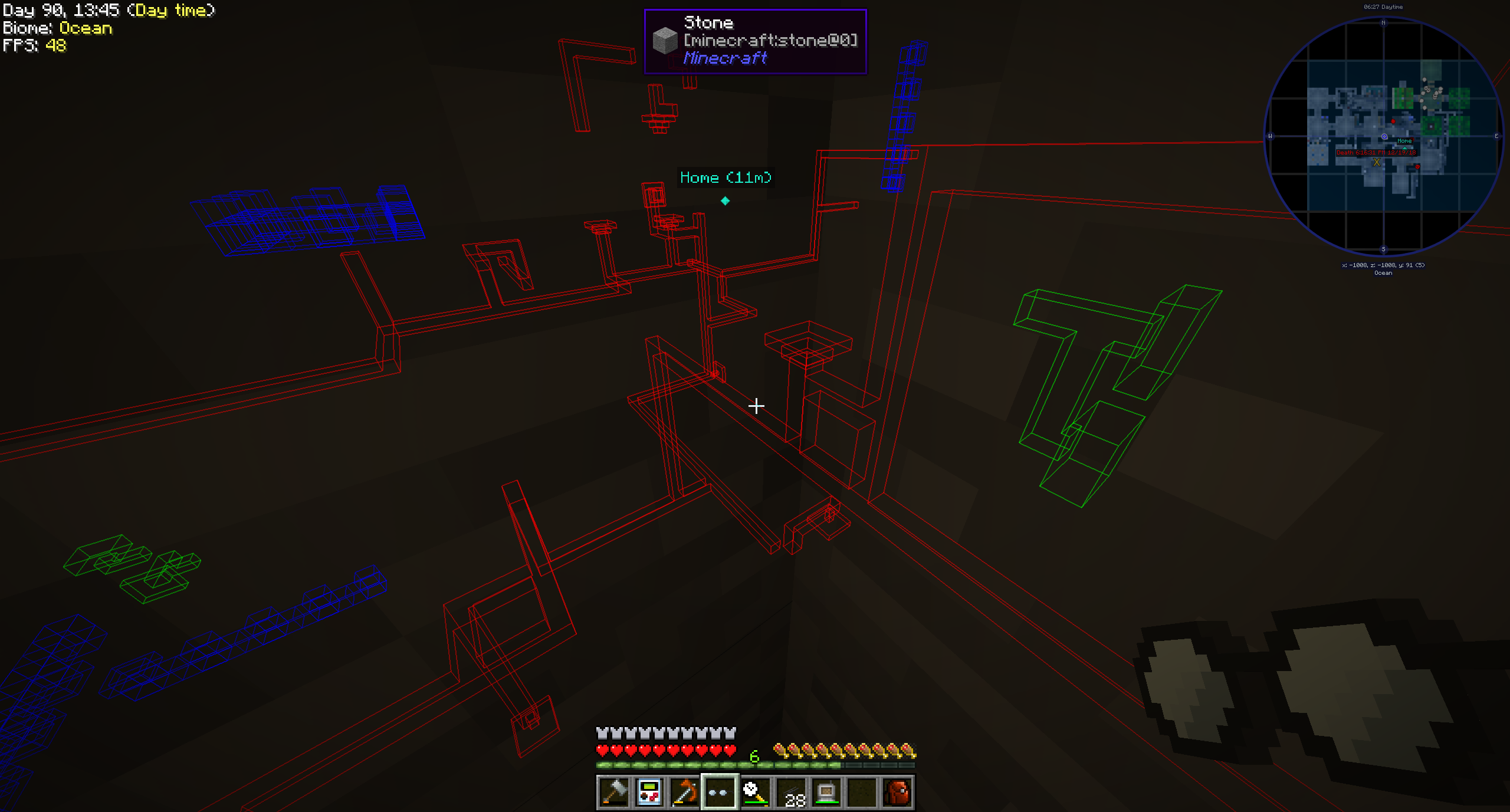
Penggunaan
Klik kanan sambil memegang goggles untuk membuka GUI konfigurasi kecil.
Masukkan pipa yang ingin Anda lihat ke dalam slot berwarna.
Goggles dapat berada dalam tiga mode berbeda:
- Selalu aktif: Goggles selalu aktif, menampilkan semua pipa.
- Selalu nonaktif: Goggles tidak pernah aktif, tidak menampilkan pipa apa pun.
- Otomatis: Goggles hanya akan menampilkan pipa yang cocok ketika pemain memegang item pipa di tangannya.
Anda juga dapat mengatur jangkauan goggles, ketebalan garis pipa, dan opasitasnya.
Bergantung pada konfigurasi mod, goggles Anda perlu diberi daya agar berfungsi!
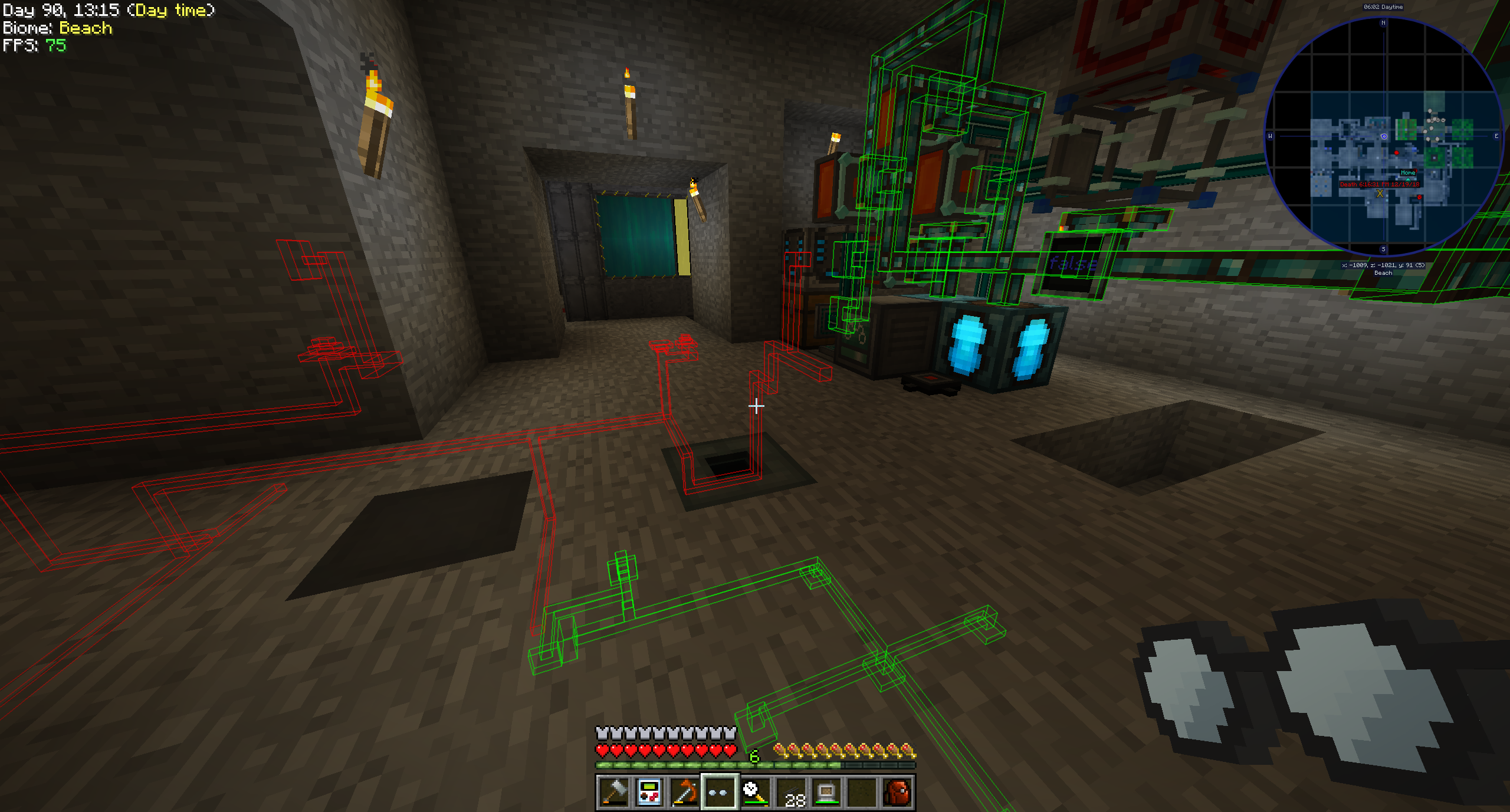
Mod yang didukung (1.21.1):
- Applied Energistics 2
- Create
- EnderIO
- Flux Networks
- IntegratedDynamics
- LaserIO
- Mekanism
- Redstone (dari vanilla minecraft)
- Modern Industrialization
- MoreRed
- Oritech
- Pipez
- PneumaticCraft
- Refined Storage
- Replication
- XNet
Mod yang didukung (1.14):
- Refined Storage
- Simple Storage Network
- Inspirations
- Integrated Dynamics
Mod yang didukung (1.12):
- Applied Energistics
- Cyclic
- EnderIO
- Extra Utilities 2
- Immersive Engineering
- Integrated Dynamics
- Mekanism
- OpenComputers
- Refined Storage
- Simple Storage Network
- Thermal Dynamics
Menambahkan dukungan untuk mod lain (1.21.1 dan yang lebih baru):
Ini cukup mudah dan sebuah contoh lebih baik daripada kata-kata untuk hal ini:
{ "neoforge:conditions": [ { "type": "neoforge:modloaded", "modid": "xnet" } ], "blocks": [ "xnet:netcable", "xnet:connector" ], "items": [ "xnet:cables", "xnet:connectors" ], "mod": "xnet" }
blocks adalah blok yang harus disorot. Ini bisa berupa id blok atau tag. items adalah item yang memungkinkan goggles dalam mode otomatis menyorot pipa. Juga berupa id item atau tag.
File tersebut harus diletakkan di sini: <your-data-pack>/data/pipegoggles/pipegoggles/mods/xnet.json.
Contoh lainnya dapat ditemukan di sini.
Cara memasang Pipe Goggles
With Millida Launcher
Install Millida Launcher
The launcher is free: download it at millida.net/launcher and sign in with any nickname.
Click “Install” on this page
The launcher opens and installs the mod for Minecraft 1.12–1.21.1 on Forge or NeoForge automatically.
Launch the game
A profile with it appears in the launcher: click “Play”.
Manually
Install Forge or NeoForge
The loader must match the game version of the mod file, for example Minecraft 1.21.1. After installing it, a separate profile appears in your launcher.
Download the file for your version
In the version list above, pick the file pipegoggles-2.0.4.jar (380 KB) for your game version and loader.
Put it in the mods folder
The folder is inside .minecraft (Windows: %appdata%\.minecraft\mods). If it does not exist, create it.
Launch the loader profile
Open “Mods” in the main menu: Pipe Goggles should be in the list.
Minecraft 1.21.1 runs on Java 21: with a different Java version the game may close right after launch.
Versi
Dengan dependensi
| Minecraft | Loader | File | Tanggal | Tindakan |
|---|---|---|---|---|
| 1.21.1 | NeoForge | pipegoggles-2.0.4.jar380 KB | ||
| 1.14.4 | Forge | PipeMaster-2.0.1.12.jar52.5 KB | ||
| 1.12.1 | — | PipeMaster-1.0.2-b8.jar134 KB |
Ulasan
Jadilah yang pertama menilai Pipe Goggles


