
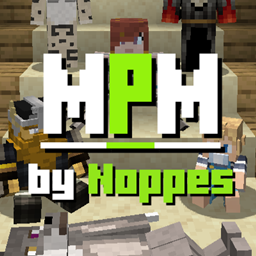
More Player Models Mod untuk Minecraft 1.20.1
Layar pembuatan karakter, animasi, gelembung obrolan, dan lainnya.
- unduhan
- 20 unduhan
- dilihat
- 62 dilihat
- Diperbarui
- Diperbarui 27.10.2026
- 1.9 — 1.20.1
 Forge
Forge
Tentang mod More Player Models
More Player Models wajib dimiliki untuk roleplay! Tolkien/Lord of the Rings, Harry Potter, fantasi, anime, furries, littles/family, atau apa pun itu!
FITUR MODEL:
🐖 Berubah menjadi mob apa pun! 🧟 Ubah model karaktermu dengan menu F12! 🕷️ Dukungan multiplayer! Siapa pun yang memiliki MPM dapat melihat model kustommu! 🦙 Pasang juga plugin Bukkit untuk dukungan multiplayer server Java!
FITUR LAINNYA:
😀 Animasi Emote! (/sit, /dance, /wave, /sleep, /hug, /cry, /angry, /bow, /wag, /crawl dan lainnya) 💬 Gelembung obrolan! ℹ️ Tooltip tentang item yang sedang kamu pegang! ⛏️ Item pertama di hotbar-mu akan digantung di punggungmu saat disimpan!
INFO LEBIH LANJUT:
- Animasi
- Panduan Instalasi
- Changelog
- Pembuatan Karakter
- Penskalaan
- Kepala
- Tubuh
- Lengan
- Kaki
Untuk pertanyaan lainnya, gabung ke discord saya:
DUKUNG SAYA:
Ingin mendukung saya? Jadilah salah satu patron saya:
Cara memasang More Player Models
With Millida Launcher
Install Millida Launcher
The launcher is free: download it at millida.net/launcher and sign in with any nickname.
Click “Install” on this page
The launcher opens and installs the mod for Minecraft 1.9–1.20.1 on Forge automatically.
Launch the game
A profile with it appears in the launcher: click “Play”.
Manually
Install Forge
The loader must match the game version of the mod file, for example Minecraft 1.20.1. After installing it, a separate profile appears in your launcher.
Download the file for your version
In the version list above, pick the file MorePlayerModels-1.20.1.20240409.jar (1.1 MB) for your game version.
Put it in the mods folder
The folder is inside .minecraft (Windows: %appdata%\.minecraft\mods). If it does not exist, create it.
Launch the loader profile
Open “Mods” in the main menu: More Player Models should be in the list.
Minecraft 1.20.1 runs on Java 17: with a different Java version the game may close right after launch.
Versi
Dengan dependensi
| Minecraft | Loader | File | Tanggal | Tindakan |
|---|---|---|---|---|
| 1.20.1 | Forge | MorePlayerModels-1.20.1.20240409.jar1.1 MB 16 | ||
| 1.14.4 | — | MorePlayerModels_1.14.4-(24Jun20).jar927 KB 4 | ||
| 1.9 | — | MorePlayerModels_1.9.0beta(01apr16).jar861 KB |
FAQ
Which Minecraft versions does More Player Models work on?
There are files for 1.20.1, 1.14.4, 1.9. The newest is 1.20.1.
Is More Player Models for Forge or Fabric?
Only for Forge: 1.20.1. There are no files for Fabric or NeoForge: a mod for another loader will not start.
Does More Player Models need other mods?
The author lists no required dependencies: the Forge loader is enough.
Which Java does More Player Models need?
Minecraft 1.20.1 runs on Java 17. If the game closes right after launch, the usual cause is the wrong Java version in the profile settings.
Where can I download More Player Models safely?
On this page: the file MorePlayerModels-1.20.1.20240409.jar (1.1 MB) is stored on Millida’s server, with no link shorteners. SHA-1 checksum: 33b17e8a7f0ebf65ac9316a4e731d66f17cd4323.
Ulasan
Jadilah yang pertama menilai More Player Models


