

Kobolds! Mod untuk Minecraft 1.20.1, 1.21.11
Menambahkan peradaban bawah tanah baru berupa manusia kadal mungil!
 NeoForge
 Forge
ForgeTentang mod Kobolds!
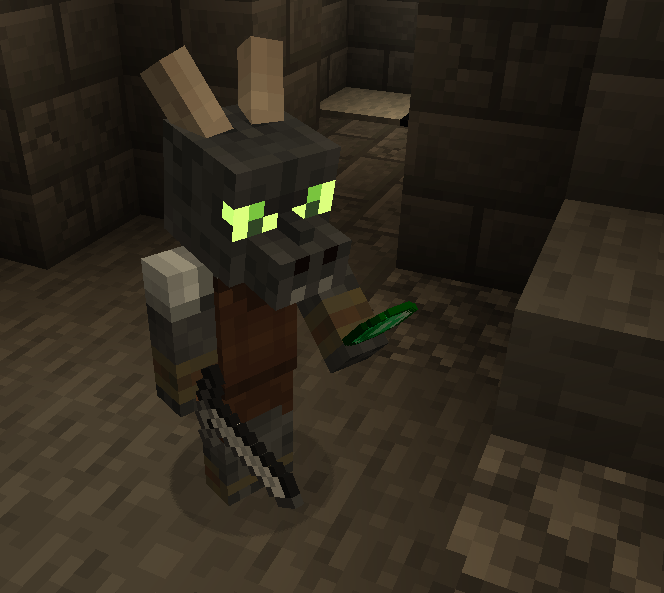
Mod ini menambahkan peradaban bawah tanah kobold yang dapat diperdagangkan dan mereka mempertahankan sarang mereka dari ancaman umum di Overworld!
~Fitur~
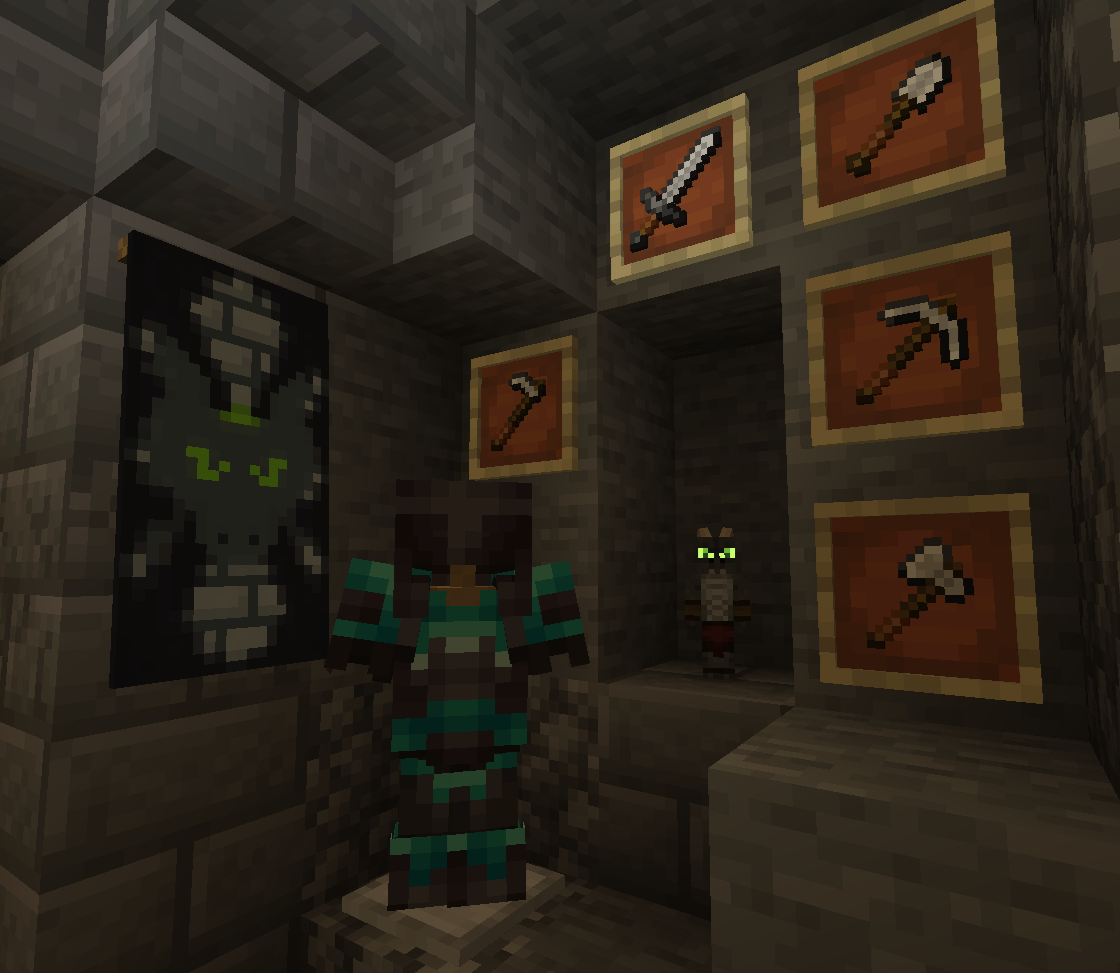
- Kobold Ramah yang dapat diperdagangkan!
- Kobold suka mengonsumsi Amethyst Shard!
- Kobold akan mempertahankan rumah mereka dari musuh.
- Kobold Enchanter yang menawarkan potion dan Prospector, enchantment baru!
- Struktur Kobold Den yang muncul di bawah Hutan & Pegunungan!
- Zombold dari saat Kobold mati karena Zombie apa pun & dapat disembuhkan seperti Zombie Villager!
~Discord~
https://discord.gg/QWRjTW3D5n
Cara memasang Kobolds!
With Millida Launcher
Install Millida Launcher
The launcher is free: download it at millida.net/launcher and sign in with any nickname.
Click “Install” on this page
The launcher opens and installs the mod for Minecraft 1.20.1–1.21.11 on Forge or NeoForge automatically.
Launch the game
A profile with it appears in the launcher: click “Play”.
Manually
Install Forge or NeoForge
The loader must match the game version of the mod file, for example Minecraft 1.21.11. After installing it, a separate profile appears in your launcher.
Download the file for your version
In the version list above, pick the file Kobolds-4.1.1.jar (2.2 MB) for your game version and loader.
Put it in the mods folder
The folder is inside .minecraft (Windows: %appdata%\.minecraft\mods). If it does not exist, create it.
Launch the loader profile
Open “Mods” in the main menu: Kobolds! should be in the list.
Minecraft 1.21.11 runs on Java 21: with a different Java version the game may close right after launch.
Versi
Dengan dependensi
| Minecraft | Loader | File | Tanggal | Tindakan |
|---|---|---|---|---|
| 1.21.11 | NeoForge | Kobolds V4.1.12.2 MB 2 | ||
| 1.20.1 | Forge | Kobolds V2.12.02.3 MB 1 |
FAQ
Which Minecraft versions does Kobolds! work on?
There are files for 1.21.11, 1.20.1. The newest is 1.21.11.
Is Kobolds! for Forge or Fabric?
There are files for Forge: 1.20.1 and for NeoForge: 1.21.11. There are no files for Fabric: a mod for another loader will not start.
Does Kobolds! need other mods?
The author lists no required dependencies: the Forge or NeoForge loader is enough.
Which Java does Kobolds! need?
Minecraft 1.21.11 runs on Java 21. If the game closes right after launch, the usual cause is the wrong Java version in the profile settings.
Where can I download Kobolds! safely?
On this page: the file Kobolds-4.1.1.jar (2.2 MB) is stored on Millida’s server, with no link shorteners. SHA-1 checksum: c9e6a186d533420425c24a757e3d8fb23d2019a8.
Ulasan
Jadilah yang pertama menilai Kobolds!


