
 Fabric
 Forge
 NeoForge
 Quilt
❗ Disclaimer: This mod is internally a datapack with its resourcepack. Check out the datapack version here on Modrinth.
Having problems or concerned of incompatible mods? Check out the "⚠️ Compatibility" tab on the wiki.
🎒 Backpacks!
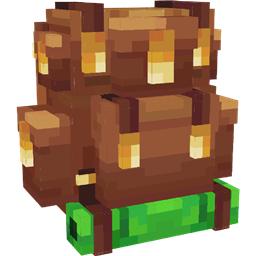
A datapack that adds vanilla-friendly backpacks to your game which you can upgrade, dye and style!
^ only needed if playing on Fabric or Quilt
🔗 Links
❤️ Special Thanks to...
🔧 Assistance and tools...
- Highmore's library Sentinel for detecting closing containers (may cause visual flickering of items inside backpacks).
- Mitsaori's backpacks models.
- Evtema3's shader to hide the menu's nametag in third person.
- AmberWat's Negative Space Font used for hiding the nametags in Evtema3's shader.
🌐 Contributors...
- English (en_us): By ElGeroIngles.
- Spanish (es_es): By ElGeroIngles.
- Brazilian Portuguese (pt_br): By alexsanderfer and MeiaQuatru.
- Simplified Chinese (zh_cn): By calmastorm.
- Russian (ru_ru): By Akrek.
- European Portuguese (pt_pt): By AlexandreC2000.
You can contribute to this project by translating to other languages! See how here.
📝 Useful Info
Need any information about the project? Check out it's new wiki!
Cara memasang Gero's Backpacks!
With Millida Launcher
Install Millida Launcher
The launcher is free: download it at millida.net/launcher and sign in with any nickname.
Click “Install” on this page
The launcher opens and installs the mod for Minecraft 26.2 on Fabric, Forge, NeoForge or Quilt automatically.
Launch the game
A profile with it appears in the launcher: click “Play”.
Manually
Install Fabric, Forge, NeoForge or Quilt
The loader must match the game version of the mod file, for example Minecraft 26.2. After installing it, a separate profile appears in your launcher.
Download the file for your version
In the version list above, pick the file 1.3.5-backpacks_mod-26.2.jar (4.8 MB) for your game version and loader.
Put it in the mods folder
The folder is inside .minecraft (Windows: %appdata%\.minecraft\mods). If it does not exist, create it.
Launch the loader profile
Open “Mods” in the main menu: Gero's Backpacks! should be in the list.
Versi
Dengan dependensi
| Minecraft | Loader | File | Tanggal | Tindakan |
|---|---|---|---|---|
| 26.2 | Fabric, Forge, NeoForge, Quilt | 1.3.5-backpacks_mod-26.2.jar4.8 MB 18 |
Ulasan
Jadilah yang pertama menilai Gero's Backpacks!


