
Forge Relocation - FMP Plugin Mod untuk Minecraft 1.7.10
Memasukkan bagian ke dalam bingkai? Tidak masuk akal!
Tentang mod Forge Relocation - FMP Plugin
DISCLAIMER: Forge Relocation IS NOT associated with forge itself. DO NOT report bugs to them!!
DISCLAIMER: Forge Relocation IS NOT associated with forge itself. DO NOT report bugs to them!!
DISCLAIMER: Forge Relocation IS NOT associated with forge itself. DO NOT report bugs to them!!
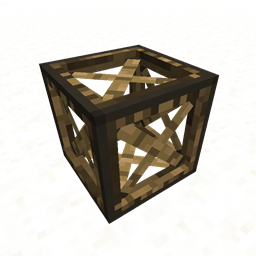
The Forge Relocation FMP Plugin is an extension that allows proper movement of FMP tiles. It is not recommended that you move FMP tiles without it. Features include the ability to move multipart tiles correctly, being able to place parts inside frame blocks, and using covers to prevent sticks, and using panels to add solidity to sides.
It also serves as a test case of how other mod authors could use the API to add custom tile movers in case the default code does not work properly with their blocks.
If you'd like to show your support, support me on patreon!
http://patreon.com/MrTJP
Cara memasang Forge Relocation - FMP Plugin
With Millida Launcher
Install Millida Launcher
The launcher is free: download it at millida.net/launcher and sign in with any nickname.
Click “Install” on this page
The launcher opens and installs the mod for Minecraft 1.7.10 automatically.
Launch the game
A profile with it appears in the launcher: click “Play”.
Manually
Download the file for your version
In the version list above, pick the file ForgeRelocationFMP-0.0.1.2-universal.jar (25 KB) for your game version.
Put it in the mods folder
The folder is inside .minecraft (Windows: %appdata%\.minecraft\mods). If it does not exist, create it.
Launch the loader profile
Open “Mods” in the main menu: Forge Relocation - FMP Plugin should be in the list.
Minecraft 1.7.10 runs on Java 8: with a different Java version the game may close right after launch.
Versi
Dengan dependensi
| Minecraft | Loader | File | Tanggal | Tindakan |
|---|---|---|---|---|
| 1.7.10 | — | ForgeRelocationFMP-0.0.1.2-universal.jar24.8 KB |
FAQ
Which Minecraft versions does Forge Relocation - FMP Plugin work on?
Only Minecraft 1.7.10: there are no files for other versions.
Which Java does Forge Relocation - FMP Plugin need?
Minecraft 1.7.10 runs on Java 8. If the game closes right after launch, the usual cause is the wrong Java version in the profile settings.
Where can I download Forge Relocation - FMP Plugin safely?
On this page: the file ForgeRelocationFMP-0.0.1.2-universal.jar (25 KB) is stored on Millida’s server, with no link shorteners. SHA-1 checksum: 0c4326ac30af8d958aad18ef164bdf452a26e461.
Ulasan
Jadilah yang pertama menilai Forge Relocation - FMP Plugin


