

Expanded Equivalence Mod untuk Minecraft 1.12.2, 1.19.2
Menambahkan EMC ke item dan mekanisme crafting dari berbagai mod untuk ProjectE.
- unduhan
- 1 unduhan
- dilihat
- 20 dilihat
- Diperbarui
- Diperbarui 24.10.2026
- 1.12.2 — 1.19.2
 Forge
Forge
Tentang mod Expanded Equivalence
Ini adalah addon untuk ProjectE.
Addon ini memerlukan HammerLib.
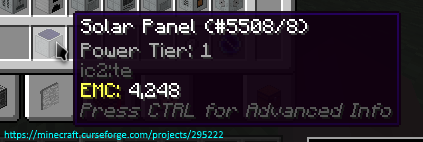
Addon ini menambahkan integrasi untuk ProjectE dan banyak mod lainnya. Tujuannya adalah mendaftarkan nilai EMC untuk berbagai sistem crafting seperti Fusion Crafting dari Draconic Evolution, extreme crafting dari Avaritia, dan lainnya.
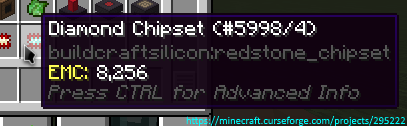
Di sini kamu bisa melihat semua mod/rencana yang saat ini didukung
Izin:
- Kamu boleh menggunakan mod ini di mod pack kamu.
- Kamu tidak diizinkan menerbitkan ulang mod ini ke situs lain tanpa menyertakan tautan unduhan CurseForge dan izin dariku (PM ke
Zeitheron, atau melalui Discord)
- Kamu tidak diizinkan menyertakan ini (atau mod lain dari tim DragonForge) ke dalam mod kamu sendiri. Namun, membuat addon diperbolehkan, tetapi PM yang ramah akan lebih baik.
Catatan:
- Satu-satunya versi Minecraft yang didukung adalah versi terbaru yang tersedia untuk mod ini. JANGAN MINTA DOWNGRADE!
Ingin berdiskusi tentang apa pun? Butuh bantuan dengan API?
Bergabunglah dengan server discord dan ikuti Zeitheron di Twitter!
Jika kamu ingin mendukung karyaku, kamu bisa menjadi patron melalui Patreon.
Cara memasang Expanded Equivalence
With Millida Launcher
Install Millida Launcher
The launcher is free: download it at millida.net/launcher and sign in with any nickname.
Click “Install” on this page
The launcher opens and installs the mod for Minecraft 1.12.2–1.19.2 on Forge automatically.
Launch the game
A profile with it appears in the launcher: click “Play”.
Manually
Install Forge
The loader must match the game version of the mod file, for example Minecraft 1.19.2. After installing it, a separate profile appears in your launcher.
Download the file for your version
In the version list above, pick the file ExpandedEquivalence-1.19.2-19.1.2.jar (87 KB) for your game version.
Put it in the mods folder
The folder is inside .minecraft (Windows: %appdata%\.minecraft\mods). If it does not exist, create it.
Launch the loader profile
Open “Mods” in the main menu: Expanded Equivalence should be in the list.
Minecraft 1.19.2 runs on Java 17: with a different Java version the game may close right after launch.
Versi
Dengan dependensi
| Minecraft | Loader | File | Tanggal | Tindakan |
|---|---|---|---|---|
| 1.19.2 | Forge | [1.19.2] Expanded Equivalence - 19.1.287.1 KB | ||
| 1.19.2 | Forge | [1.19.2] Expanded Equivalence - 19.1.083 KB | ||
| 1.12.2 | — | [1.12.2] Expanded Equivalence - 12.3.1782.7 KB 1 | ||
| 1.12.2 | — | [1.12.2] Expanded Equivalence - 1b61.5 KB |
FAQ
Which Minecraft versions does Expanded Equivalence work on?
There are files for 1.19.2, 1.12.2. The newest is 1.19.2.
Is Expanded Equivalence for Forge or Fabric?
Only for Forge: 1.19.2. There are no files for Fabric or NeoForge: a mod for another loader will not start.
Does Expanded Equivalence need other mods?
The author lists no required dependencies: the Forge loader is enough.
Which Java does Expanded Equivalence need?
Minecraft 1.19.2 runs on Java 17. If the game closes right after launch, the usual cause is the wrong Java version in the profile settings.
Where can I download Expanded Equivalence safely?
On this page: the file ExpandedEquivalence-1.19.2-19.1.2.jar (87 KB) is stored on Millida’s server, with no link shorteners. SHA-1 checksum: 4f30d2cb6779b8448ed1e30f118102a740a022af.
Ulasan
Jadilah yang pertama menilai Expanded Equivalence


