
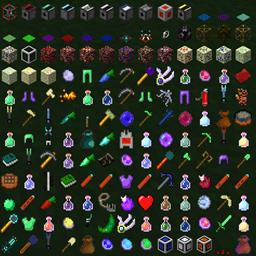
Cyclic Mod untuk Minecraft 1.20.1, 1.21.1
Alat, Mesin, Perlengkapan, ramuan, penduduk desa, sepenuhnya dapat dikonfigurasi
 NeoForge
 Forge
ForgeTentang mod Cyclic
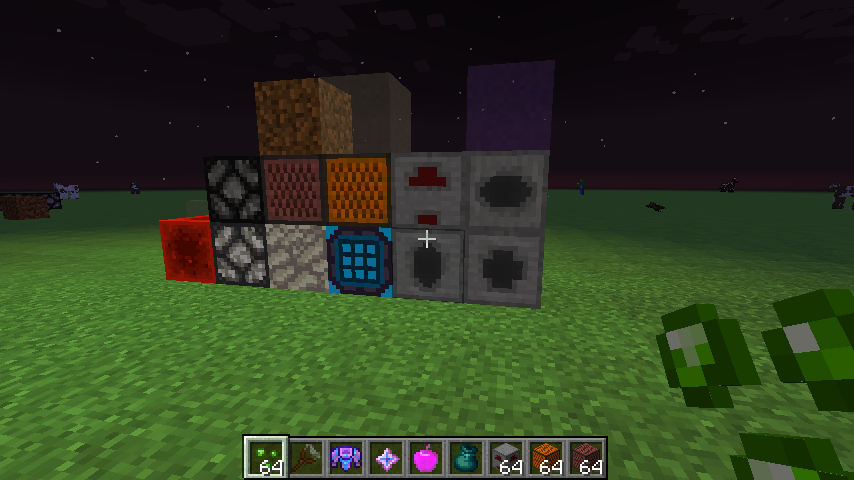
Mod ini menambahkan berbagai macam item, alat, mesin, enchantment, dan beberapa potion yang tidak saling terkait.
Untuk mempelajari mod ini, kami menyarankan memasang mod Patchouli dan memeriksa item Cyclic Guide Book (di 1.16+).
Untuk 1.12, ada buku panduan serupa yang ditulis dengan Guide API
Pengembang Modpack dapat melihat contoh config dan script di sini
Dependensi Wajib
Di Minecraft-1.20 dan yang lebih baru, cyclic sekarang bergantung pada mod library FLIB ini bersama banyak mod lain (versi Minecraft yang lebih lama masih tanpa dependensi dan library ini tidak akan di-backport)

Dependensi Opsional
Cyclic tidak memerlukan salah satu mod ini, tetapi jika keduanya terpasang, Cyclic memiliki fitur bawaan yang ditingkatkan dengan mod ini
- JEI
- Curios
- CraftTweaker
- Patchouli
Untuk VERSI LAMA klik files lalu 'View All' di situs web dan gunakan menu filter dropdown. Beberapa pintasan:
Minecraft 1.10.2
Minecraft 1.12.2
Minecraft 1.16.5
Minecraft 1.18.2
Minecraft 1.19.2
Contoh Crafttweaker Minecraft 1.12
Config: lihat file config yang dihasilkan di folder /config/ Anda di samping folder /mods/. Kunjungi juga situs Github melalui tautan issues untuk melihat contoh file config. Semua versi mod ini memiliki satu atau lebih file config
Misalnya versi baru seperti 1.16.5 memiliki file cyclic.toml dan cyclic-client.toml
Tetapi 1.12.2 juga memiliki dua file config cyclicmagic.cfg dan cyclicores.cfg
Tech Talk - alat pihak ketiga yang digunakan
Efek suara dibuat dengan BFXR http://www.bfxr.net/
Beberapa model dibuat dengan bantuan Crayfish Model Creator https://mrcrayfish.com/tools?id=mc
Dikodekan menggunakan Minecraft Forge API, menggunakan Eclipse dan Gradle. Tekstur dibuat dengan Paint.net
Ucapan Terima Kasih Open Source!
Dalam semangat open source, terima kasih kepada mod lain di mana saya menggunakan sedikit kode dari mereka di dalam Cyclic
- Botania - kelas Vector3
- Not Enough Wands - fungsi OpenGL Rendering
- Builders Guides - fungsi Open GL Rendering
- Random Things - menggunakan FakePlayers untuk memengaruhi dunia dari tile entity
- Baubles - Menyimpan Item Stack untuk pemain dalam file biner
- Vanilla Automation - Menggunakan PlayerControllerMP untuk mengubah jarak jangkauan pemain
- Sponge - Mereka membantu saya dengan paket jaringan, multithreading, pengecualian konkuren, dan tugas server terjadwal
- Ellpeck (AA) untuk beberapa kode transfer energi yang indah
Ucapan Terima Kasih Tutorial / Panduan / Referensi!
- Tools
- Player Experience
- Finding existing recipes
- Tile Entities
- TESR
- ItemBlock metadata
- GUIs
- Advanced Tile Entities and also this
- Particles
- Block State changes
- Block Rotation
- Client Server sync and also this and this
- Achievements
- Block Transparency
- GUI Text Input
- Client Proxy tips
- Custom Sound Effects and also this
- Using mod API's such as JEI or Baubles
- Proxy Rendering
- Potions and Potion Textures
- Circles and Spheres
- Player events and also this
- Entity Damage
- Villager GUI
Atribusi suara
Kredit suara bel pintu:
http://soundbible.com/1599-Store-Door-Chime.html Lisensi: Attribution 3.0 Direkam oleh Mike Koenig
- Semua kontributor dan penerjemah lainnya
Modpack Klasik:
- We Gonna Die
- FTB HermitPack
- Beyond-Vanilla
- Material Energy^Ex
- Shadowlands
- Technology Advanced
- Overpowered Non-Content
- Hyper Antix
- Nameless Pack (JonBams)
- The Modded Way Pixelmon
- CoupleCraft 2
- Farming Valley
- The New Frontier
- We Gonna Die Again
- All The Mods 2
- Mech & Magic
- Hypothermia
- Skills Not Included
- Enigmatica 2
Silakan tambahkan semua permintaan, bug, laporan, dan crash-log ke halaman issues github
Cara memasang Cyclic
With Millida Launcher
Install Millida Launcher
The launcher is free: download it at millida.net/launcher and sign in with any nickname.
Click “Install” on this page
The launcher opens and installs the mod for Minecraft 1.16.4–26.1.2 on Forge or NeoForge automatically.
Launch the game
A profile with it appears in the launcher: click “Play”.
Manually
Install Forge or NeoForge
The loader must match the game version of the mod file, for example Minecraft 26.1.2. After installing it, a separate profile appears in your launcher.
Download the file for your version
In the version list above, pick the file cyclic-26.1.2-1.14.2.jar (4.4 MB) for your game version and loader.
Put it in the mods folder
The folder is inside .minecraft (Windows: %appdata%\.minecraft\mods). If it does not exist, create it.
Launch the loader profile
Open “Mods” in the main menu: Cyclic should be in the list.
Versi
Dengan dependensi
| Minecraft | Loader | File | Tanggal | Tindakan |
|---|---|---|---|---|
| 26.1.2 | NeoForge | Cyclic 26.1.2-1.14.24.4 MB 7 | ||
| 1.21.1 | NeoForge | Cyclic 1.21.1-1.14.24.3 MB 45 | ||
| 1.20.1 | Forge, NeoForge | Cyclic-1.20.1-1.13.7.jar4.1 MB 56 | ||
| 1.20.1 | NeoForge, Forge | Cyclic-1.20.1-1.12.8.jar4.3 MB | ||
| 1.19.4 | Forge | Cyclic-1.19.4-1.10.0.jar4.4 MB 1 | ||
| 1.18.1 | — | Cyclic-1.18.1-1.6.10.jar4 MB 2 | ||
| 1.17.1 | — | Cyclic-1.17.1-1.6.2.jar3.9 MB 2 | ||
| 1.16.5 | — | Cyclic-1.16.5-1.5.0.jar3.6 MB 10 |
FAQ
Which Minecraft versions does Cyclic work on?
There are files for 1.16.4–26.1.2, 9 versions in total. The newest is 26.1.2.
Is Cyclic for Forge or Fabric?
There are files for Forge: 1.19.4–1.20.1 and for NeoForge: 1.20.1–26.1.2. There are no files for Fabric: a mod for another loader will not start.
Does Cyclic need other mods?
The author lists no required dependencies: the Forge or NeoForge loader is enough.
Where can I download Cyclic safely?
On this page: the file cyclic-26.1.2-1.14.2.jar (4.4 MB) is stored on Millida’s server, with no link shorteners. SHA-1 checksum: 16c15251ca34fe66fba01f1aa1e1ba3f0435713b.
Ulasan
Jadilah yang pertama menilai Cyclic


