
Create: Ultimate Factory Mod untuk Minecraft 1.20.1, 1.21.1
Addon untuk mod Create yang dikembangkan untuk meningkatkan kemungkinan otomatisasi, menambahkan 30 resep yang (cukup) seimbang ke dalam game.
 Fabric
 NeoForge
 Forge
Forge Quilt
QuiltTentang mod Create: Ultimate Factory
Untuk 1.18.2 dan versi lebih lama, lihat versi datapack
Tentang
Create: Ultimate Factory adalah addon Create sederhana yang memperkenalkan kemungkinan otomatisasi baru. Melalui 30 resep baru yang (cukup) seimbang, mod ini pada dasarnya membuat puluhan sumber daya Minecraft dapat diperbarui.
Misalnya, Tuff kini dapat diperbarui, memberi pemain sumber Ore yang andal. Lapis Lazuli, Amethyst, Redstone... Hampir semua sumber daya kini dapat diotomatisasi. Ini juga mencakup item dan loot langka, dengan tingkat yang jauh lebih rendah.
Pernah bermimpi mengotomatisasi Diamond atau Netherite? Kini mungkin!
Media
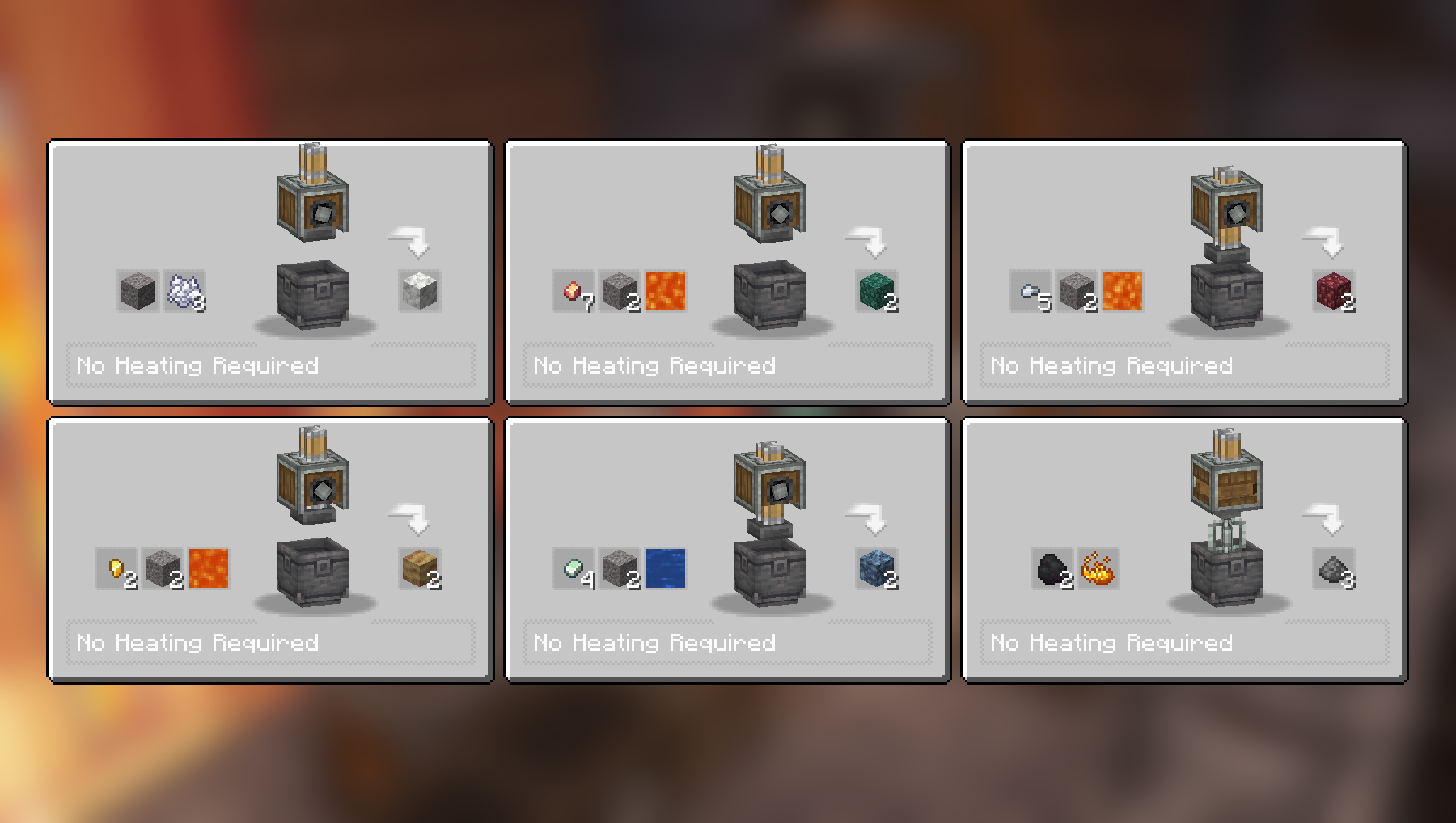
Resep Compacting dan Mixing:
Resep Compacting dan Mixing lainnya:
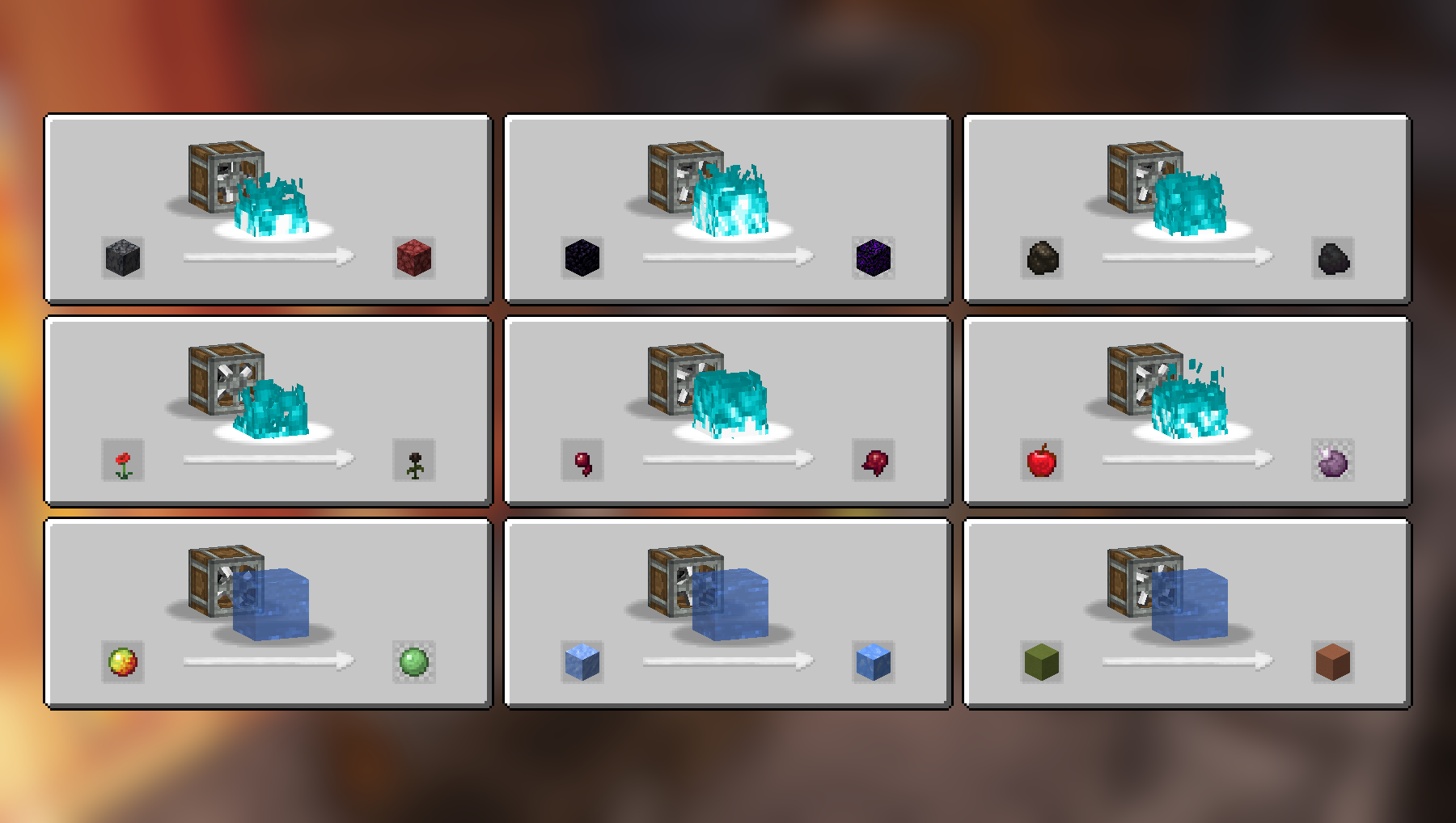
Resep Haunting dan Splashing:
Resep Crushing:
Resep Crushing lainnya:
Daftar resep lengkap (2.2.4)
Compacting
- Cobblestone dan Lava menjadi Tuff
- Stone dan Lava menjadi Deepslate
- Coal Blocks dan Lava menjadi Diamond (harus dipanaskan oleh Blaze Burner yang aktif)
- Gravel dan Bone Meal menjadi Calcite
- Zinc Nuggets, Gravel dan Water menjadi Asurine
- Iron Nuggets, Gravel dan Lava menjadi Crimsite
- Gold Nuggets, Gravel dan Lava menjadi Ochrum
- Copper Nuggets, Gravel dan Lava menjadi Veridium
- Blaze Powder menjadi Blaze Rod
Mixing
- Netherrack, Flint dan Lava menjadi Redstone
- Calcite dan Water menjadi Dripstone
- Coal dan Blaze Powder menjadi Gunpowder
Haunting
- Basalt menjadi Netherrack
- Obsidian menjadi Crying Obsidian
- Charcoal menjadi Coal
- Poppy menjadi Wither Rose
- Spider Eye menjadi Fermented Spider Eye
- Apple menjadi Chorus Fruit
Splashing
- Packed Ice menjadi Blue Ice
- Magma Cream menjadi Slime Ball
- Colored Terracotta menjadi Terracotta
Crushing
- Blackstone menjadi Wither Skull (langka), kadang mengembalikan Blackstone
- Scoria menjadi Blaze Powder
- Nether Bricks menjadi Nether Brick dan Netherite Scraps (sangat langka)
- Soul Sand menjadi Glowstone Dust
- Limestone menjadi Quartz dan Lapis Lazuli
- Red Sandstone menjadi Red Sand dan Nautilus Shell (sangat langka)
- Crying Obsidian menjadi Powdered Obsidian dan Amethyst Shard
- Corals menjadi Heart of the Sea (sangat langka)
- Dead Corals menjadi Bone Meal
- Red Mushroom Blocks menjadi Red Mushrooms
- Brown Mushroom Blocks menjadi Brown Mushrooms
- Endstone menjadi Ender Pearl (langka), kadang mengembalikan Endstone
Video
Dependensi
Hanya mod Create dasar yang diperlukan agar resep di atas berfungsi.
JEI direkomendasikan tetapi tidak wajib.
Instalasi
Tambahkan file mod .jar ke folder mods Anda.
Alternatifnya, Anda dapat menelusuri launcher CurseForge untuk mod ini (jika tidak muncul, coba ketik nama penulisnya). Setelah ditemukan, klik "Install" untuk menambahkannya ke modpack Anda.
Izin
Anda bebas menyertakan mod ini dalam modpack apa pun, publik atau privat.
Dukung karya saya
Unduh proyek saya di CurseForge
Unduh proyek saya di Modrinth
Donasi di Paypal
Cara memasang Create: Ultimate Factory
With Millida Launcher
Install Millida Launcher
The launcher is free: download it at millida.net/launcher and sign in with any nickname.
Click “Install” on this page
The launcher opens and installs the mod for Minecraft 1.20–26.2 on Fabric, Forge, NeoForge or Quilt automatically.
Launch the game
A profile with it appears in the launcher: click “Play”.
Manually
Install Fabric, Forge, NeoForge or Quilt
The loader must match the game version of the mod file, for example Minecraft 26.2. After installing it, a separate profile appears in your launcher.
Download the file for your version
In the version list above, pick the file create_ultimate_factory-2.2.4-fabric-26.2.jar (259 KB) for your game version and loader.
Put it in the mods folder
The folder is inside .minecraft (Windows: %appdata%\.minecraft\mods). If it does not exist, create it.
Launch the loader profile
Open “Mods” in the main menu: Create: Ultimate Factory should be in the list.
Versi
Dengan dependensi
| Minecraft | Loader | File | Tanggal | Tindakan |
|---|---|---|---|---|
| 26.2 | Fabric | create_ultimate_factory-2.2.4-fabric-26.2.jar259 KB 51 | ||
| 1.21 | NeoForge | create_ultimate_factory-2.2.4-neoforge-1.21.1.jar230 KB 336 | ||
| 1.20.1 | Forge, NeoForge | create_ultimate_factory-2.2.4-forge-1.20.1.jar229 KB 119 | ||
| 1.21 | NeoForge | create_ultimate_factory-2.2.3-neoforge-1.21.1.jar229 KB | ||
| 1.20.1 | Forge, NeoForge | create_ultimate_factory-2.2.3-forge-1.20.1.jar228 KB | ||
| 1.20.1 | Fabric, Quilt | create_ultimate_factory-2.0.0-fabric-1.20.1.jar222 KB 46 |
FAQ
Which Minecraft versions does Create: Ultimate Factory work on?
There are files for 26.2, 1.21.1, 1.21, 1.20.1, 1.20. The newest is 26.2.
Is Create: Ultimate Factory for Forge or Fabric?
There are files for Fabric: 1.20–26.2, for Forge: 1.20–1.20.1, for NeoForge: 1.20–1.21.1 and for Quilt: 1.20–1.20.1.
Does Create: Ultimate Factory need other mods?
The author lists no required dependencies: the Fabric, Forge, NeoForge or Quilt loader is enough.
Where can I download Create: Ultimate Factory safely?
On this page: the file create_ultimate_factory-2.2.4-fabric-26.2.jar (259 KB) is stored on Millida’s server, with no link shorteners. SHA-1 checksum: dad0d63849a485082727b80af6fe758db530792c.
Ulasan
Jadilah yang pertama menilai Create: Ultimate Factory


