

Create: Pattern Schematics Mod untuk Minecraft 1.20.1, 1.21.1
Bangun dengan skematik berulang!
 NeoForge
 Fabric
 Forge
ForgeFitur
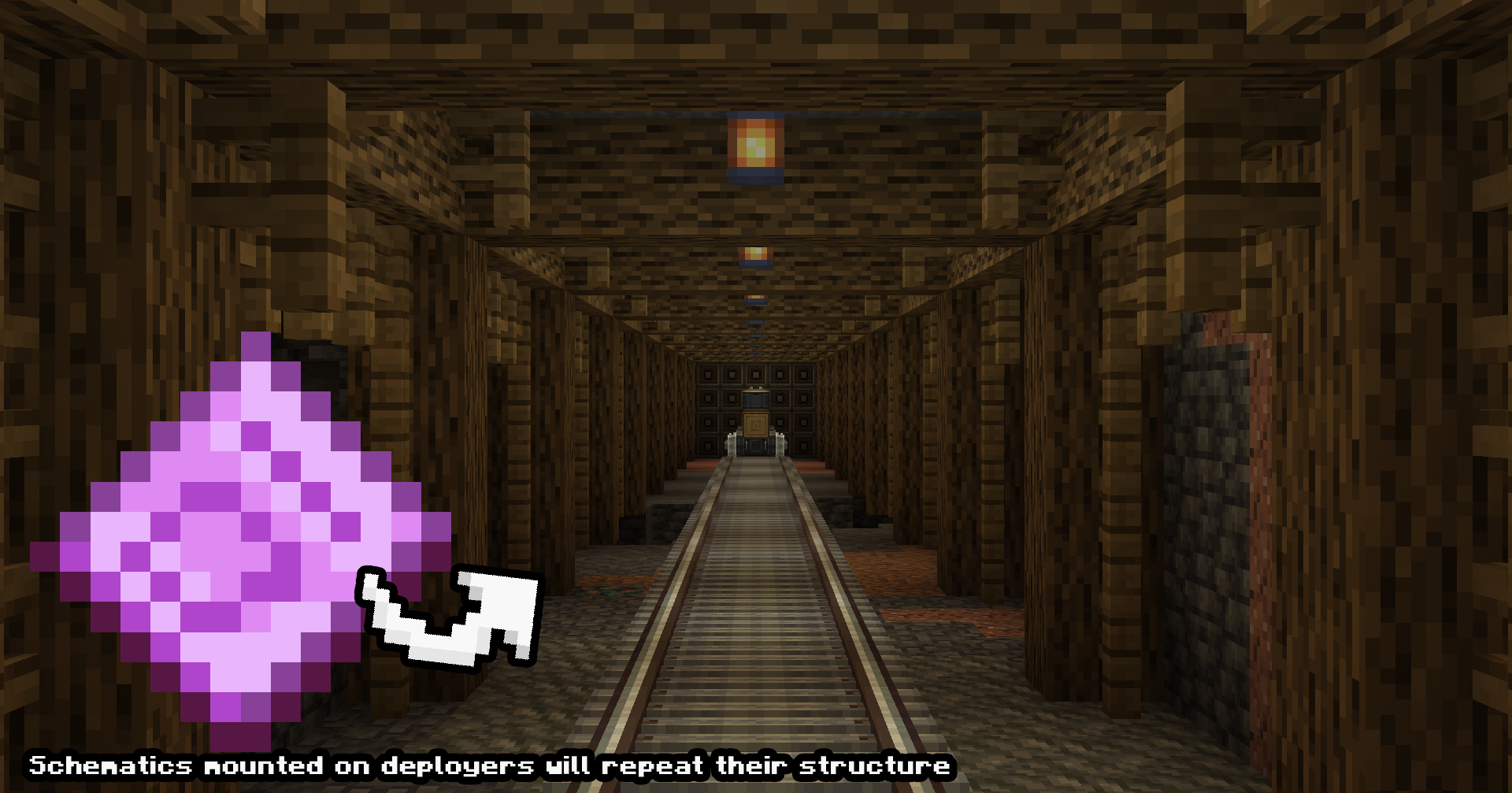
Pembuatan Kontrapsi Tanpa Batas (Demo Uji Pengembangan)
Pattern Schematic dapat ditempatkan pada kereta, gantry carriage, atau kontrapsi lainnya untuk membangun iterasi schematic tanpa batas.
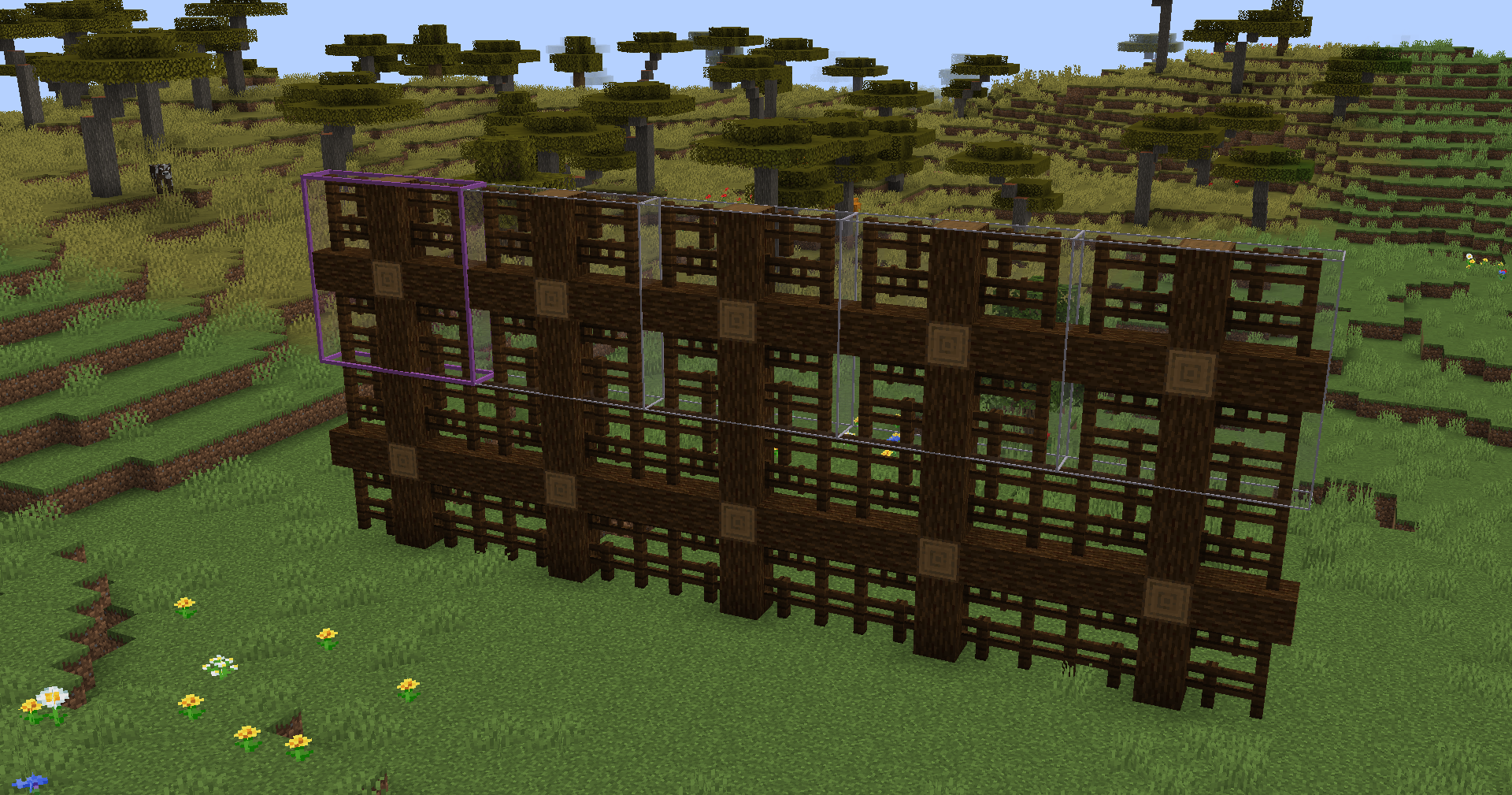
Pola Pembangunan (Demo Uji Pengembangan)
Pattern schematic ini dapat digunakan untuk mengulang schematic yang sudah ada, seperti mengulang jembatan agar menjadi lebih panjang! Cetak dalam mode creative atau masukkan ke schematicannon untuk membangunnya!
Catatan tentang dukungan versi
Meskipun tersedia versi untuk Fabric dan Forge 1.20.1, versi tersebut merupakan versi lama dan kemungkinan besar tidak akan menerima dukungan melebihi kondisinya saat ini. Hal ini disebabkan oleh kesulitan dalam memelihara berbagai versi mod dan fokus saya pada proyek lain. Ke depannya, Neoforge 1.21.1 akan menjadi versi pengembangan utama. Mohon maaf atas ketidaknyamanannya.
Cara memasang Create: Pattern Schematics
With Millida Launcher
Install Millida Launcher
The launcher is free: download it at millida.net/launcher and sign in with any nickname.
Click “Install” on this page
The launcher opens and installs the mod for Minecraft 1.20.1–1.21.1 on Fabric, Forge or NeoForge automatically.
Launch the game
A profile with it appears in the launcher: click “Play”.
Manually
Install Fabric, Forge or NeoForge
The loader must match the game version of the mod file, for example Minecraft 1.21.1. After installing it, a separate profile appears in your launcher.
Download the file for your version
In the version list above, pick the file create_pattern_schematics-2.0.10.jar (217 KB) for your game version and loader.
Put it in the mods folder
The folder is inside .minecraft (Windows: %appdata%\.minecraft\mods). If it does not exist, create it.
Launch the loader profile
Open “Mods” in the main menu: Create: Pattern Schematics should be in the list.
Minecraft 1.21.1 runs on Java 21: with a different Java version the game may close right after launch.
Versi
Dengan dependensi
| Minecraft | Loader | File | Tanggal | Tindakan |
|---|---|---|---|---|
| 1.20.1 | Fabric | Create Pattern Schematics 1.2.1 Fabric 1.20.1206 KB 2 | ||
| 1.20.1 | Forge | Create Pattern Schematics 1.3.3 Forge Create 6.0.8 1.20.1216 KB 9 | ||
| 1.21.1 | NeoForge | Create: Pattern Schematics 2.0.10 NeoForge 1.21.1217 KB 30 | ||
| — | — | Create: Pattern Schematics 1.1.8 Fabric 1.20.1124 KB 2 |
FAQ
Which Minecraft versions does Create: Pattern Schematics work on?
There are files for 1.21.1, 1.20.1. The newest is 1.21.1.
Is Create: Pattern Schematics for Forge or Fabric?
There are files for Fabric: 1.20.1, for Forge: 1.20.1 and for NeoForge: 1.21.1.
Does Create: Pattern Schematics need other mods?
The author lists no required dependencies: the Fabric, Forge or NeoForge loader is enough.
Which Java does Create: Pattern Schematics need?
Minecraft 1.21.1 runs on Java 21. If the game closes right after launch, the usual cause is the wrong Java version in the profile settings.
Where can I download Create: Pattern Schematics safely?
On this page: the file create_pattern_schematics-2.0.10.jar (217 KB) is stored on Millida’s server, with no link shorteners. SHA-1 checksum: e3dea574c3b3d590444796a42e8f7456280b1063.
Ulasan
Jadilah yang pertama menilai Create: Pattern Schematics


