

Create: Dynamic Village Mod untuk Minecraft 1.20.1, 1.21.1
Ekspansi yang menambahkan berbagai profesi desa dari mod Create secara lengkap.
 NeoForge
 Forge
 Fabric
Tentang mod Create: Dynamic Village
Mod Dibuat oleh Aes Efficio
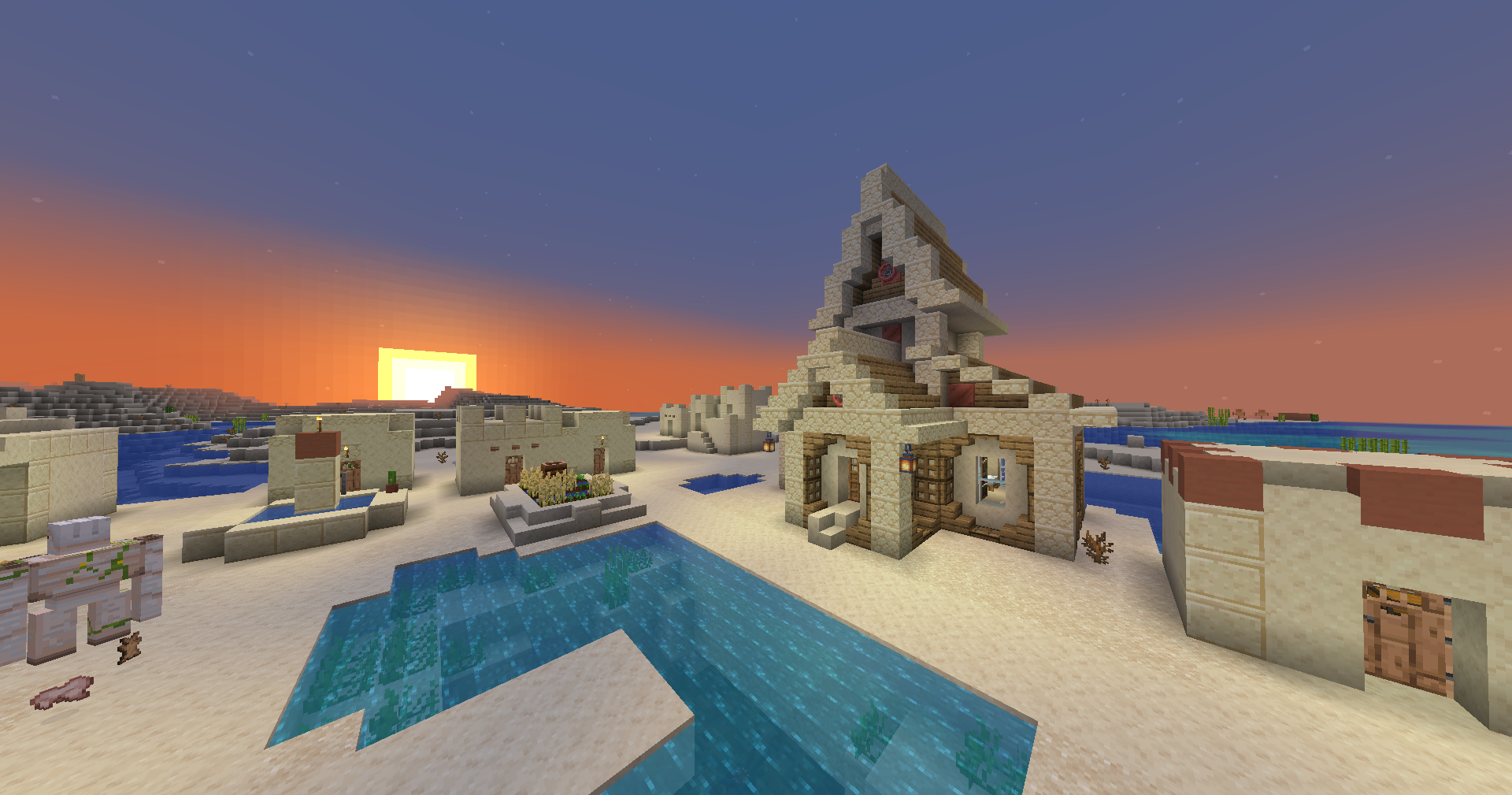
Dynamic Village menambahkan banyak profesi & struktur desa dari mod Create.
Daftar Fitur
Mechanical Engineer
- Membeli & menjual komponen kontrapsi Create
- Blok Kunci: Schematic Table
Hydraulic Engineer
- Membeli & menjual komponen pengelolaan fluida Create -- pipa, pompa, perlengkapan menyelam, dll.
- Blok Kunci: Item Drain
Train Mechanic
- Membeli & menjual komponen sistem kereta Create
- Blok Kunci: Train Station
Miner
- Membeli & menjual peralatan penambangan Create, serta mineral/logam
- Blok Kunci: Mechanical Drill
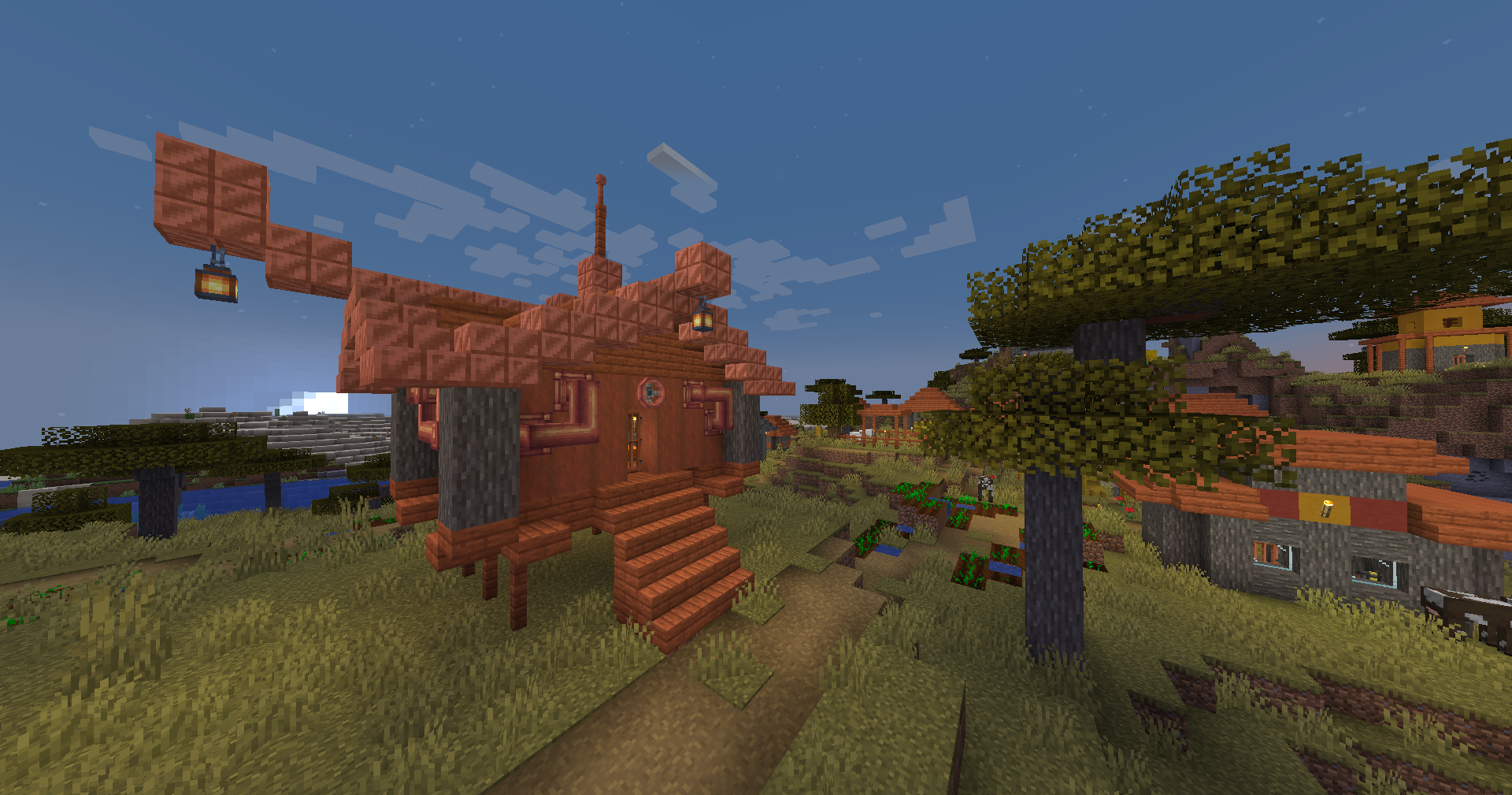
20 Total bangunan desa plains, savanna, desert, taiga, dan snowy
Berkontribusi
Terima kasih kepada @Ben001109 karena telah mem-porting Dynamic Village ke 1.20.1! 🎉
Laporan bug, saran, dan ide
Laporan bug, saran, dan ide sangat berguna dan sangat dihargai. GitHub issue adalah cara yang baik untuk menghubungi.
Menerjemahkan
Bantuan terjemahan sangat dihargai. Cara terbaik untuk melakukannya adalah dengan membuat GitHub issue atau pull request.
Terima kasih kepada @EDGW karena telah menerjemahkan Dynamic Village ke bahasa Tionghoa (Sederhana). 🎉
Terima kasih kepada Khao karena telah menerjemahkan Dynamic Village ke bahasa Thai. 🎉
Terima kasih kepada @RemVan karena telah menerjemahkan Dynamic Village ke bahasa Rusia. 🎉
Temukan Dynamic Village di GitHub atau Modrinth
Laporkan Masalah di sini
Mod dibuat oleh Alexander Weimer - Website · GitHub · LinkedIn · Google Scholar · ResearchGate · ORCiD · Article
Cara memasang Create: Dynamic Village
With Millida Launcher
Install Millida Launcher
The launcher is free: download it at millida.net/launcher and sign in with any nickname.
Click “Install” on this page
The launcher opens and installs the mod for Minecraft 1.19.2–1.21.1 on Fabric, Forge or NeoForge automatically.
Launch the game
A profile with it appears in the launcher: click “Play”.
Manually
Install Fabric, Forge or NeoForge
The loader must match the game version of the mod file, for example Minecraft 1.21.1. After installing it, a separate profile appears in your launcher.
Download the file for your version
In the version list above, pick the file dynamicvillage-0.9-1.21.1.jar (272 KB) for your game version and loader.
Put it in the mods folder
The folder is inside .minecraft (Windows: %appdata%\.minecraft\mods). If it does not exist, create it.
Launch the loader profile
Open “Mods” in the main menu: Create: Dynamic Village should be in the list.
Minecraft 1.21.1 runs on Java 21: with a different Java version the game may close right after launch.
Versi
Dengan dependensi
| Minecraft | Loader | File | Tanggal | Tindakan |
|---|---|---|---|---|
| 1.20.1 | Forge | Dynamic Village v0.9-1.20.1274 KB 34 | ||
| 1.21.1 | NeoForge | Dynamic Village v0.9-1.21.1272 KB 123 | ||
| 1.20.1 | Fabric | Dynamic Village v0.5-1.20.1-fabric194 KB 12 | ||
| 1.19.2 | Forge | Dynamic Village v0.3-1.19.2199 KB 3 |
FAQ
Which Minecraft versions does Create: Dynamic Village work on?
There are files for 1.21.1, 1.20.1, 1.19.2. The newest is 1.21.1.
Does Create: Dynamic Village need other mods?
The author lists no required dependencies: the Fabric, Forge or NeoForge loader is enough.
Which Java does Create: Dynamic Village need?
Minecraft 1.21.1 runs on Java 21. If the game closes right after launch, the usual cause is the wrong Java version in the profile settings.
Where can I download Create: Dynamic Village safely?
On this page: the file dynamicvillage-0.9-1.21.1.jar (272 KB) is stored on Millida’s server, with no link shorteners. SHA-1 checksum: 334ceffc91199d2755d81acd57d42dd94412c4bf.
Ulasan
Jadilah yang pertama menilai Create: Dynamic Village


