
CompatLayer Mod untuk Minecraft 1.11.2
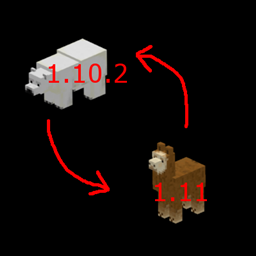
Lapisan kompatibilitas untuk membantu membuat mod kompatibel antara 1.10 dan 1.11
Tentang mod CompatLayer
Mod/library kecil ini memiliki beberapa alat yang dapat membantu membuat mod menjadi kompatibel secara biner antara 1.10 dan 1.11. Jika kamu memastikan menggunakan api di mod ini dengan benar, kamu bisa membuat jar mod yang berjalan di kedua versi.
Beberapa hal yang sebaiknya kamu lakukan sebagai tambahan dari apa yang dilakukan library ini:
- Buat semua nama resource (file lang, nama model, file json, file tekstur, ...) menjadi huruf kecil di versi 1.10.2 milikmu. Tambahkan penangan event FMLMissingMapping untuk menangani pemuatan dunia lama
- Mod id juga harus huruf kecil
- Ganti tileEntity.worldObj dengan tileEntity.getWorld()
- Ganti entityPlayer.worldObj dengan entityPlayer.getEntityWorld()
Ini masih alpha. Kemungkinan ada hal-hal yang belum lengkap.
Wiki untuk informasi lebih lanjut: https://github.com/McJty/compatlayer/wiki
Tutorial untuk modder: http://modwiki.temporal-reality.com/mw/index.php?title=CompatLayer-1.11
Maven untuk 1.10.2: http://jenkins.k-4u.nl/view/McJty/job/Compatlayer%201.10/
Maven untuk 1.11: http://jenkins.k-4u.nl/view/McJty/job/Compatlayer%201.11/
Cara memasang CompatLayer
With Millida Launcher
Install Millida Launcher
The launcher is free: download it at millida.net/launcher and sign in with any nickname.
Click “Install” on this page
The launcher opens and installs the mod for Minecraft 1.11–1.11.2 automatically.
Launch the game
A profile with it appears in the launcher: click “Play”.
Manually
Download the file for your version
In the version list above, pick the file compatlayer-1.11.2-0.3.1.jar (40 KB) for your game version.
Put it in the mods folder
The folder is inside .minecraft (Windows: %appdata%\.minecraft\mods). If it does not exist, create it.
Launch the loader profile
Open “Mods” in the main menu: CompatLayer should be in the list.
Minecraft 1.11.2 runs on Java 8: with a different Java version the game may close right after launch.
Versi
Dengan dependensi
| Minecraft | Loader | File | Tanggal | Tindakan |
|---|---|---|---|---|
| 1.11.2 | — | compatlayer-1.11.2-0.3.1.jar39.8 KB | ||
| 1.11 | — | compatlayer-1.11-0.0.39beta.jar27.3 KB | ||
| 1.11 | — | compatlayer-1.11-0.0.33alpha.jar24.7 KB |
FAQ
Which Minecraft versions does CompatLayer work on?
There are files for 1.11.2, 1.11. The newest is 1.11.2.
Which Java does CompatLayer need?
Minecraft 1.11.2 runs on Java 8. If the game closes right after launch, the usual cause is the wrong Java version in the profile settings.
Where can I download CompatLayer safely?
On this page: the file compatlayer-1.11.2-0.3.1.jar (40 KB) is stored on Millida’s server, with no link shorteners. SHA-1 checksum: d233cd213052094aa6d7a311a8363b217afd3e20.
Ulasan
Jadilah yang pertama menilai CompatLayer


