
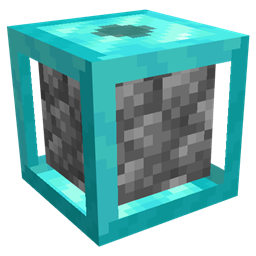
Cobblegen Galore Mod untuk Minecraft 1.21.1
Mod ini memungkinkan Anda membuat blok penting seperti cobblestone, basalt, dan lainnya secara otomatis
- unduhan
- 1 unduhan
- dilihat
- 18 dilihat
- Diperbarui
- Diperbarui 18.10.2026
- 1.21.1
 NeoForge
Tentang mod Cobblegen Galore
Cobblegen Galore membawa pembuatan blok ke tingkat berikutnya dengan memperkenalkan generator blok yang dapat disesuaikan dengan berbagai tingkatan, dari Copper hingga Netherite, masing-masing menawarkan kecepatan pembuatan yang lebih cepat. Mod ini memungkinkan Anda menghasilkan blok-blok penting secara otomatis seperti cobblestone, basalt, dan lainnya - menjadikannya wajib dimiliki untuk paket SkyBlock sumber daya.
Fitur Utama:
Generator Blok Bertingkat: Berkembang dari generator Copper hingga Netherite, dengan setiap tingkatan menghasilkan blok lebih cepat daripada sebelumnya.
Generator Cobblestone: Otomatiskan produksi cobblestone dengan mudah menggunakan lava dan air.
Generator Basalt: Siapkan pembuatan basalt otomatis dengan menggabungkan lava dan blue ice.
Generator Blok Kustom: Buat generator untuk blok apa pun yang terbentuk dari interaksi cairan atau blok. Siap Otomatisasi: Tingkatkan produksi sumber daya Anda dengan otomatisasi tanpa tangan.
Sempurna untuk paket Skyblock, Cobblegen Galore sangat berharga untuk mengotomatiskan produksi sumber daya di mana material terbatas. Dengan generator bertingkat yang meningkat efisiensinya, Anda dapat menjalani petualangan skyblock dengan mudah - menjaga sumber daya Anda tetap mengalir sementara Anda fokus membangun, menjelajah, dan berkembang!
Cara memasang Cobblegen Galore
With Millida Launcher
Install Millida Launcher
The launcher is free: download it at millida.net/launcher and sign in with any nickname.
Click “Install” on this page
The launcher opens and installs the mod for Minecraft 1.21.1 on NeoForge automatically.
Launch the game
A profile with it appears in the launcher: click “Play”.
Manually
Install NeoForge
The loader must match the game version of the mod file, for example Minecraft 1.21.1. After installing it, a separate profile appears in your launcher.
Download the file for your version
In the version list above, pick the file cobblegengalore-1.21.1-0.2.9.jar (87 KB) for your game version.
Put it in the mods folder
The folder is inside .minecraft (Windows: %appdata%\.minecraft\mods). If it does not exist, create it.
Launch the loader profile
Open “Mods” in the main menu: Cobblegen Galore should be in the list.
Minecraft 1.21.1 runs on Java 21: with a different Java version the game may close right after launch.
Versi
Dengan dependensi
| Minecraft | Loader | File | Tanggal | Tindakan |
|---|---|---|---|---|
| 1.21.1 | NeoForge | cobblegengalore-1.21.1-0.2.9.jar86.8 KB 1 |
FAQ
Which Minecraft versions does Cobblegen Galore work on?
Only Minecraft 1.21.1: there are no files for other versions.
Is Cobblegen Galore for Forge or Fabric?
Only for NeoForge: 1.21.1. There are no files for Forge or Fabric: a mod for another loader will not start.
Does Cobblegen Galore need other mods?
The author lists no required dependencies: the NeoForge loader is enough.
Which Java does Cobblegen Galore need?
Minecraft 1.21.1 runs on Java 21. If the game closes right after launch, the usual cause is the wrong Java version in the profile settings.
Where can I download Cobblegen Galore safely?
On this page: the file cobblegengalore-1.21.1-0.2.9.jar (87 KB) is stored on Millida’s server, with no link shorteners. SHA-1 checksum: d08c1d93e7918eebed6e405d0680d11d33c80bf6.
Ulasan
Jadilah yang pertama menilai Cobblegen Galore


