
 Forge
Tentang mod Bygone Nether
📖 Tentang:
Mod struktur Nether untuk Minecraft 1.16.5+ yang bertujuan mengembangkan lore di balik dimensi nether, serta menghadirkan tantangan tambahan dan gameplay yang menarik dalam mode survival.
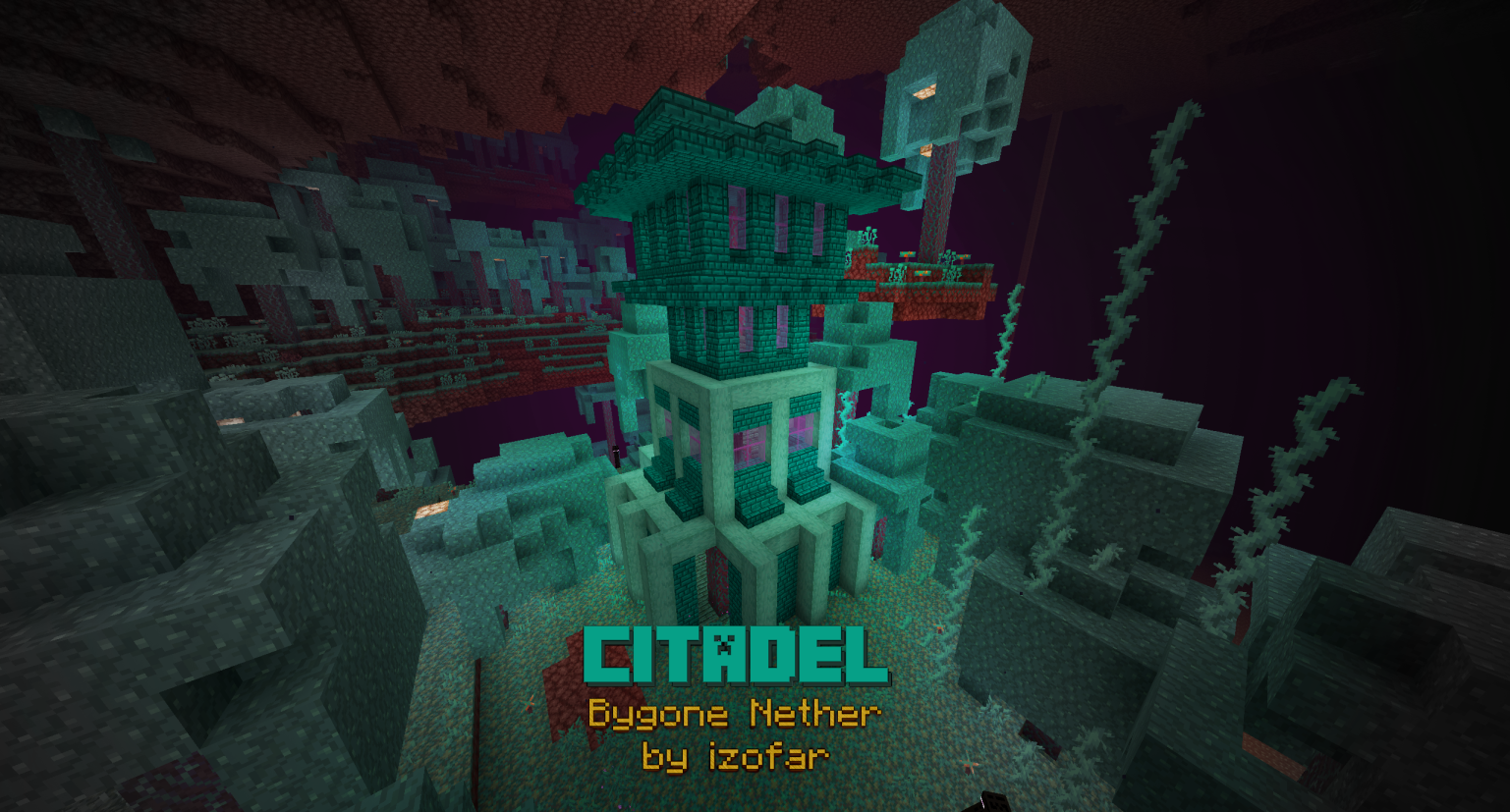
Jelajahi struktur baru yang unik untuk setiap biome Nether, serta mob baru yang menghuninya. Termasuk desain ulang benteng dan penambahan Bastion Remnants ke Basalt Deltas. Lihat Tab Gambar untuk Spoiler!
Dengarkan soundtrack di SoundCloud. Ini adalah mod pertama saya yang dirilis. Lihat mod saya yang lain, dan nantikan lebih banyak lagi! Mohon pertimbangkan untuk mendukung saya di bawah, karena itu akan memberi saya lebih banyak waktu untuk pembaruan dan perbaikan.
💸 Donasi & Dukungan
🎥 Video:
🍳 Resep:
Gilded Netherite (Smithing Table):
Wither Summoning (Block Place):
❗ Dependensi:
Tidak Ada Dependensi Mod Lain!
📦 Integrasi dengan mod lain:
Amplified Nether ✔️ ✔️ ✔️
Better Nether Reforged ✔️
Biomes O'Plenty ✔️ ✔️ ✔️ ✔️
Cinderscapes Reforged ✔️ ✔️
Create ✔️ ✔️ ✔️ ✔️
Incendium ✔️ ✔️ ✔️
Infernal Expansion ✔️ ✔️ ✔️ ✔️
Oh The Biomes You'll Go ✔️ ✔️ ✔️ ✔️
Quark ✔️ ✔️ ✔️ ✔️
🕷 Laporkan Bug di bawah

✔️ Perbaikan untuk Masalah Lama (tldr: cukup perbarui Bygone Nether dan Forge ):
- Masalah: Amplified Nether membuat game crash; Perbaikan: Perbarui mod ke v1.3.1 atau lebih baru
- Masalah: Tahanan Piglin tidak menyerang hoglin; Perbaikan: Perbarui mod ke v1.2.2 atau lebih baru
- Masalah: Withered Debris tidak dapat dihancurkan oleh tier yang lebih tinggi dari netherite; Perbaikan: Perbarui mod ke v1.2.2 atau lebih baru
- Masalah: Struktur terus-menerus tumpang tindih; Perbaikan: Perbarui mod ke v1.2.2 atau lebih baru
- Masalah: Resep cobbled blackstone tampaknya rusak; Perbaikan: Perbarui mod ke v1.2.2 atau lebih baru
- Masalah: Tidak dapat membuat chiseled deepslate; Perbaikan: Perbarui mod ke v1.2.1 atau lebih baru
- Masalah: Tidak dapat memunculkan wither; Perbaikan: Perbarui mod ke v1.2 atau lebih baru
- Masalah: Resource pack untuk piglin brute menyebabkan tekstur tidak sejajar; Perbaikan: Perbarui mod ke v1.0.1 atau lebih baru
- Masalah: Subtitle tidak memiliki lokalisasi; Perbaikan: Perbarui mod ke v1.1.2 atau lebih baru
- Masalah: Kolom basalt muncul di dalam bastion remnants, menggantikan chest; Perbaikan: Perbarui mod ke v1.1.2 atau lebih baru
- Masalah: Cobbled blackstone tidak dapat dilebur menjadi blackstone; Perbaikan: Perbarui mod ke v1.1.2 atau lebih baru
- Masalah: Resep armor Gilded Netherite tidak berfungsi; Perbaikan: Perbarui ke v1.3.1 atau lebih baru
- Masalah: Game crash pada tick Warped Enderman karena RandomSource; Perbaikan: Perbarui mod ke v1.2.2. atau lebih baru
- Masalah: Tidak dapat /locate struktur apa pun kecuali fortress; Perbaikan: Perbarui mod ke v1.1.1 atau lebih baru
- Masalah: Advancement fortress tidak dilokalisasi; Perbaikan: Perbarui mod ke v1.2.2 atau lebih baru
- Masalah: NoClassDef ForgeSpawnEggItem; Perbaikan: Perbarui Forge ke 1.16.5-36.2.17 atau lebih baru
- Masalah: Blok spawner fortress dan Catacomb tidak memunculkan mob (WAWLA menampilkan: <ERROR>); Perbaikan: Perbarui mod ke v1.0.3 atau lebih baru
- Masalah: Server crash karena bygonenether.mixins.json:RepairOlderStructureSpawners; Perbaikan: Perbarui mod ke v1.1.1 atau lebih baru
- Masalah: Animasi serangan Wex menampilkan tekstur error; Perbaikan: Perbarui mod ke v1.1.2 atau lebih baru
🤍 Ucapan Terima Kasih:
Terima Kasih Khusus kepada: Telepathic Grunt, Sizable Shrimp, Commoble, dan Cadiboo dari Mod Development Discord atas bantuan dan arahan mereka selama proses pengembangan.
Cara memasang Bygone Nether
With Millida Launcher
Install Millida Launcher
The launcher is free: download it at millida.net/launcher and sign in with any nickname.
Click “Install” on this page
The launcher opens and installs the mod for Minecraft 1.20–1.20.1 on Forge automatically.
Launch the game
A profile with it appears in the launcher: click “Play”.
Manually
Install Forge
The loader must match the game version of the mod file, for example Minecraft 1.20.1. After installing it, a separate profile appears in your launcher.
Download the file for your version
In the version list above, pick the file bygonenether-1.3.2-1.20.x.jar (7.3 MB) for your game version.
Put it in the mods folder
The folder is inside .minecraft (Windows: %appdata%\.minecraft\mods). If it does not exist, create it.
Launch the loader profile
Open “Mods” in the main menu: Bygone Nether should be in the list.
Minecraft 1.20.1 runs on Java 17: with a different Java version the game may close right after launch.
Versi
Dengan dependensi
| Minecraft | Loader | File | Tanggal | Tindakan |
|---|---|---|---|---|
| 1.20.1 | Forge | Bygone Nether v1.3.2 [1.20.x]7.3 MB 19 |
FAQ
Which Minecraft versions does Bygone Nether work on?
There are files for 1.20.1, 1.20. The newest is 1.20.1.
Does Bygone Nether need other mods?
The author lists no required dependencies: the Forge loader is enough.
Which Java does Bygone Nether need?
Minecraft 1.20.1 runs on Java 17. If the game closes right after launch, the usual cause is the wrong Java version in the profile settings.
Where can I download Bygone Nether safely?
On this page: the file bygonenether-1.3.2-1.20.x.jar (7.3 MB) is stored on Millida’s server, with no link shorteners. SHA-1 checksum: 529e31d2877b87a8bf006f590513a33ab6b73171.
Ulasan
Jadilah yang pertama menilai Bygone Nether


