
 Fabric
Tentang mod Block Swap (Fabric)
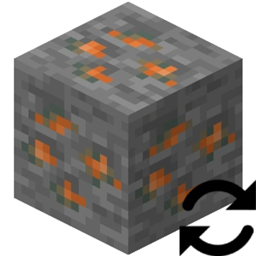
Block Swap adalah mod sederhana yang memungkinkan kamu mengganti satu blok dengan blok lain. Ini berfungsi baik saat pembuatan dunia maupun saat menempatkan blok di dunia yang sudah dibuat.
Kenapa aku ingin ini?
Bayangkan ini: Kamu telah memasang 25 mod teknologi dan kamu memiliki 10 bijih timah, 14 bijih tembaga, 4 bijih uranium, 10 bijih timbal, dan 15 bijih perak. Atau mungkin.... kamu telah memasang Oh The Biomes You'll Go dan Biomes O' Plenty dan tidak suka fakta bahwa kedua mod menambahkan Redwood Logs.
Menyakitkan kan? Sekarang bayangkan sebuah mod yang memungkinkan kamu membuat blok duplikat ini menjadi satu blok... yap kamu baru saja menemukannya!
Mod ini memungkinkan kamu mengganti Block A dengan Block B di config-nya dan itu saja.
Tapi bagaimana dengan properti Block State?
Mod ini akan memetakan ulang properti Block State dari Block State Block A ke Block State Block B (jika propertinya ada).
Performa? Apakah ini lambat?
Dalam profiling-ku sendiri, ini TIDAK memiliki dampak performa.
Config
Config dimuat ulang setiap kali dunia dimuat.
Cara memasang Block Swap (Fabric)
With Millida Launcher
Install Millida Launcher
The launcher is free: download it at millida.net/launcher and sign in with any nickname.
Click “Install” on this page
The launcher opens and installs the mod for Minecraft 1.19.2 on Fabric automatically.
Launch the game
A profile with it appears in the launcher: click “Play”.
Manually
Install Fabric
The loader must match the game version of the mod file, for example Minecraft 1.19.2. After installing it, a separate profile appears in your launcher.
Download the file for your version
In the version list above, pick the file Block Swap-fabric-1.19.2-2.0.0.1.jar (310 KB) for your game version.
Put it in the mods folder
The folder is inside .minecraft (Windows: %appdata%\.minecraft\mods). If it does not exist, create it.
Launch the loader profile
Open “Mods” in the main menu: Block Swap (Fabric) should be in the list.
Minecraft 1.19.2 runs on Java 17: with a different Java version the game may close right after launch.
Versi
Dengan dependensi
| Minecraft | Loader | File | Tanggal | Tindakan |
|---|---|---|---|---|
| 1.19.2 | Fabric | Block Swap-fabric-1.19.2-2.0.0.1.jar310 KB |
FAQ
Which Minecraft versions does Block Swap (Fabric) work on?
Only Minecraft 1.19.2: there are no files for other versions.
Is Block Swap (Fabric) for Forge or Fabric?
Only for Fabric: 1.19.2. There are no files for Forge or NeoForge: a mod for another loader will not start.
Does Block Swap (Fabric) need other mods?
The author lists no required dependencies: the Fabric loader is enough.
Which Java does Block Swap (Fabric) need?
Minecraft 1.19.2 runs on Java 17. If the game closes right after launch, the usual cause is the wrong Java version in the profile settings.
Where can I download Block Swap (Fabric) safely?
On this page: the file Block Swap-fabric-1.19.2-2.0.0.1.jar (310 KB) is stored on Millida’s server, with no link shorteners. SHA-1 checksum: 40f8faadd2feb6dcba2aa74cc904b23a841b19eb.
Ulasan
Jadilah yang pertama menilai Block Swap (Fabric)


