
Bigger Trees Mod untuk Minecraft 1.20.4
Memodifikasi pohon Minecraft dengan tetap mempertahankan estetika vanilla
 Forge
Forge Fabric
Tentang mod Bigger Trees
- Sekarang kamu bisa berjalan melewati hutan tanpa kepalamu terbentur dahan!
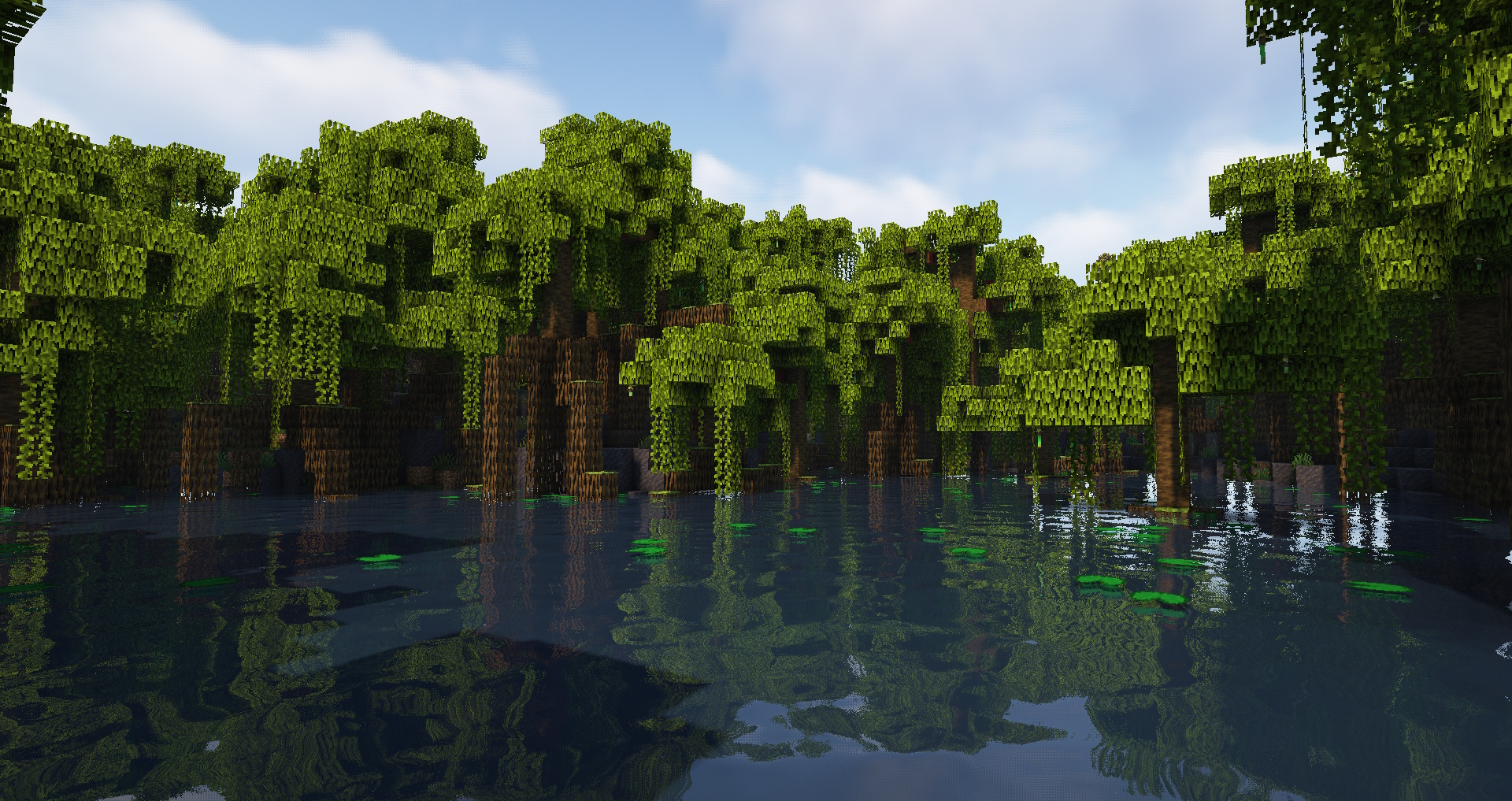
Mod sederhana yang menambah tinggi batang pohon vanilla dan mengubah beberapa metode dekorasi dedaunan pohon.
🌳 Fitur:
- batang pohon yang lebih tinggi untuk pohon Acacia, Birch, Cherry, Dark Oak, Jungle, Mangrove, Mega Jungle/Pine/Spruce, Oak, Pine, Spruce, Swamp;
- ukuran variasi batang pohon yang lebih besar;
- pohon birch sekarang memiliki dahan, pohon Cherry selalu memiliki minimal 2 dahan;
- dedaunan yang lebih baik pada beberapa pohon;
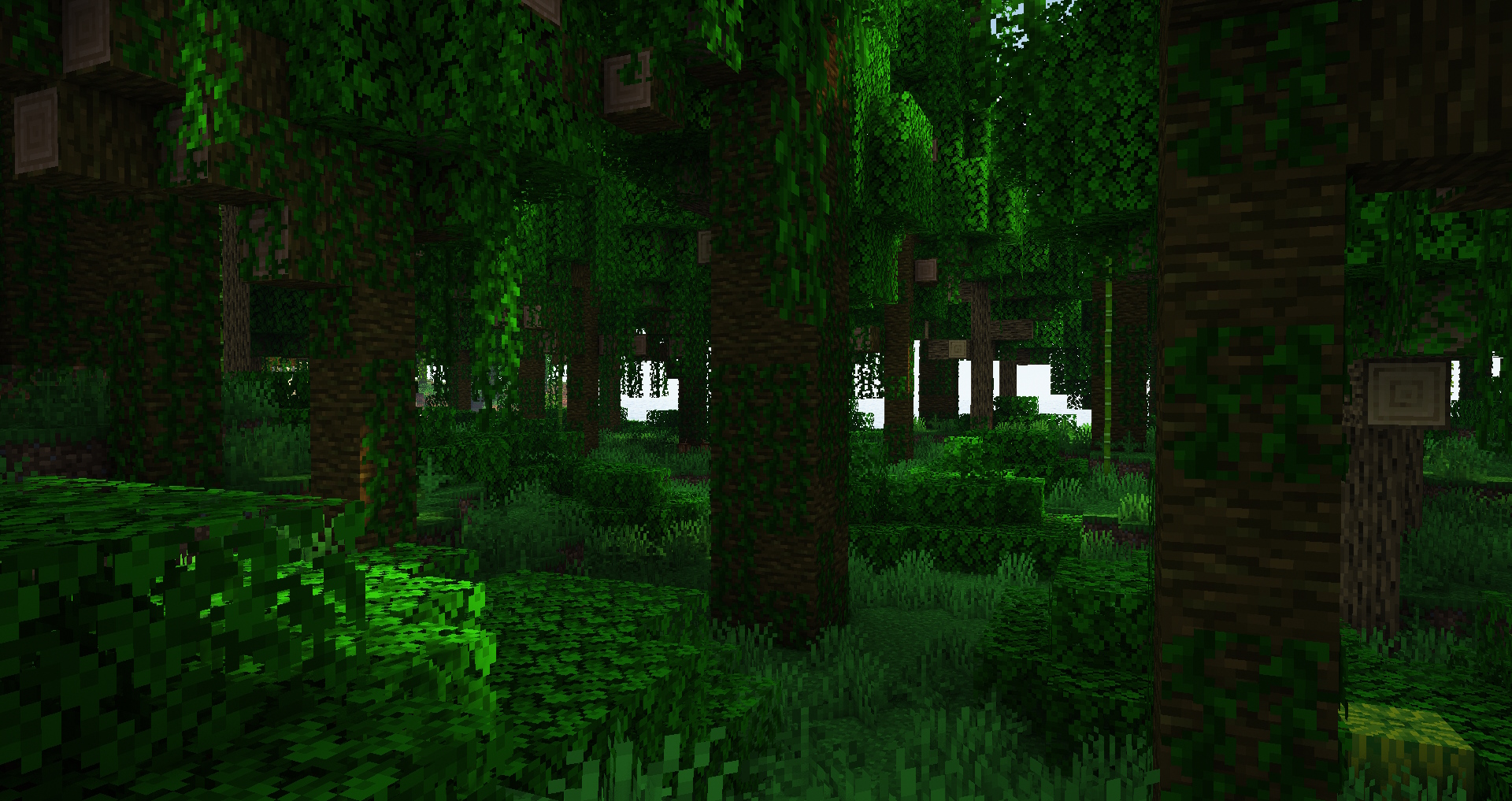
- hutan sekarang lebih lapang dan punya lebih banyak ruang untuk berjalan, terutama Jungle;
- estetika Minecraft biasa tetap dipertahankan;
- opsi dapat disesuaikan melalui datapack;
♻️ Kompatibilitas:
Mod ini mengubah pohon vanilla tanpa menambahkan pohon baru, jadi seharusnya kompatibel dengan mod lain yang tidak melakukan hal yang sama. Mod ini juga aman untuk dihapus dari (atau ditambahkan ke) dunia yang sudah ada.
✅ Jangan ragu menambahkannya ke modpack-mu seperti yang kulakukan di modpack-ku.
- Industrial Village
- Life in the Village 4
💚 Terima kasih banyak kepada situs Misode's Data Pack Generator yang membuat mod ini bisa terwujud https://misode.github.io
Bermimpi punya server sendiri tapi khawatir dengan kerumitannya? BisectHosting membuatnya sangat mudah untuk memulai dengan platform intuitif dan panduan yang membantu. Aku mengandalkan mereka karena performanya yang konsisten dan kemudahan penggunaannya.
Siap meluncurkan servermu? Gunakan kode xdreamz untuk diskon 25% bulan pertama dan dukung kontenku!
Cara memasang Bigger Trees
With Millida Launcher
Install Millida Launcher
The launcher is free: download it at millida.net/launcher and sign in with any nickname.
Click “Install” on this page
The launcher opens and installs the mod for Minecraft 1.20.4 on Fabric or Forge automatically.
Launch the game
A profile with it appears in the launcher: click “Play”.
Manually
Install Fabric or Forge
The loader must match the game version of the mod file, for example Minecraft 1.20.4. After installing it, a separate profile appears in your launcher.
Download the file for your version
In the version list above, pick the file bigger_vanilla_trees-forge-1.20.4-1.0.jar (85 KB) for your game version and loader.
Put it in the mods folder
The folder is inside .minecraft (Windows: %appdata%\.minecraft\mods). If it does not exist, create it.
Launch the loader profile
Open “Mods” in the main menu: Bigger Trees should be in the list.
Minecraft 1.20.4 runs on Java 17: with a different Java version the game may close right after launch.
Versi
Dengan dependensi
| Minecraft | Loader | File | Tanggal | Tindakan |
|---|---|---|---|---|
| 1.20.4 | Forge | Bigger Trees Forge 1.20.4-1.084.5 KB | ||
| 1.20.4 | Fabric | Bigger Trees Fabric 1.20.4-1.083.8 KB 1 |
FAQ
Which Minecraft versions does Bigger Trees work on?
Only Minecraft 1.20.4: there are no files for other versions.
Is Bigger Trees for Forge or Fabric?
There are files for Fabric: 1.20.4 and for Forge: 1.20.4. There are no files for NeoForge: a mod for another loader will not start.
Does Bigger Trees need other mods?
The author lists no required dependencies: the Fabric or Forge loader is enough.
Which Java does Bigger Trees need?
Minecraft 1.20.4 runs on Java 17. If the game closes right after launch, the usual cause is the wrong Java version in the profile settings.
Where can I download Bigger Trees safely?
On this page: the file bigger_vanilla_trees-forge-1.20.4-1.0.jar (85 KB) is stored on Millida’s server, with no link shorteners. SHA-1 checksum: 3f9d291ae62c88f11cb687decc31a2e009942a57.
Ulasan
Jadilah yang pertama menilai Bigger Trees


