

Better Mods Button untuk Minecraft 1.21.1, 1.19.2
Tombol mod Anda, sesuai keinginan Anda. Di tempat yang Anda inginkan, dan sesuai cara Anda!
 NeoForge
 Forge
ForgeTentang mod Better Mods Button
 
📖 Tentang:
Better Mods Button mengembalikan tombol mods ke layar jeda seperti pada versi Forge sebelum Minecraft 1.13, sehingga dapat digunakan untuk mengakses konfigurasi mod di dalam game dengan mudah (jika tersedia).
Sebagai bonus, tersedia banyak opsi untuk menentukan di mana dan bagaimana tepatnya tombol mods ingin ditampilkan di layar (sangat terinspirasi oleh Mod Menu). Menampilkan jumlah total mod, serta mengaktifkan atau menonaktifkan ikon notifikasi pembaruan, keduanya didukung.
📷 Media:
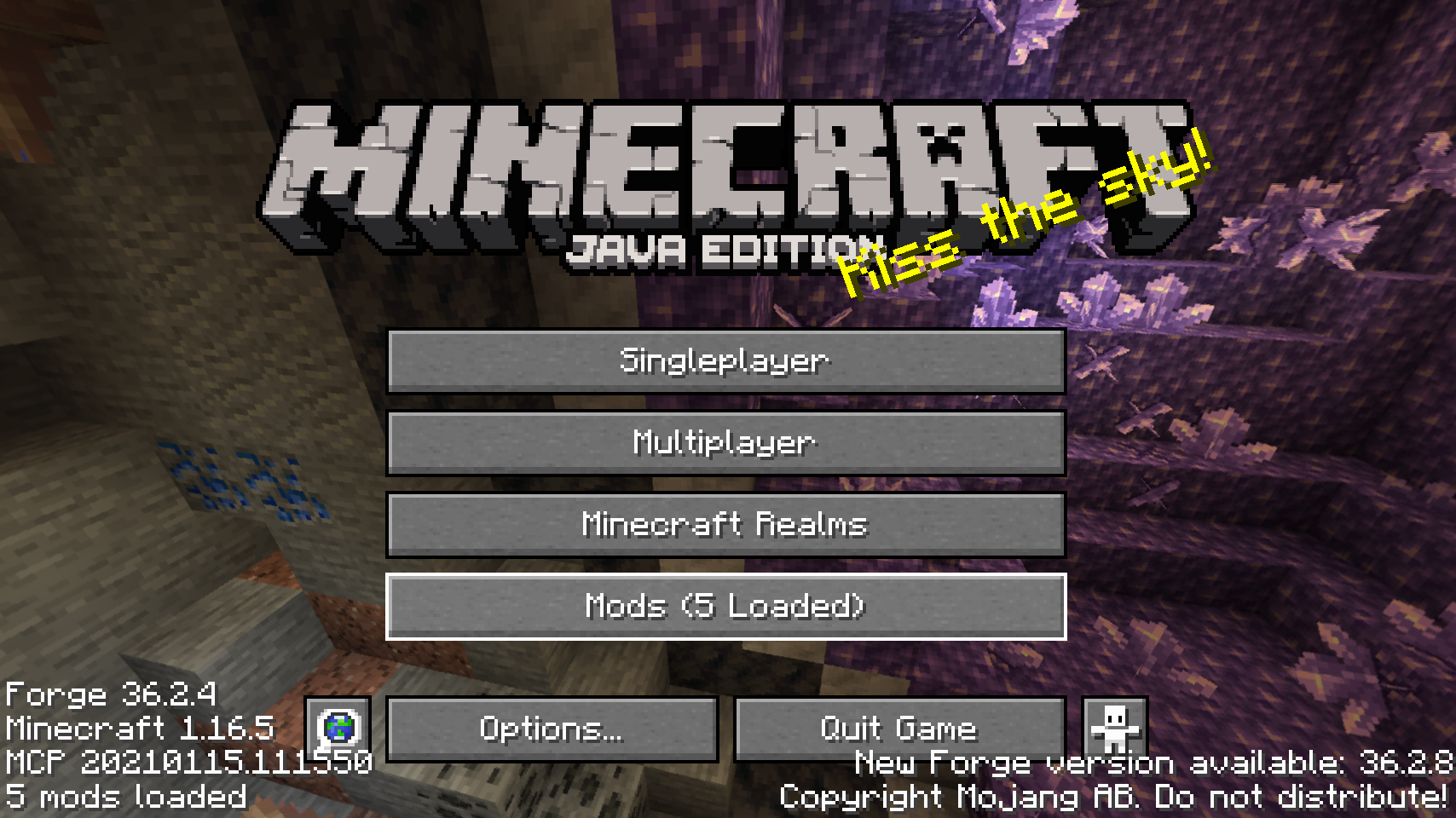
  
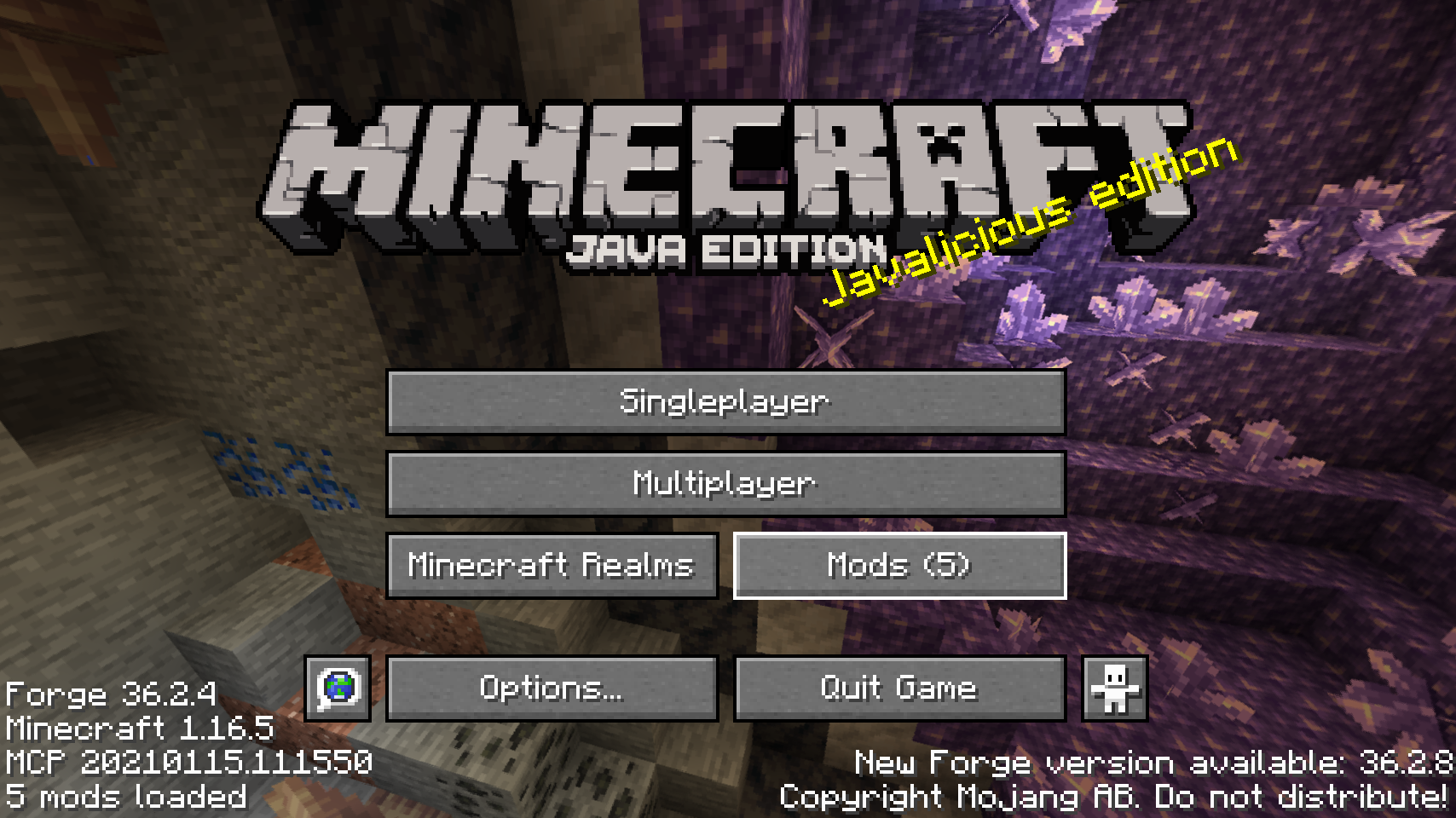
Tombol mods bawaan di layar judul    Salah satu penempatan tombol mods alternatif
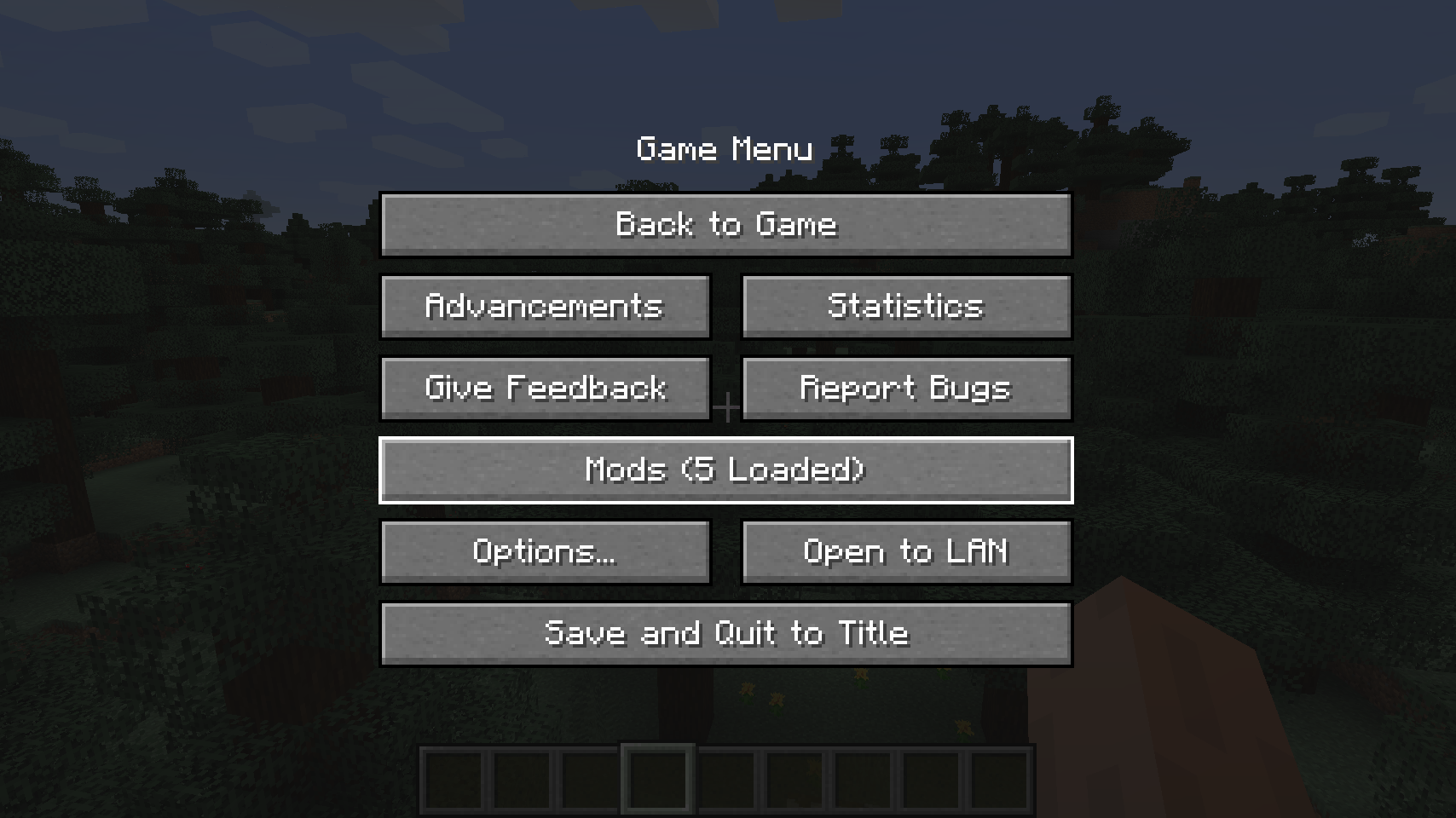
  
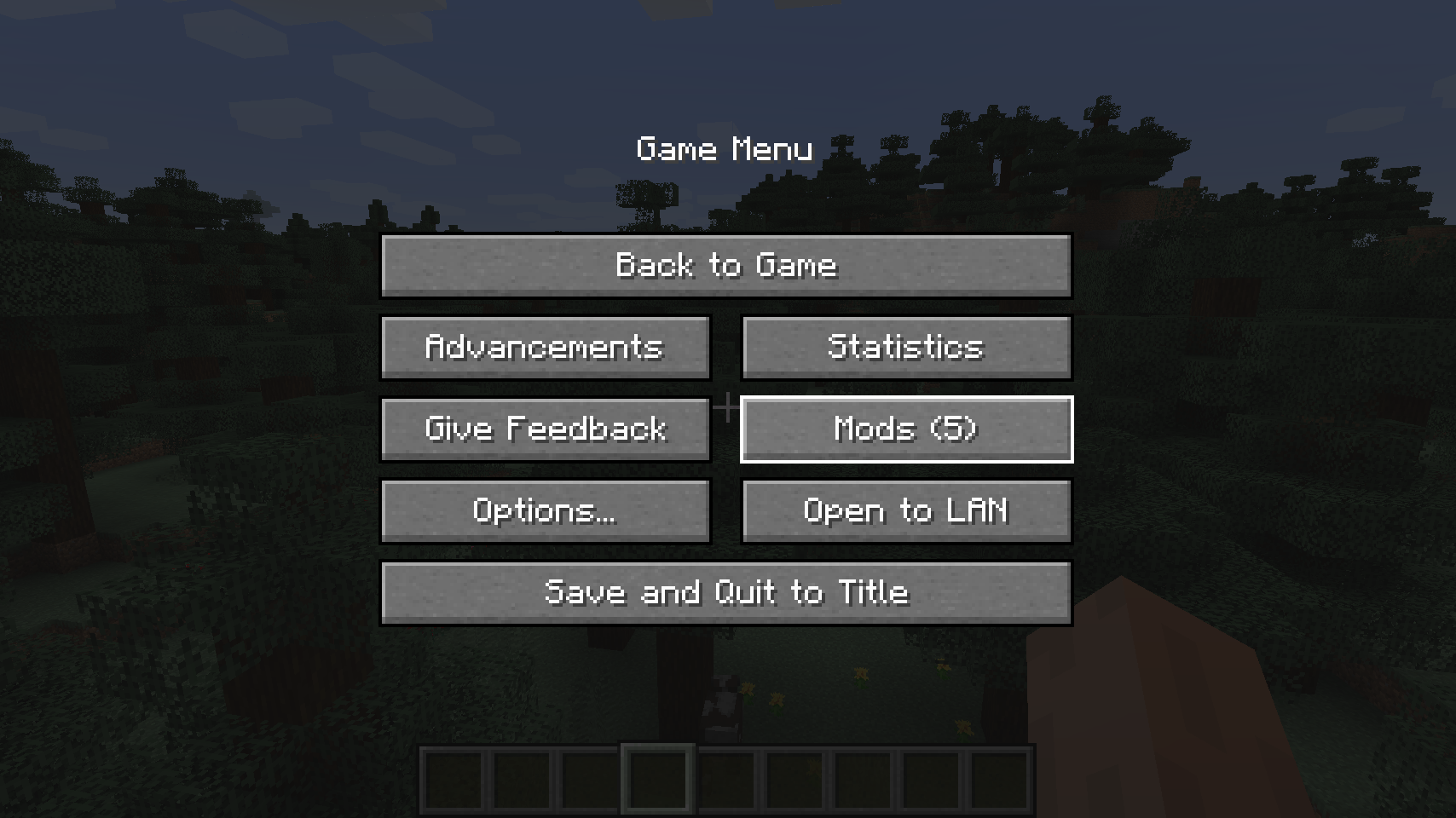
Tombol mods bawaan di menu jeda    Penempatan alternatif untuk layar jeda

  
Penempatan tombol layar jeda alternatif lainnya   
💡 FAQ:
T: Bagaimana cara mengonfigurasi mod ini? J: Pasang mod Config Menus for Forge milik saya dan lakukan langsung di dalam game!
T: Bagaimana dengan port Fabric? J: Gunakan Mod Menu oleh ProspectorDev sebagai gantinya.
🏆 Kredit:
Pengembangan Better Mods Button dibantu dan diinspirasi oleh:
- ProspectorDev karena menginspirasi sebagian besar opsi konfigurasi untuk mod ini dari mod Mod Menu milik mereka


Cara memasang Better Mods Button
With Millida Launcher
Install Millida Launcher
The launcher is free: download it at millida.net/launcher and sign in with any nickname.
Click “Install” on this page
The launcher opens and installs the mod for Minecraft 1.18.2–26.1.2 on Forge or NeoForge automatically.
Launch the game
A profile with it appears in the launcher: click “Play”.
Manually
Install Forge or NeoForge
The loader must match the game version of the mod file, for example Minecraft 26.1.2. After installing it, a separate profile appears in your launcher.
Download the file for your version
In the version list above, pick the file bettermodsbutton-v26.1.2-mc26.1.x+neoforge.jar (55 KB) for your game version and loader.
Put it in the mods folder
The folder is inside .minecraft (Windows: %appdata%\.minecraft\mods). If it does not exist, create it.
Launch the loader profile
Open “Mods” in the main menu: Better Mods Button should be in the list.
Better Mods Button works on the player’s side only: there is no need to install it on a server.
Versi
Dengan dependensi
| Minecraft | Loader | File | Tanggal | Tindakan |
|---|---|---|---|---|
| 1.21.1 | NeoForge | 1.21.165.1 KB | ||
| 1.21.1 | Forge | 1.21.161.8 KB | ||
| 26.1.2 | NeoForge | 26.1.255.1 KB | ||
| 26.1 | NeoForge | 26.155 KB | — | |
| 1.21.11 | NeoForge | 1.21.1147.3 KB | — | |
| 1.21 | NeoForge | 1.2159.6 KB | — | |
| 1.19.2 | Forge | 1.19.256.1 KB | — | |
| 1.18.2 | Forge | 1.18.254.8 KB | — |
FAQ
Which Minecraft versions does Better Mods Button work on?
There are files for 1.18.2–26.1.2, 8 versions in total. The newest is 26.1.2.
Is Better Mods Button for Forge or Fabric?
There are files for Forge: 1.18.2–1.21.1 and for NeoForge: 1.21–26.1.2. There are no files for Fabric: a mod for another loader will not start.
Does Better Mods Button need other mods?
The author lists no required dependencies: the Forge or NeoForge loader is enough.
Do I need to install Better Mods Button on a server?
No. Better Mods Button works on the player’s side only: there is no need to install it on a server.
Where can I download Better Mods Button safely?
On this page: the file bettermodsbutton-v26.1.2-mc26.1.x+neoforge.jar (55 KB) is stored on Millida’s server, with no link shorteners. SHA-1 checksum: 2a9bcf56e9964467e42d2af97db2c5c9be895bee.
Ulasan
Jadilah yang pertama menilai Better Mods Button


