
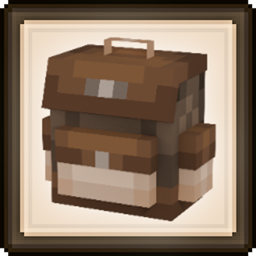
Backpacked Mod untuk Minecraft 1.20.1, 1.21.1
Mod ransel yang ramah vanilla, menampilkan progres berbasis unlock, sistem augment, kustomisasi, mencopet, dan dukungan addon!
 NeoForge
 Fabric
 Forge
Forge






Backpacked 3.0.0 sudah rilis sekarang!
Dirilis pada 21 Januari 2026
Saya akan segera memperbarui deskripsi ini, maaf - MrCrayfish
🏘️ Addon Komunitas Addon ini menambahkan lebih banyak tas punggung untuk ditemukan!
Backpacked: Shells oleh Beast135 (https://www.curseforge.com/minecraft/mc-mods/backpacked-shells) Menambahkan dua tas punggung baru untuk dibuka, Snail Shell dan Nautilus Shell
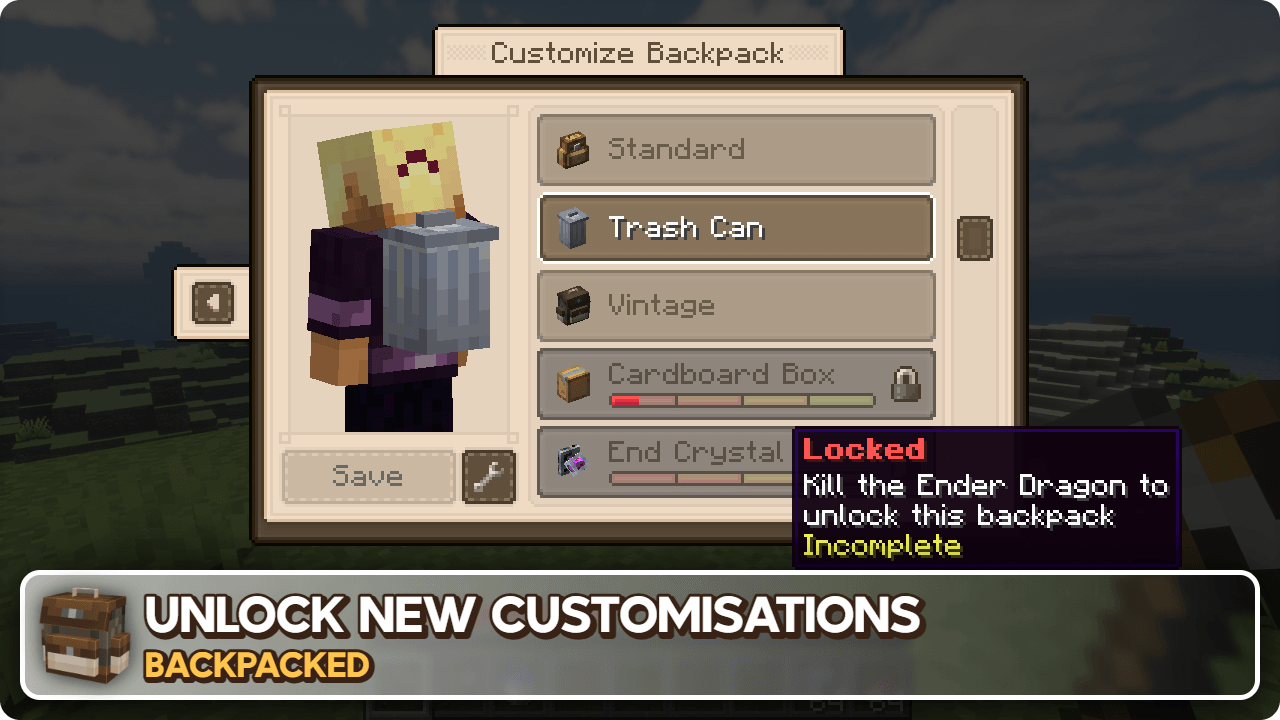
Backpacked: World of Color oleh Beast135 (https://www.curseforge.com/minecraft/mc-mods/backpacked-world-of-color) Menambahkan varian pewarna dari Standard Backpack
MrCrayfish's Furniture Mod: Refurbished oleh MrCrayfish (https://www.curseforge.com/minecraft/mc-mods/refurbished-furniture) Menambahkan tas punggung Storage Cabinet eksklusif saat mod ini dipasang bersama Backpacked.
🙋‍♀️ Butuh Dukungan? Bergabunglah dengan Server Discord Resmi:
Bagian komentar tidak bagus untuk dukungan, bergabunglah dengan server discord resmi. Anda bisa mendapatkan bantuan memasang dan mengonfigurasi mod, mengatasi crash, dan lainnya! Selain itu Anda juga akan mendapatkan akses ke berita tentang pembaruan dan pengembangan mod (sebelum di tempat lain).

Cara memasang Backpacked
With Millida Launcher
Install Millida Launcher
The launcher is free: download it at millida.net/launcher and sign in with any nickname.
Click “Install” on this page
The launcher opens and installs the mod for Minecraft 1.12.2–26.1.2 on Fabric, Forge or NeoForge automatically.
Launch the game
A profile with it appears in the launcher: click “Play”.
Manually
Install Fabric, Forge or NeoForge
The loader must match the game version of the mod file, for example Minecraft 26.1.2. After installing it, a separate profile appears in your launcher.
Download the file for your version
In the version list above, pick the file backpacked-neoforge-26.1.2-3.0.4.jar (1.2 MB) for your game version and loader.
Put it in the mods folder
The folder is inside .minecraft (Windows: %appdata%\.minecraft\mods). If it does not exist, create it.
Launch the loader profile
Open “Mods” in the main menu: Backpacked should be in the list.
Versi
Dengan dependensi
| Minecraft | Loader | File | Tanggal | Tindakan |
|---|---|---|---|---|
| 26.1.2 | NeoForge | Backpacked 3.0.41.2 MB 2 | ||
| 26.1.2 | Fabric | Backpacked 3.0.41.3 MB 14 | ||
| 1.20.1 | Forge | Backpacked 3.0.91.1 MB 86 | ||
| 1.20.1 | Forge | Backpacked 3.0.3-rc.41.1 MB | ||
| 1.20.1 | Fabric | Backpacked 3.0.3-rc.41.1 MB 46 | ||
| 1.21.1 | NeoForge | Backpacked 3.0.0-beta.201.2 MB 62 | ||
| 1.21.1 | Fabric | Backpacked 3.0.0-beta.201.2 MB 67 | ||
| 1.21.1 | NeoForge | Backpacked 3.0.0-beta.10624 KB |
FAQ
Which Minecraft versions does Backpacked work on?
There are files for 26.1.2, 1.21.1, 1.20.1, 1.12.2. The newest is 26.1.2.
Is Backpacked for Forge or Fabric?
There are files for Fabric: 1.20.1–26.1.2, for Forge: 1.20.1 and for NeoForge: 1.21.1–26.1.2.
Does Backpacked need other mods?
The author lists no required dependencies: the Fabric, Forge or NeoForge loader is enough.
Where can I download Backpacked safely?
On this page: the file backpacked-neoforge-26.1.2-3.0.4.jar (1.2 MB) is stored on Millida’s server, with no link shorteners. SHA-1 checksum: cabafe7fee7517d65140d83b4145e9c9c7bf39c3.
Ulasan
Jadilah yang pertama menilai Backpacked


