

Avaritia Mod untuk Minecraft 1.7.10
Mod parodi untuk mengakhiri semua mod
Tentang mod Avaritia
(Looking for the Minecraft 1.10 and up version? Go here)
Are you the type of modded Minecraft player that makes a beeline for the designated "end game" and then gives up on ever playing again once you get there? Do you wish there was a way to make the process take significantly longer? Do you love GregTech, but wish it weren't so short? Do you sit down on your chest full of Galgadorian Drills and wish there was a mod that didn't just hand things to you on a silver platter?
This might be the mod for you!
Frequently Asked Questions
Q: Will you update this mod to (Minecraft version) ?
A: No, but there's now an updated version available with my permission:
https://minecraft.curseforge.com/projects/avaritia-1-10
Q: Can I port your mod to Fabric?
A: No. I do not want my mod ported to fabric. I will never grant permission for it. I will never port it to Fabric. Do not bother asking me.
Minetweaker Info
If you want to use this mod for only the crafting table, you'll need to enable "Crafting Only" in the config.
Minetweaker commands are:
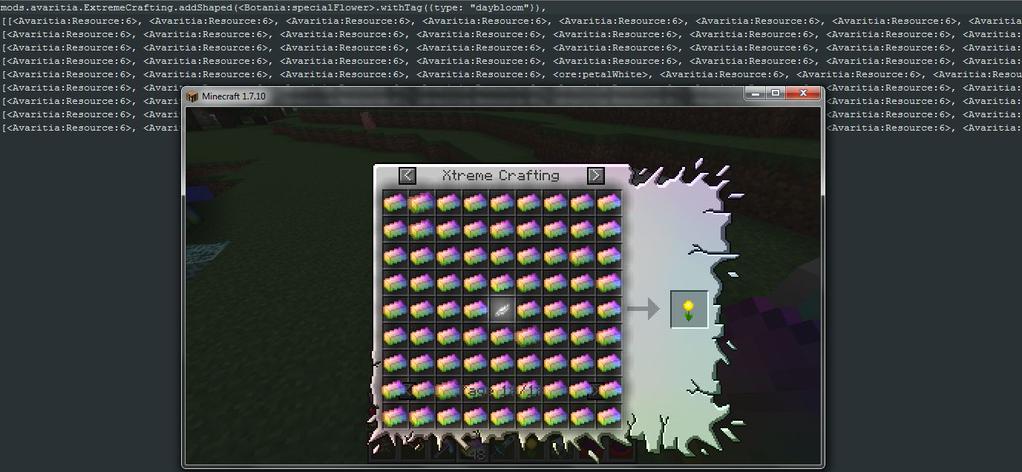
mods.avaritia.ExtremeCrafting.addShapeless(output, ingredients);
mods.avaritia.ExtremeCrafting.addShaped(output, ingredients);
mods.avaritia.ExtremeCrafting.remove(output);
mods.avaritia.Compressor.add(output, amount, input); //(amount is an int)
mods.avaritia.Compressor.add(output, amount, input, false); //(if you want the recipe to use the scaling system)
They work similarly to the standard crafting methods in vanilla Minetweaker, so look there if you need examples.
http://minetweaker3.powerofbytes.com/wiki/Tutorial:Basic_Recipes
Cara memasang Avaritia
With Millida Launcher
Install Millida Launcher
The launcher is free: download it at millida.net/launcher and sign in with any nickname.
Click “Install” on this page
The launcher opens and installs the mod for Minecraft 1.7.10 automatically.
Launch the game
A profile with it appears in the launcher: click “Play”.
Manually
Download the file for your version
In the version list above, pick the file Avaritia-1.13.jar (1011 KB) for your game version.
Put it in the mods folder
The folder is inside .minecraft (Windows: %appdata%\.minecraft\mods). If it does not exist, create it.
Launch the loader profile
Open “Mods” in the main menu: Avaritia should be in the list.
Minecraft 1.7.10 runs on Java 8: with a different Java version the game may close right after launch.
Versi
Dengan dependensi
| Minecraft | Loader | File | Tanggal | Tindakan |
|---|---|---|---|---|
| 1.7.10 | — | Avaritia-1.13.jar1011 KB 8 | ||
| 1.7.10 | — | Avaritia-0.22c.jar954 KB |
FAQ
Which Minecraft versions does Avaritia work on?
Only Minecraft 1.7.10: there are no files for other versions.
Which Java does Avaritia need?
Minecraft 1.7.10 runs on Java 8. If the game closes right after launch, the usual cause is the wrong Java version in the profile settings.
Where can I download Avaritia safely?
On this page: the file Avaritia-1.13.jar (1011 KB) is stored on Millida’s server, with no link shorteners. SHA-1 checksum: 3ed1f92809d6a6ec1d495082ad263725cea7f098.
Ulasan
Jadilah yang pertama menilai Avaritia


