
Auroras Mod untuk Minecraft 1.20.1, 1.21.3
Menambahkan aurora yang menakjubkan ke dunia!
 NeoForge
 Forge
ForgeTentang mod Auroras
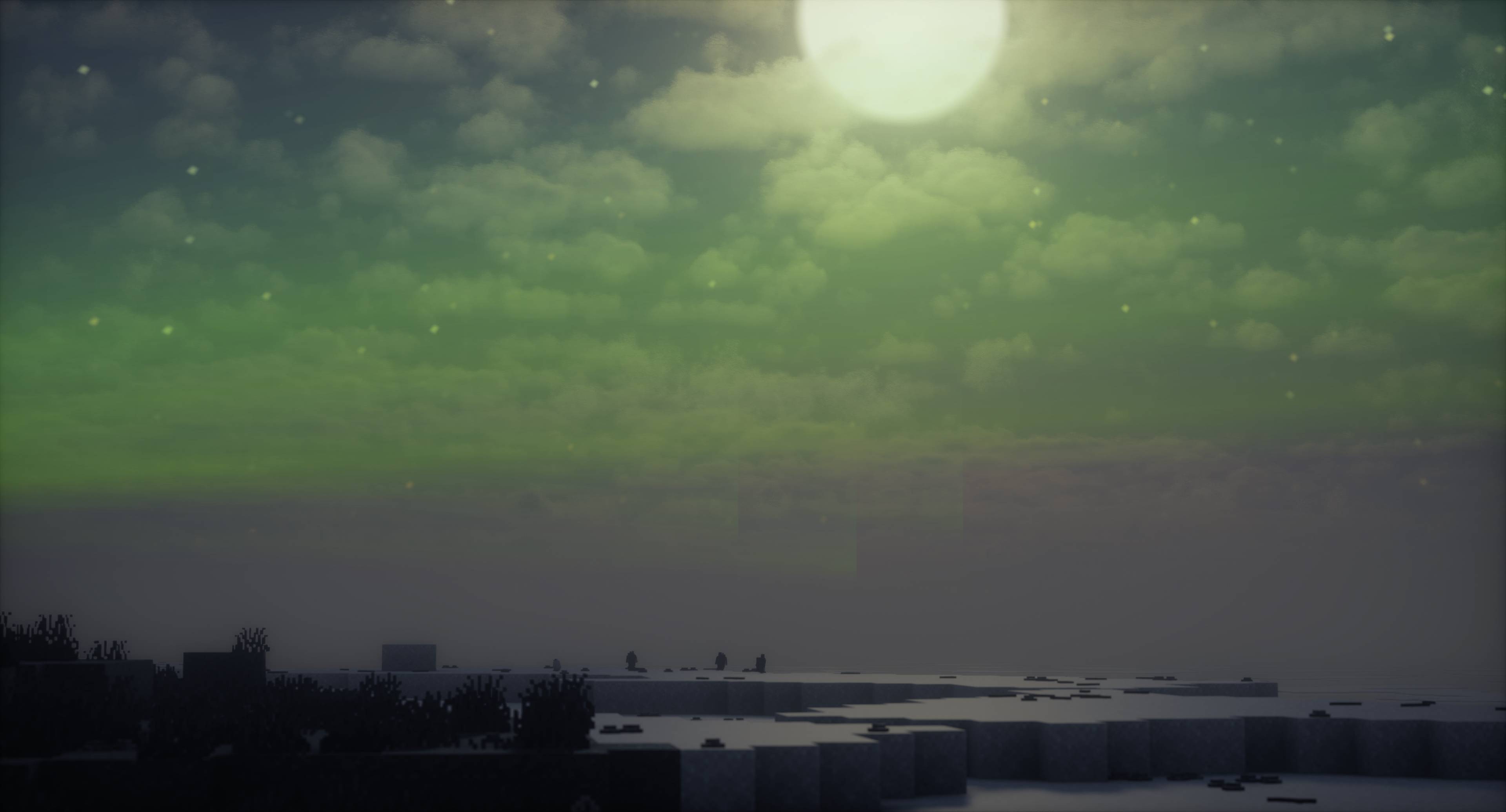
Mod ini meningkatkan pengalaman visual dan suasana permainan dengan menghadirkan aurora yang memukau.
Aurora menerangi langit malam dengan warna-warna cerah, menambah atmosfer magis dan imersif pada dunia Minecraft Anda. Mod ini berfungsi apa adanya, tanpa memerlukan mod shader atau sejenisnya, sehingga langsung berfungsi di Vanilla. Namun, mod ini kompatibel dengan dan juga dirancang agar berfungsi mulus dengan TerraFirmaCraft, sebuah mod total conversion yang merombak mode survival Minecraft untuk menciptakan pengalaman yang lebih realistis dan menantang. Selain itu, telah ditambahkan kompatibilitas eksplisit dengan Aether -- mod indah untuk menambahkan aurora!
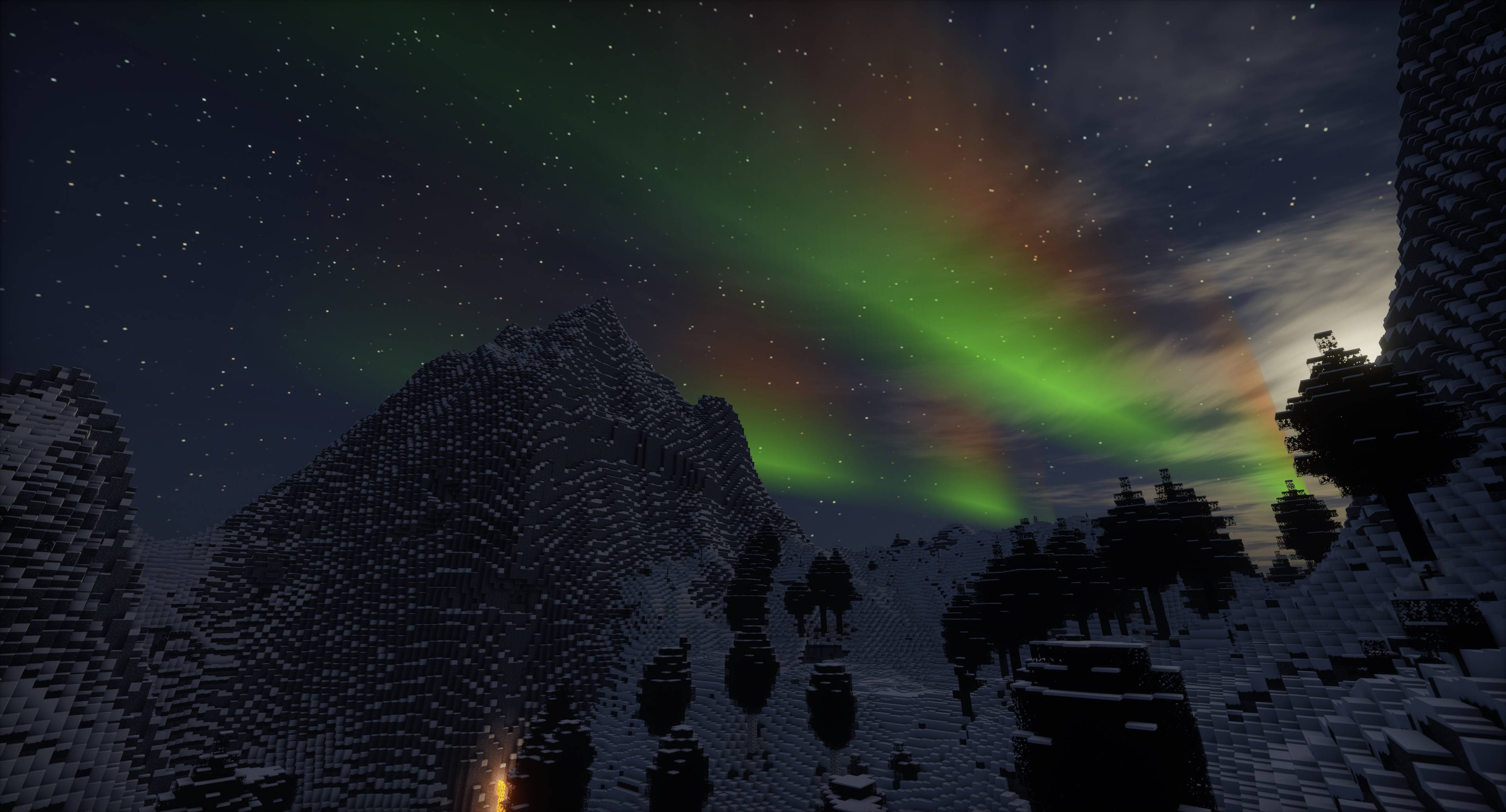
Aurora biasanya muncul sebagai pola cahaya dinamis yang dapat berbentuk tirai, sinar, spiral, atau kelap-kelip. Warnanya dapat berkisar dari hijau dan kuning hingga merah, biru, dan ungu. Cahaya ini sering bergeser dan berubah bentuk, menyerupai tirai yang tertiup lembut. Aurora umumnya terlihat di wilayah lintang tinggi di sekitar Lingkaran Arktik dan Antartika.
Banyak elemen dan parameter aurora dapat disesuaikan dari config, seperti frekuensi gelombang, amplitudo, warna, dan lainnya.
Secara default, untuk overworld, ekuator berada di Z:10000, dan ada 20000 blok dari sana ke kedua kutub. Kutub berganti setiap 40000 blok. Jadi, sebagai contoh, aurora dapat muncul di sekitar Z:-10000 dan Z:30000 +/- offset acak, dan setiap "siklus" kutub setelah atau sebelum itu. Selain itu, tidak ada persyaratan biome secara default, tetapi Anda dapat menambahkannya sendiri. Semua ini plus banyak pengaturan lainnya dapat dikonfigurasi!
Cara memasang Auroras
With Millida Launcher
Install Millida Launcher
The launcher is free: download it at millida.net/launcher and sign in with any nickname.
Click “Install” on this page
The launcher opens and installs the mod for Minecraft 1.20.1–1.21.3 on Forge or NeoForge automatically.
Launch the game
A profile with it appears in the launcher: click “Play”.
Manually
Install Forge or NeoForge
The loader must match the game version of the mod file, for example Minecraft 1.21.3. After installing it, a separate profile appears in your launcher.
Download the file for your version
In the version list above, pick the file Auroras-1.21.3-1.6.2.jar (2.0 MB) for your game version and loader.
Put it in the mods folder
The folder is inside .minecraft (Windows: %appdata%\.minecraft\mods). If it does not exist, create it.
Launch the loader profile
Open “Mods” in the main menu: Auroras should be in the list.
Minecraft 1.21.3 runs on Java 21: with a different Java version the game may close right after launch.
Versi
Dengan dependensi
| Minecraft | Loader | File | Tanggal | Tindakan |
|---|---|---|---|---|
| 1.21.3 | NeoForge | Auroras-1.21.3-1.6.22 MB | ||
| 1.20.1 | NeoForge, Forge | Auroras-1.20.1-1.6.22 MB 3 |
FAQ
Which Minecraft versions does Auroras work on?
There are files for 1.21.3, 1.20.1. The newest is 1.21.3.
Is Auroras for Forge or Fabric?
There are files for Forge: 1.20.1 and for NeoForge: 1.20.1–1.21.3. There are no files for Fabric: a mod for another loader will not start.
Does Auroras need other mods?
The author lists no required dependencies: the Forge or NeoForge loader is enough.
Which Java does Auroras need?
Minecraft 1.21.3 runs on Java 21. If the game closes right after launch, the usual cause is the wrong Java version in the profile settings.
Where can I download Auroras safely?
On this page: the file Auroras-1.21.3-1.6.2.jar (2.0 MB) is stored on Millida’s server, with no link shorteners. SHA-1 checksum: 7131fe59f1fc7e8d3b44a9d62fe3c649552f5464.
Ulasan
Jadilah yang pertama menilai Auroras


