
 Fabric
 NeoForge
Tentang mod Alloy Forgery
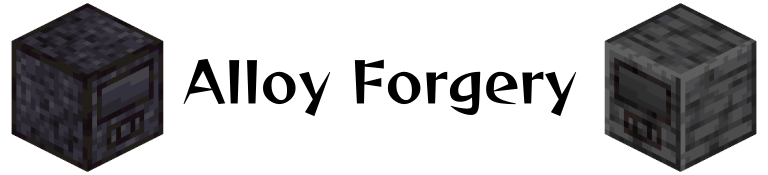
Alloy Forgery menambahkan pelebur paduan multiblok, yaitu Alloy Forge. Dalam konfigurasi dasarnya, ini berfungsi sebagai cara mudah untuk meningkatkan hasil bijih, tetapi semuanya digerakkan oleh data sehingga kamu dapat menambahkan forge dan resep baru sesuka hati. Fitur berbasis data ini sebagian besar ditujukan untuk penulis mod dan modpack, terutama karena jenis forge baru hanya dapat ditambahkan melalui mod-datapack lain atau file konfigurasi global.
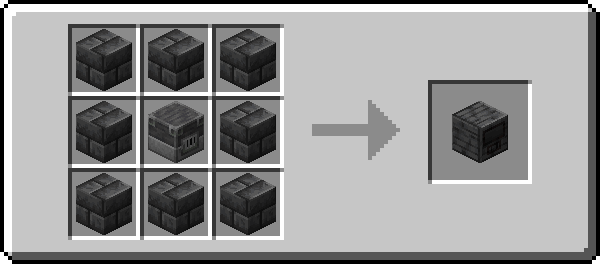
Secara default ada tiga tingkat forge, masing-masing dengan kapasitas bahan bakar dan kecepatan yang berbeda. Semuanya dibuat dari material mirip batu yang berbeda, kamu bisa melihatnya di wiki.
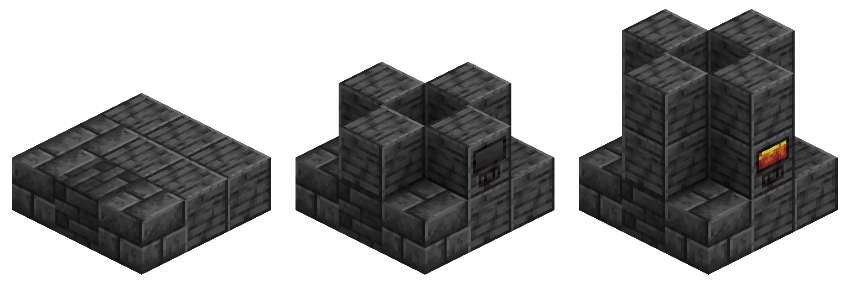
Semua controller dibuat sesuai pola ini, dengan cincin luar blok yang sesuai dengan material controller tersebut. Untuk membangun forge, cukup ikuti panduan praktis di atas teks ini menggunakan kombinasi blok apa pun yang didukung oleh jenis forge tersebut.
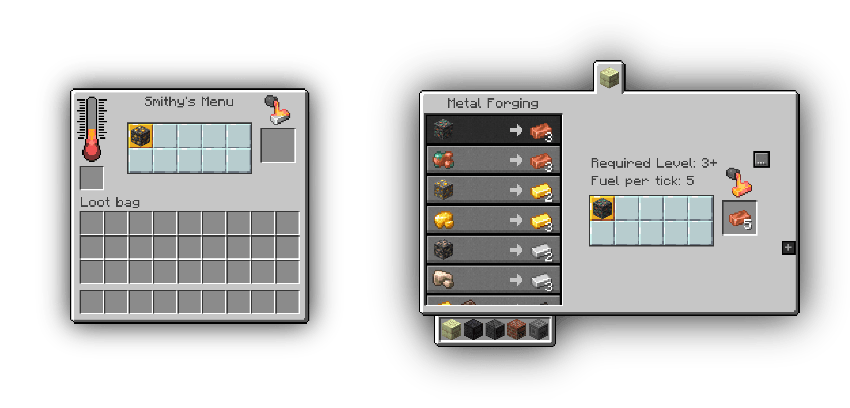
Roughly Enough Items dan EMI didukung!
Discord Pengembangan: Bergabunglah jika kamu memiliki masalah atau butuh bantuan menambahkan konten baru
Cara memasang Alloy Forgery
With Millida Launcher
Install Millida Launcher
The launcher is free: download it at millida.net/launcher and sign in with any nickname.
Click “Install” on this page
The launcher opens and installs the mod for Minecraft 1.21.4–26.1.2 on Fabric or NeoForge automatically.
Launch the game
A profile with it appears in the launcher: click “Play”.
Manually
Install Fabric or NeoForge
The loader must match the game version of the mod file, for example Minecraft 26.1.2. After installing it, a separate profile appears in your launcher.
Download the file for your version
In the version list above, pick the file alloy-forgery-fabric-3.1.1+26.1.2.jar (290 KB) for your game version and loader.
Put it in the mods folder
The folder is inside .minecraft (Windows: %appdata%\.minecraft\mods). If it does not exist, create it.
Launch the loader profile
Open “Mods” in the main menu: Alloy Forgery should be in the list.
Versi
Dengan dependensi
| Minecraft | Loader | File | Tanggal | Tindakan |
|---|---|---|---|---|
| 26.1.2 | Fabric | [26.1.2] Alloy Forgery - 3.1.1290 KB 1 | ||
| 26.1.2 | Fabric | [26.1.2] Alloy Forgery - 3.1.0291 KB | ||
| 1.21.10 | NeoForge | [1.21.10] Alloy Forgery - 3.0.7372 KB | ||
| 1.21.10 | Fabric | [1.21.10] Alloy Forgery - 3.0.7390 KB | ||
| 1.21.4 | NeoForge | [1.21.4] Alloy Forgery - 3.0.5371 KB |
FAQ
Which Minecraft versions does Alloy Forgery work on?
There are files for 26.1.2, 1.21.10, 1.21.4. The newest is 26.1.2.
Is Alloy Forgery for Forge or Fabric?
There are files for Fabric: 1.21.10–26.1.2 and for NeoForge: 1.21.4–1.21.10. There are no files for Forge: a mod for another loader will not start.
Does Alloy Forgery need other mods?
The author lists no required dependencies: the Fabric or NeoForge loader is enough.
Where can I download Alloy Forgery safely?
On this page: the file alloy-forgery-fabric-3.1.1+26.1.2.jar (290 KB) is stored on Millida’s server, with no link shorteners. SHA-1 checksum: 670fa132aea5713c06f92c2c4af0bf1a3517e6c4.
Ulasan
Jadilah yang pertama menilai Alloy Forgery


