

AE2 Import Export Card Mod untuk Minecraft 1.18.2, 26.1.2
Menambahkan Kartu Import & Export & Block Picker untuk Applied Energistics 2
 NeoForge
 Forge
ForgeMOD INI MEMERLUKAN APPLIED ENERGISITICS 2
Jika kamu ingin memasukkan mod ini ke dalam modpack-mu, silakan gunakan :) Mod ini menambahkan Kartu Impor & Ekspor serta Kartu Pemilih Blok untuk Applied Energistics 2.
Kartu Impor mengambil item di slot tertentu dari inventarismu dan memindahkannya ke sistem ME-mu. Buka terminal nirkabelmu dan tambahkan kartu impor atau ekspor di slot sebelah kanan.
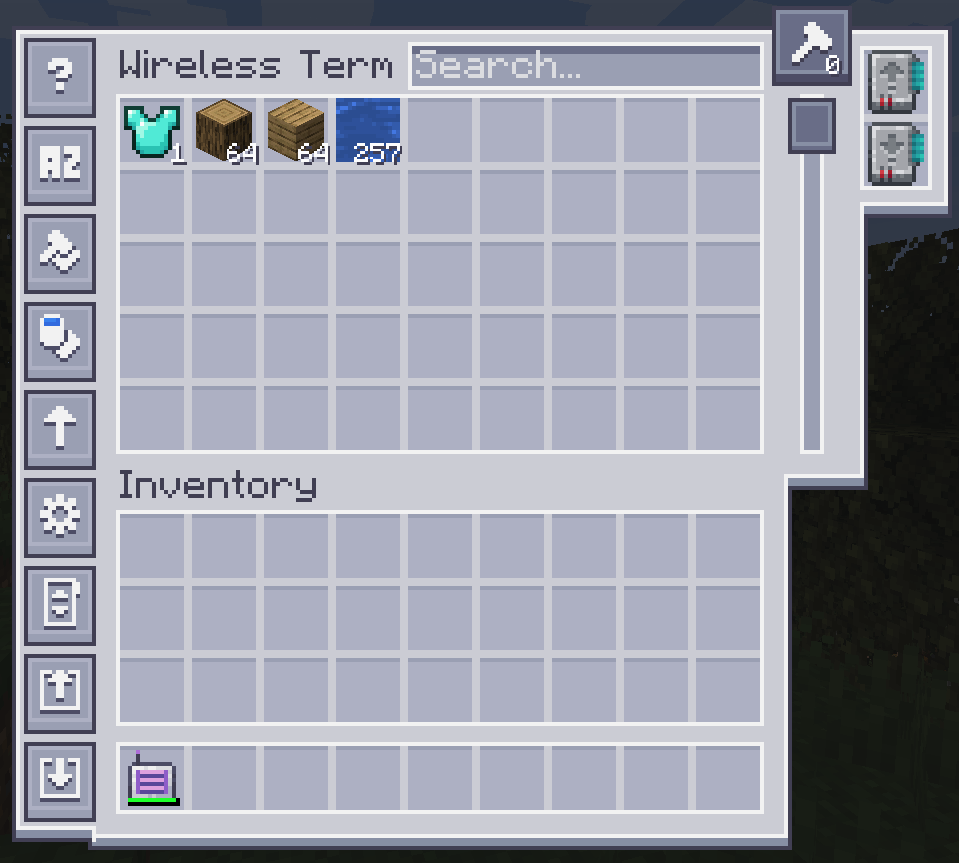
Untuk mengonfigurasinya, klik salah satu tombol di sisi kiri.
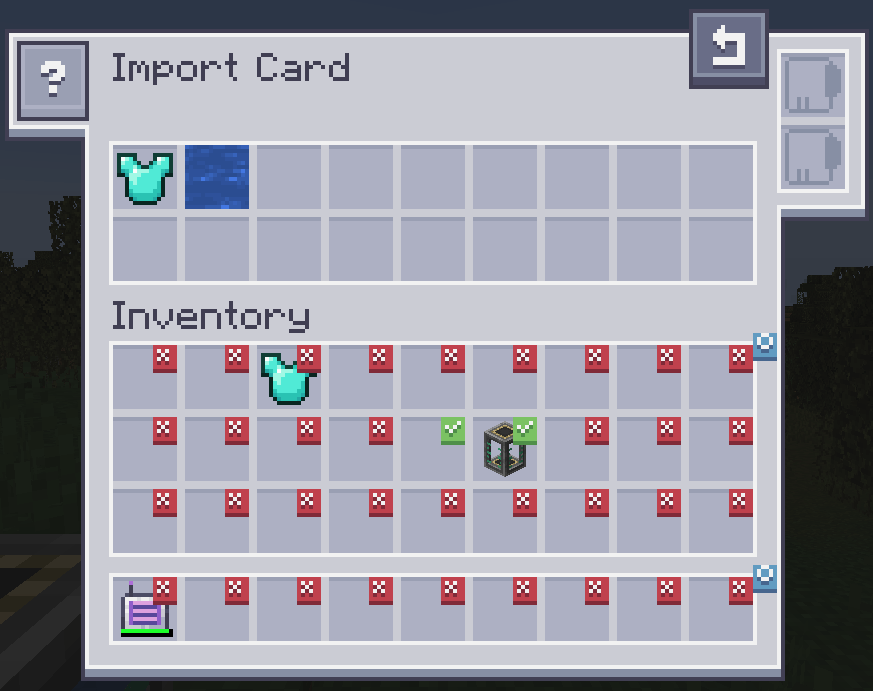
Mengklik slot akan memberi tanda centang. Item apa pun di slot yang memiliki tanda centang akan diimpor ke sistem ME-mu. Seret item dari inventarismu ke bagian atas untuk mengubah filter. Kartu Fuzzy didukung. Mengubah filter menjadi blacklist memerlukan kartu inverter.
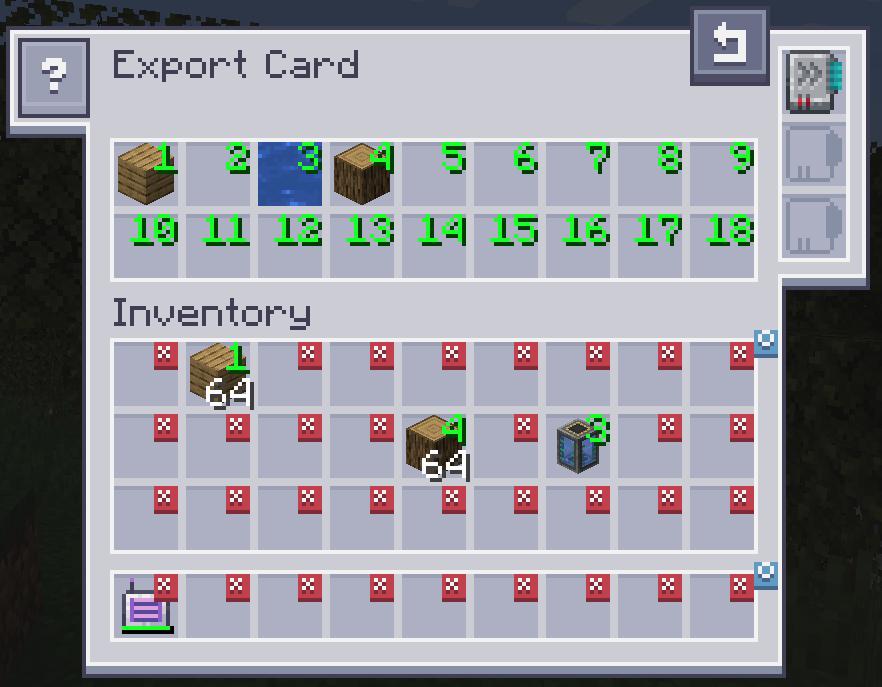
Kartu Ekspor bekerja dengan cara yang sama, tetapi akan menarik item dari sistem ME-mu ke inventarismu. Untuk menentukan item apa, seret item dari inventaris ke salah satu slot di bagian atas dan klik slot di inventarismu untuk mengubahnya ke jumlah yang diinginkan. Klik kanan akan mengembalikannya ke X. Kartu Fuzzy didukung. Kartu Akselerasi meningkatkan kecepatan transfer dari 1 menjadi satu tumpukan penuh item. Kartu crafting digunakan untuk secara otomatis meminta dan membuat item yang saat ini tidak tersedia.
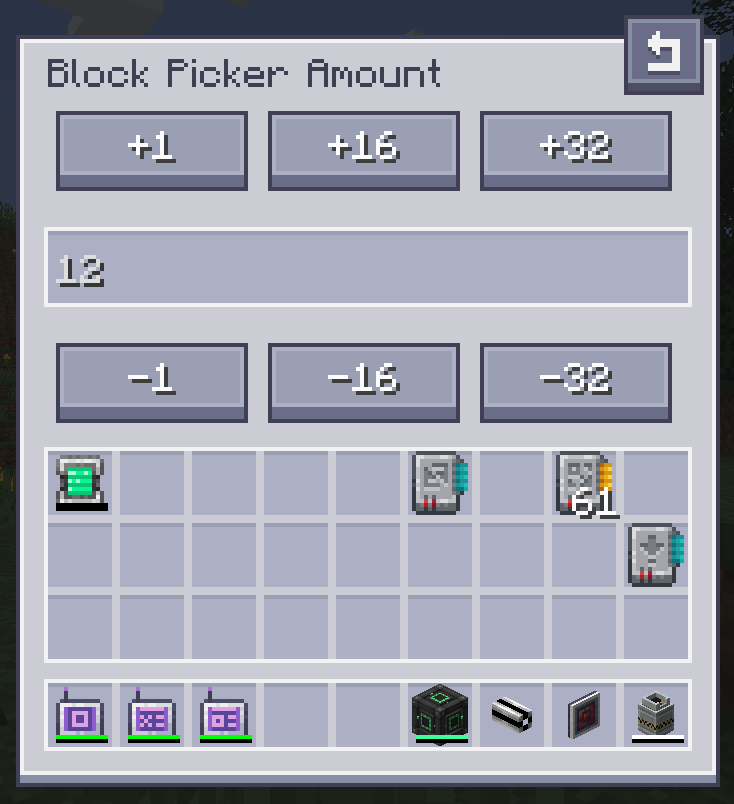
Kartu Pemilih Blok memungkinkanmu mengambil blok yang sedang kamu lihat langsung dari Jaringanmu. Cukup arahkan ke sebuah blok dan tekan keybind "Pick Block". Jika blok yang cocok tersedia di jaringanmu, blok itu akan diambil ke inventarismu.
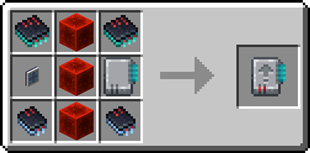
Resep Kartu Impor:
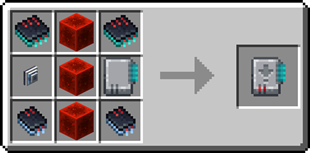
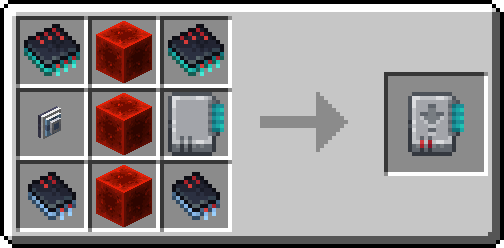
Resep Kartu Ekspor:
Butuh server? Dapatkan diskon 20% untuk bulan pertamamu dengan menggunakan kode promo "ultra"
Cara memasang AE2 Import Export Card
With Millida Launcher
Install Millida Launcher
The launcher is free: download it at millida.net/launcher and sign in with any nickname.
Click “Install” on this page
The launcher opens and installs the mod for Minecraft 1.18.2–26.1.2 on Forge or NeoForge automatically.
Launch the game
A profile with it appears in the launcher: click “Play”.
Manually
Install Forge or NeoForge
The loader must match the game version of the mod file, for example Minecraft 26.1.2. After installing it, a separate profile appears in your launcher.
Download the file for your version
In the version list above, pick the file ae2importexportcard-26.1.2-2.3.1.jar (469 KB) for your game version and loader.
Put it in the mods folder
The folder is inside .minecraft (Windows: %appdata%\.minecraft\mods). If it does not exist, create it.
Launch the loader profile
Open “Mods” in the main menu: AE2 Import Export Card should be in the list.
Versi
Dengan dependensi
| Minecraft | Loader | File | Tanggal | Tindakan |
|---|---|---|---|---|
| 26.1.2 | NeoForge | ae2importexportcard-26.1.2-2.3.1.jar469 KB | ||
| 1.18.2 | Forge | ae2insertexportcard-1.18.2-1.0.0.jar215 KB |
FAQ
Which Minecraft versions does AE2 Import Export Card work on?
There are files for 26.1.2, 1.18.2. The newest is 26.1.2.
Is AE2 Import Export Card for Forge or Fabric?
There are files for Forge: 1.18.2 and for NeoForge: 26.1.2. There are no files for Fabric: a mod for another loader will not start.
Does AE2 Import Export Card need other mods?
The author lists no required dependencies: the Forge or NeoForge loader is enough.
Where can I download AE2 Import Export Card safely?
On this page: the file ae2importexportcard-26.1.2-2.3.1.jar (469 KB) is stored on Millida’s server, with no link shorteners. SHA-1 checksum: bff68fd4ac4d6bff7a0e39cbe7857a73e7b9dd36.
Ulasan
Jadilah yang pertama menilai AE2 Import Export Card


