
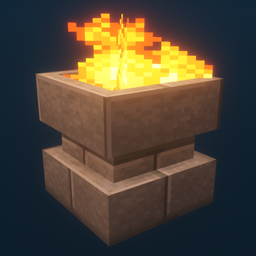
Additional Lights Mod untuk Minecraft 1.12.2, 26.3
Semua 8 jenis, 2 jenis api, Lebih dari 200 variasi.
 Fabric
 NeoForge
 Forge
ForgeTentang mod Additional Lights
Deskripsi:
Mod ini menambahkan lebih dari 200 variasi lampu dalam 6 jenis, dengan versi api, api jiwa, dan cahaya untuk lampu tertentu.
Pembaruan:
v3.1
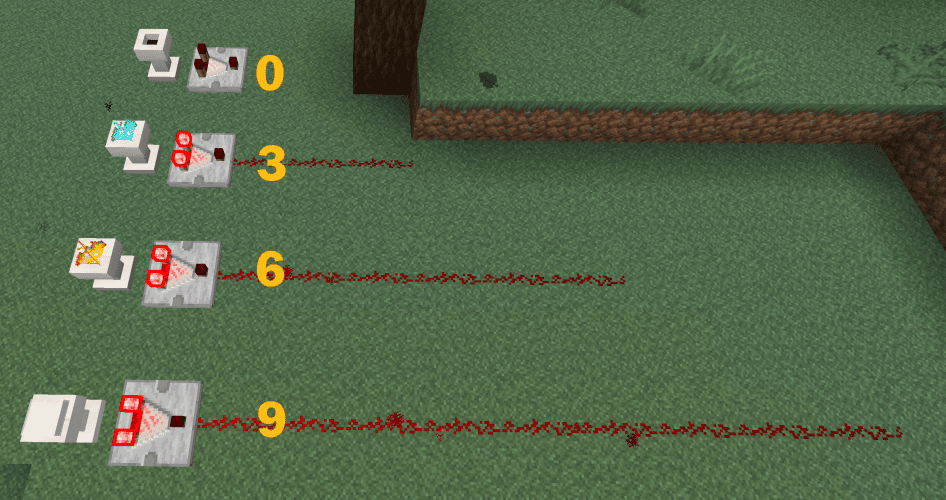
- Pedestal kini mendukung output komparator.
v3.0
v2.2
- Menambahkan pembukaan buku resep (advancement) untuk semua resep Additional Lights
- Menambahkan opsi konfigurasi untuk mengaktifkan/menonaktifkan resep pembuatan Api/Api Jiwa (default: OFF)
(Fabric: Mod Menu + Cloth Config diperlukan untuk mengubah konfigurasi, tetapi mod tetap berfungsi tanpa keduanya)
v2.1
v2.0
Catatan:
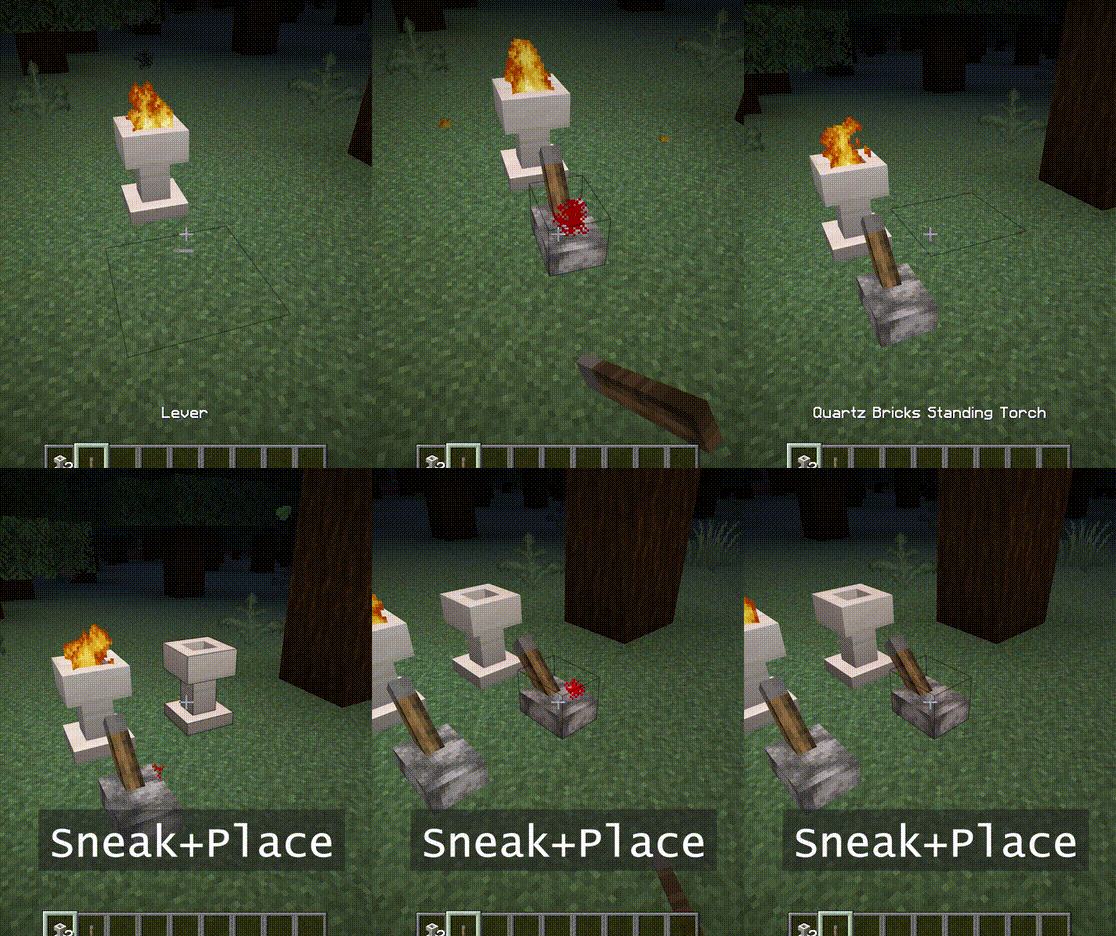
Fire Pit dan Standing Torch dapat dinyalakan dengan klik kanan.
Keduanya juga membutuhkan ruang 2 blok.
Kamu dapat menggunakan soul wand untuk mengubahnya menjadi api jiwa.
Fitur:
- - Api tidak menimbulkan kerusakan, Tidak ada bahaya kebakaran.
- - Kecerahan api jiwa adalah 10.
- - Saat dipasang dalam mode sneak, api tidak akan menyala. Juga menolak sinyal hingga dipatahkan.
- - [1.16] Piglin takut pada api jiwa. (obor tidak berfungsi)
Tangkapan Layar:
(Diambil dalam lingkungan berikut: Texture Pack: Faithful x32, Shader Pack: BSL v7.1.05p2, Map: Falcon's Rock v2.0.0)
Resource pack untuk faithful x32 dari mod ini dapat diunduh di sini. https://www.curseforge.com/minecraft/mc-mods/additional-lights/download/3001273
Kamu bebas menyertakannya dalam modpack.
Cara memasang Additional Lights
With Millida Launcher
Install Millida Launcher
The launcher is free: download it at millida.net/launcher and sign in with any nickname.
Click “Install” on this page
The launcher opens and installs the mod for Minecraft 1.12.2–26.3 on Fabric, Forge or NeoForge automatically.
Launch the game
A profile with it appears in the launcher: click “Play”.
Manually
Install Fabric, Forge or NeoForge
The loader must match the game version of the mod file, for example Minecraft 26.3. After installing it, a separate profile appears in your launcher.
Download the file for your version
In the version list above, pick the file additional_lights-fabric-26.3-3.1.3.jar (830 KB) for your game version and loader.
Put it in the mods folder
The folder is inside .minecraft (Windows: %appdata%\.minecraft\mods). If it does not exist, create it.
Launch the loader profile
Open “Mods” in the main menu: Additional Lights should be in the list.
Versi
Dengan dependensi
| Minecraft | Loader | File | Tanggal | Tindakan |
|---|---|---|---|---|
| 26.3 | Fabric | Additional Lights 26.3-3.1.3-Fabric830 KB 28 | ||
| 26.3 | NeoForge | Additional Lights 26.3-3.1.3-NeoForge731 KB | ||
| 1.21.4 | Forge | Additional Lights 1.21.4-2.1.11626 KB 1 | ||
| 1.16.1 | Forge | Additional Lights 1.16.1-2.0.0489 KB | ||
| 1.12.2 | Forge | Additional Lights 1.12.2-1.2.1.2-optional326 KB 4 |
FAQ
Which Minecraft versions does Additional Lights work on?
There are files for 26.3, 1.21.4, 1.16.1, 1.12.2. The newest is 26.3.
Is Additional Lights for Forge or Fabric?
There are files for Fabric: 26.3, for Forge: 1.12.2–1.21.4 and for NeoForge: 26.3.
Does Additional Lights need other mods?
The author lists no required dependencies: the Fabric, Forge or NeoForge loader is enough.
Where can I download Additional Lights safely?
On this page: the file additional_lights-fabric-26.3-3.1.3.jar (830 KB) is stored on Millida’s server, with no link shorteners. SHA-1 checksum: 197a06d2da92880c5ed0e613db13ba8354c56055.
Ulasan
Jadilah yang pertama menilai Additional Lights


