

Accessories Mod untuk Minecraft 1.20.1, 1.21.1
Mod Aksesori yang dapat diperluas dan berbasis data untuk Minecraft
 Fabric
 NeoForge
 Forge
ForgeTentang mod Accessories
Accessories adalah mod Aksesori Berbasis Data untuk NeoForge dan Fabric dengan penekanan pada penggunaan API Umum untuk kedua platform bila memungkinkan.
Gaya API pustaka ini didasarkan pada karya Curios dan Trinkets dengan penghargaan kepada TheIllusiveC4 dan emilyploszaj atas karya mereka pada mod Aksesori untuk Minecraft.
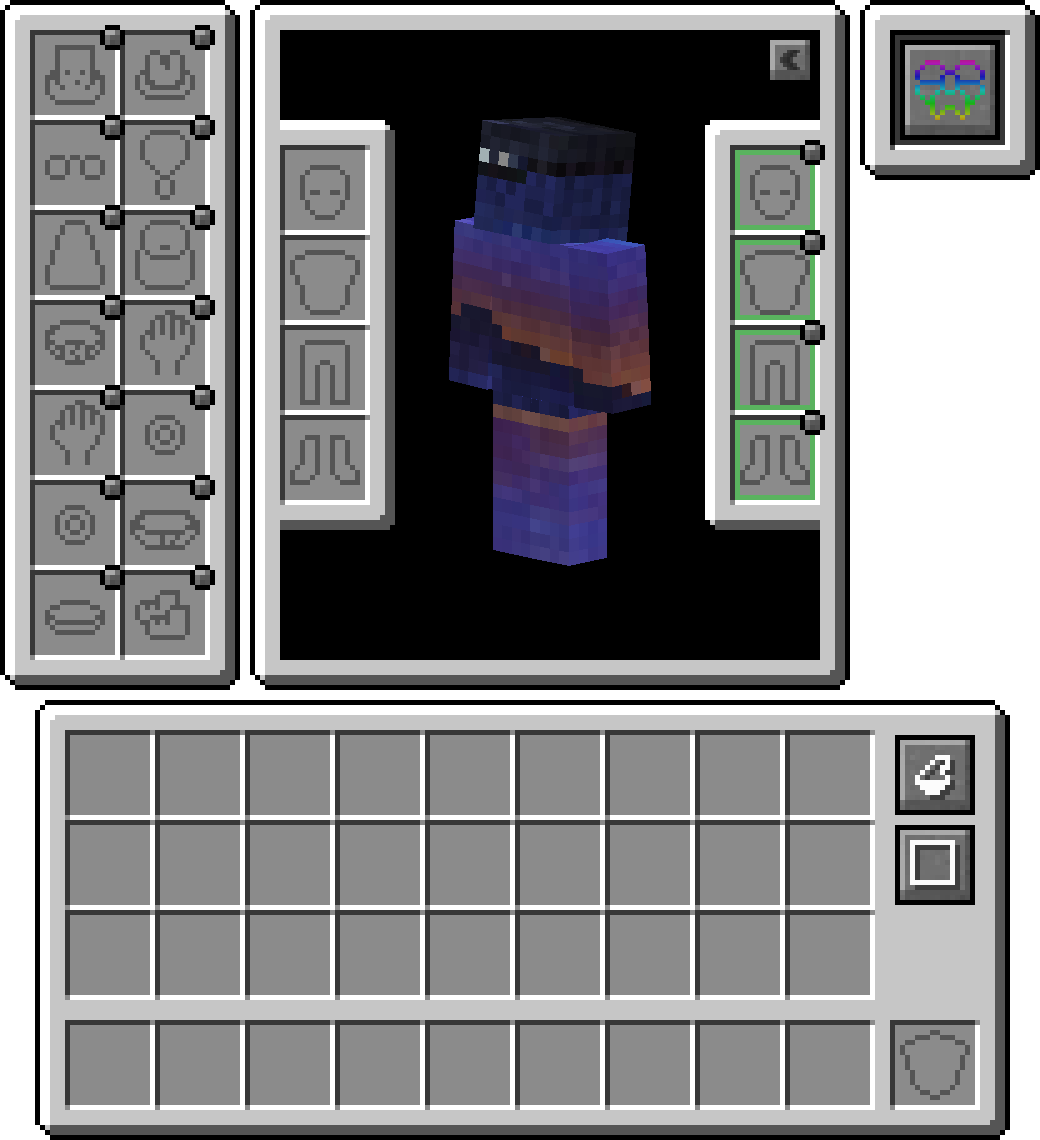
Fitur
Dukungan Elytra, Totem, dan Banner Disertakan
Secara default, Anda dapat melengkapi banner di slot kepala atau cape (WIP) untuk memamerkan banner khusus. Untuk elytra, atau totem, Anda perlu mengaktifkannya di dalam config karena dinonaktifkan secara default.

Lapisan Kompatibilitas
Karena API yang ada seperti Trinket dan Curios sebagian besar digunakan, Anda dapat memasang Lapisan Kompatibilitas Accessories agar keduanya berfungsi di bawah Accessories untuk pengalaman yang terpadu

API Terjemahan Model
Disertakan untuk pengembang adalah API transformasi yang tepat yang digunakan dalam rendering Aksesori asli, memungkinkan penautan yang tepat ke bagian model entitas tertentu, yang memungkinkan dukungan yang tepat untuk Resourcepack EMF seperti Fresh Animations, dan ada rencana ke depan untuk mendukung mod rendering lain seperti Figura.
Mengelola Aksesori yang Terpasang
Kemampuan untuk mengakses entitas jinak lainnya memungkinkan mod lain memiliki item aksesori untuk hewan peliharaan atau tunggangan. Dikombinasikan dengan kegunaannya bagi pemilik server untuk mengelola aksesori pemain lain jika diperlukan, tanpa penggunaan perintah manajemen langsung. Cukup tahan shift dan gunakan 'Accessories Open Screen' pada entitas mana pun (Jika dimiliki, harus pemiliknya) untuk memunculkan layar, atau jalankan perintah /accessories edit jika OPed.
Tambahan API
Berikut adalah beberapa contoh API yang diimplementasikan di Accessories yang dapat membantu Anda dalam pengembangan mod:
- Dukungan Penuh untuk Aksesori Berbasis NBT: Wiki
- Event API yang Ada untuk Item Netral Piglin, Masker Enderman, Penyesuaian Looting, Penyesuaian Fortune, dan Kemampuan Berjalan di Salju: Wiki
- API Slot Unik untuk Aksesori Khusus Mod: Wiki
Cara memasang Accessories
With Millida Launcher
Install Millida Launcher
The launcher is free: download it at millida.net/launcher and sign in with any nickname.
Click “Install” on this page
The launcher opens and installs the mod for Minecraft 1.20–1.21.1 on Fabric, Forge or NeoForge automatically, together with its dependencies: Cloth Config API, Fabric API, oωo (owo-lib).
Launch the game
A profile with it appears in the launcher: click “Play”.
Manually
Install Fabric, Forge or NeoForge
The loader must match the game version of the mod file, for example Minecraft 1.21.1. After installing it, a separate profile appears in your launcher.
Download the file for your version
In the version list above, pick the file accessories-fabric-1.1.0-beta.54+1.21.1.jar (1.1 MB) for your game version and loader.
Put it in the mods folder
The folder is inside .minecraft (Windows: %appdata%\.minecraft\mods). If it does not exist, create it. Required dependencies go there too: Cloth Config API, Fabric API, oωo (owo-lib).
Launch the loader profile
Open “Mods” in the main menu: Accessories should be in the list.
On a server
A server on Fabric, Forge or NeoForge
The mod only works on a server with the same loader and game version, for example 1.21.1.
File goes into the server’s mods folder
Stop the server, put the mod file into the mods folder and start the server again.
Use the “To server” button
On Millida Hosting, the button at the top of the page uploads the file to your server and restarts it for you.
Minecraft 1.21.1 runs on Java 21: with a different Java version the game may close right after launch.
Versi
Dengan dependensi
| Minecraft | Loader | File | Tanggal | Tindakan |
|---|---|---|---|---|
| 1.20.1 | Fabric | 1.20.1751 KB 3 | ||
| 1.20.1 | Forge | 1.20.11 MB 36 | ||
| 1.21.1 | Fabric | 1.21.11.1 MB 12 | ||
| 1.21.1 | NeoForge | 1.21.11 MB 27 | ||
| 1.21 | NeoForge | 1.2110.3 MB 14 | — | |
| 1.20.1 | Fabric | 1.20.1751 KB 3 | — |
Yang dibutuhkan untuk menjalankan
- Cloth Config APIwajib
- Fabric APIwajib
- oωo (owo-lib)wajib
Konten yang membutuhkannya
FAQ
Which Minecraft versions does Accessories work on?
There are files for 1.21.1, 1.21, 1.20.1, 1.20. The newest is 1.21.1.
Is Accessories for Forge or Fabric?
There are files for Fabric: 1.20–1.21.1, for Forge: 1.20–1.20.1 and for NeoForge: 1.21–1.21.1.
What does Accessories need to work?
Required: Cloth Config API, Fabric API, oωo (owo-lib). Without them the mod will not start: dependencies go into the same mods folder.
Does Accessories work on a server?
Yes. Accessories works both in singleplayer and on a server.
Which Java does Accessories need?
Minecraft 1.21.1 runs on Java 21. If the game closes right after launch, the usual cause is the wrong Java version in the profile settings.
Where can I download Accessories safely?
On this page: the file accessories-fabric-1.1.0-beta.54+1.21.1.jar (1.1 MB) is stored on Millida’s server, with no link shorteners. SHA-1 checksum: e1165f3d5b31d4296f932ec1bc428f2a832c5def.
Ulasan
Jadilah yang pertama menilai Accessories


