
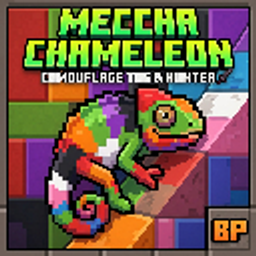
MECHA CHAMELEON Peta untuk Minecraft 26.30
Hide & Seek multiplayer dinamis! Sesuaikan warna shifting-mu dengan block concrete untuk menjadi tak terlihat, hindari Hunter, dan bertahan dari waktu 5 menit.
Welcome to Chameleon Hide & Seek! This automated minigame script turns your body into the ultimate camouflage.
⚠️ Multiplayer Required: This game cannot be played solo. You need at least two players (one Hunter and at least one Hider) to start the match!
🎮 How to Play
The Hiders: You are assigned a random color. Find and touch matching concrete blocks to blend in and become completely invisible.
The Twist: Every 60 seconds, your color changes! You'll have to quickly ditch your old hiding spot and scramble to find a new color zone.
The Hunter: Armed with a high-damage sword and speed boosts, your job is to track down and eliminate all Hiders before the 5-minute timer hits zero.
✨ Key Features
Smart Camouflage: Grants flawless invisibility (with no particle trails) the exact moment you touch your matching block.
Dynamic Swapping: Forces players to stay on the move. No camping allowed!
Live HUD: Keeps you updated with custom action bar timers and color indicators.
Clutch Countdown: High-intensity audio cues and titles trigger during the final 10 seconds of the match.
Auto-Reset: Automatically cleans up inventories, clears status effects, and resets the arena for the next round once a team wins.
Cara memasang MECHA CHAMELEON
With Millida Launcher
Install Millida Launcher
The launcher is free: download it at millida.net/launcher and sign in with any nickname.
Click “Install” on this page
The launcher opens and installs the map for Minecraft 26.0–26.30 automatically.
Launch the game
A profile with it appears in the launcher: click “Play”.
Manually
Download the map archive
Pick the file mecha chameleon.mcworld (403 KB).
Unpack it into the saves folder
The world folder (with level.dat inside) must sit directly in .minecraft/saves.
Open the world
“Singleplayer”: the map will be in your world list.
On a server
Replace the world folder
Stop the server and put the map folder in place of world (or set its name in level-name).
Use the “To server” button
On Millida Hosting, the button at the top of the page uploads the file to your server and restarts it for you.
Versi
Dengan dependensi
| Minecraft | Loader | File | Tanggal | Tindakan |
|---|---|---|---|---|
| 26.0 | — | mecha chameleon.mcworld403 KB 3 |
FAQ
Which Minecraft versions does MECHA CHAMELEON work on?
There are files for 26.30, 26.20, 26.11, 26.0. The newest is 26.30.
Where can I download MECHA CHAMELEON safely?
On this page: the file mecha chameleon.mcworld (403 KB) is stored on Millida’s server, with no link shorteners. SHA-1 checksum: 615410cdcdda04602373da8526bd5f3d1e7a652c.
Ulasan
Jadilah yang pertama menilai MECHA CHAMELEON



