
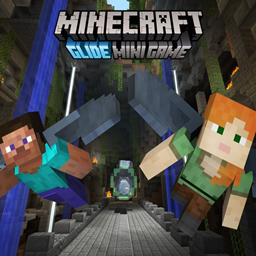
Glide Mini Game Peta untuk Minecraft 26.30
Gunakan sayap Elytra-mu untuk meluncur melalui lintasan penuh rahasia dan jalan pintas. Awalnya dikembangkan untuk edisi konsol Minecraft yang kini dihentikan, dan sekarang sepenuhnya diporting ke edisi Bedrock Minecraft.
A brief guide on how to play
Upon joining, you will spawn in the lobby
The lobby contains tons of easter eggs, and is definitely worth exploring while you're waiting for the game to start
In the lobby, you can vote for a map to play. Interact with the map in your hotbar, and a map voting menu will open. By default, you can select between Cavern, Temple and Canyon. You can also download more track packs on the downloads page - each track pack will add 3 maps to this menu
Once you've selected the map, use the item in your 8th slot to start the game.
Gameplay Mechanics
Look out for thermals!
Thermals will lift you upwards if you fly over them. Static thermals will lift you to a certain height, whilst natural thermals will lift you for as long as you're in their hitbox
Look out for boosts!
Orange boosts will boost you in whatever direction you're facing, and yellow boosts will boost you if you're facing the same direction
And finally, checkpoints. Upon reaching a checkpoint, points you've gained since the last checkpoint are now "secured". These points will now remain, even after crashing
Glide can also be played in two different game types, Time Attack and Score Attack.
Time Attack
The world is, by default, set to the Time Attack game type.
The goal of Time Attack is to reach the end as fast as possible.
Time Attack
To switch to Score Attack, go into the Behaviour Packs menu, disable the Score Attack behaviour pack & enable the Time Attack behaviour pack
In Score Attack, you need to gain as many points as possible
Green rings will give you 3 points for flying through, yellow rings will give 5 points, and blue rings will give 7 points, and are the most difficult to get
You must reach the end, though, otherwise your score will not count.
Only your best round (highest time/score) will be counted.
This remake also includes support for Console Aspects - put Console Aspects below Glide in resource pack priority, as shown below:
Cara memasang Glide Mini Game
With Millida Launcher
Install Millida Launcher
The launcher is free: download it at millida.net/launcher and sign in with any nickname.
Click “Install” on this page
The launcher opens and installs the map for Minecraft 26.30 automatically.
Launch the game
A profile with it appears in the launcher: click “Play”.
Manually
Download the map archive
Pick the file Glide 1.7.1 - MP - Time.mcworld (50 MB).
Unpack it into the saves folder
The world folder (with level.dat inside) must sit directly in .minecraft/saves.
Open the world
“Singleplayer”: the map will be in your world list.
On a server
Replace the world folder
Stop the server and put the map folder in place of world (or set its name in level-name).
Use the “To server” button
On Millida Hosting, the button at the top of the page uploads the file to your server and restarts it for you.
Versi
Dengan dependensi
| Minecraft | Loader | File | Tanggal | Tindakan |
|---|---|---|---|---|
| 26.30 | — | Glide 1.7.1 - MP - Time50.4 MB 2 | ||
| 26.30 | — | Myths Track Pack (Celts, Icarus, Excalibur)15.4 MB |
FAQ
Which Minecraft versions does Glide Mini Game work on?
Only Minecraft 26.30: there are no files for other versions.
Where can I download Glide Mini Game safely?
On this page: the file Glide 1.7.1 - MP - Time.mcworld (50 MB) is stored on Millida’s server, with no link shorteners. SHA-1 checksum: 6be8e459f2bcd42005c9c6a9d85b8ce73f620819.
Ulasan
Jadilah yang pertama menilai Glide Mini Game



