
Funtopia World Peta untuk Minecraft 1.21, 1.21.101
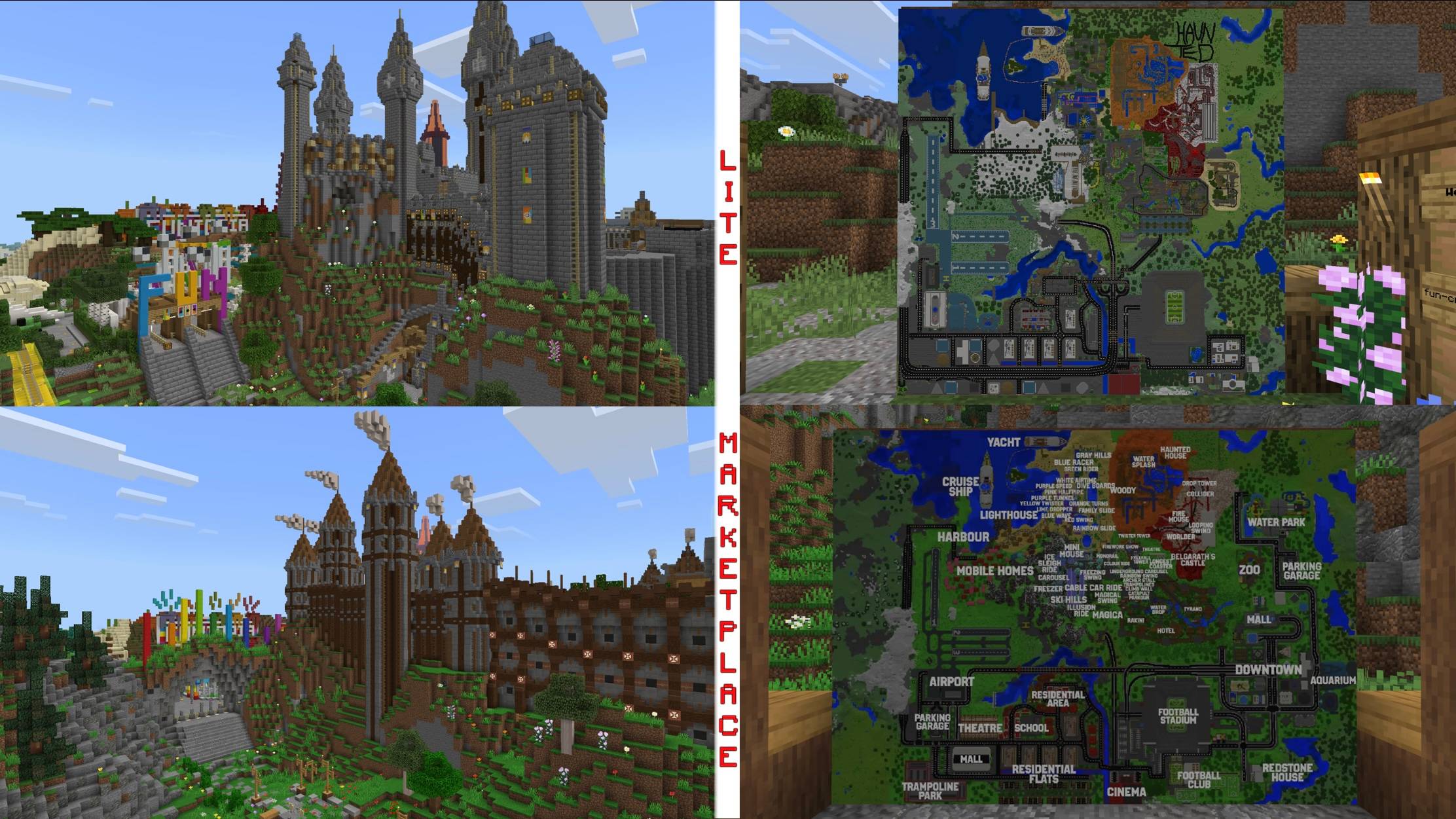
Selamat datang di Funtopia World - Dunia yang memiliki segalanya! Masuki 12 area bertema Funtopia Park dengan lebih dari 50 wahana dan 2 kapal pesiar atau pergi ke Funtopia City dan masuki taman trampolin, kebun binatang, mal, bioskop, teater, stadion, taman air, atau akuarium!
Tentang map Funtopia World
Welcome to Funtopia World - The world that has it all! Enter Funtopia Park's 12 themed areas with more than 50 rides and 2 cruise ships or go to Funtopia City and enter a trampoline park, zoo, mall, cinema, theatre, stadium, water park or an aquarium!
First released on October 31st 2018 as a theme park, Funtopia World now includes a big city! And on top of that: an updated version is now available on the official Minecraft Marketplace!
Cara memasang Funtopia World
With Millida Launcher
Install Millida Launcher
The launcher is free: download it at millida.net/launcher and sign in with any nickname.
Click “Install” on this page
The launcher opens and installs the map for Minecraft 1.20–1.21.101 automatically.
Launch the game
A profile with it appears in the launcher: click “Play”.
Manually
Download the map archive
Pick the file Funtopia World LITE.mcworld (43 MB).
Unpack it into the saves folder
The world folder (with level.dat inside) must sit directly in .minecraft/saves.
Open the world
“Singleplayer”: the map will be in your world list.
On a server
Replace the world folder
Stop the server and put the map folder in place of world (or set its name in level-name).
Use the “To server” button
On Millida Hosting, the button at the top of the page uploads the file to your server and restarts it for you.
Versi
Dengan dependensi
| Minecraft | Loader | File | Tanggal | Tindakan |
|---|---|---|---|---|
| 1.21.101 | — | Funtopia World LITE.mcworld43 MB |
FAQ
Which Minecraft versions does Funtopia World work on?
There are files for 1.21.101, 1.21, 1.20. The newest is 1.21.101.
Where can I download Funtopia World safely?
On this page: the file Funtopia World LITE.mcworld (43 MB) is stored on Millida’s server, with no link shorteners. SHA-1 checksum: 7378bf2ebcbdafead6cc13ee1bef37d5b6354300.
Ulasan
Jadilah yang pertama menilai Funtopia World



