

No Elytra Paket data untuk Minecraft 1.20.1, 1.21.1
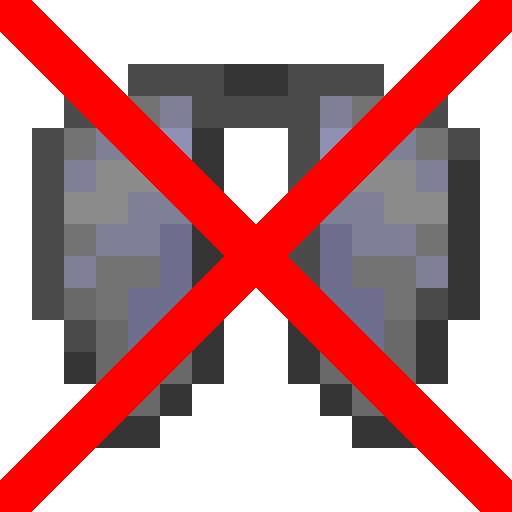
Datapack yang menghapus Elytra. Dibuat untuk orang yang menganggapnya terlalu kuat.
- unduhan
- 1 unduhan
- dilihat
- 55 dilihat
- Diperbarui
- Diperbarui 10.02.2026
- 1.13 — 1.21.11
 Paket data
- Klien dan server
Salutations!
I’m okipiak, an amateur content creator. In this project, I’ve made it so you cannot get Elytra. Feel free to add this to your server.
I created this datapack because I couldn't find anything like it elsewhere.
⚠️ !WARNING! ⚠️
PLEASE USE VERSION 1.6+ OF THE DATAPACK!!! older versions won't work for long!
This datapack works on versions 1.13-1.21.11, although it will show that it is for older/newer version of the game.
This datapack removes Elytra from the game and uses the /kill command to eliminate any Elytras found in item frames, ensuring compatibility with custom end ships. Additionally, it automatically deletes Elytras from players' inventories. However, this item removal feature can be toggled using commands:
To enable automatic item deletion (default setting):
/scoreboard players set DeleteItems NoElytra 1
To disable automatic item deletion:
/scoreboard players set DeleteItems NoElytra 0
Please note that any value other than 0 or 1 will not have any effect.
Cara memasang No Elytra
With Millida Launcher
Install Millida Launcher
The launcher is free: download it at millida.net/launcher and sign in with any nickname.
Click “Install” on this page
The launcher opens and installs the data pack for Minecraft 1.13–1.21.11 automatically.
Launch the game
A profile with it appears in the launcher: click “Play”.
Manually
Download the archive
Pick the file no-elytra-datapack-v1.7.zip (15 KB) for your game version.
New world: “Data Packs”
When creating a world, click “Data Packs”, drag the archive into the window, then move it to “Selected”.
Existing world: the datapacks folder
Put the archive into saves/<world>/datapacks and type /reload in game.
On a server
Archive goes into the server world’s datapacks
The world/datapacks folder on the server; players do not need to install anything.
Reload the data
Type /reload in the server console or restart the server.
Use the “To server” button
On Millida Hosting, the button at the top of the page uploads the file to your server and restarts it for you.
Versi
Dengan dependensi
| Minecraft | Loader | File | Tanggal | Tindakan |
|---|---|---|---|---|
| 1.18.2 | Paket data | 1.18.214.8 KB 1 | ||
| 1.17.1 | Paket data | 1.17.114.8 KB | ||
| 1.16.5 | Paket data | 1.16.514.8 KB | ||
| 1.15.2 | Paket data | 1.15.214.8 KB | ||
| 1.14.4 | Paket data | 1.14.414.8 KB |
FAQ
Which Minecraft versions does No Elytra work on?
There are files for 1.13–1.21.11, 46 versions in total. The newest is 1.21.11.
Does No Elytra work on a server?
Yes: the data pack goes into the datapacks folder of the server world, and players do not need to install anything.
Where can I download No Elytra safely?
On this page: the file no-elytra-datapack-v1.7.zip (15 KB) is stored on Millida’s server, with no link shorteners. SHA-1 checksum: 48c02802d2f12638df4c70d46b9427f58c0d4d16.
Ulasan
Jadilah yang pertama menilai No Elytra


