

Death Animations Paket data untuk Minecraft 1.21.1, 1.21
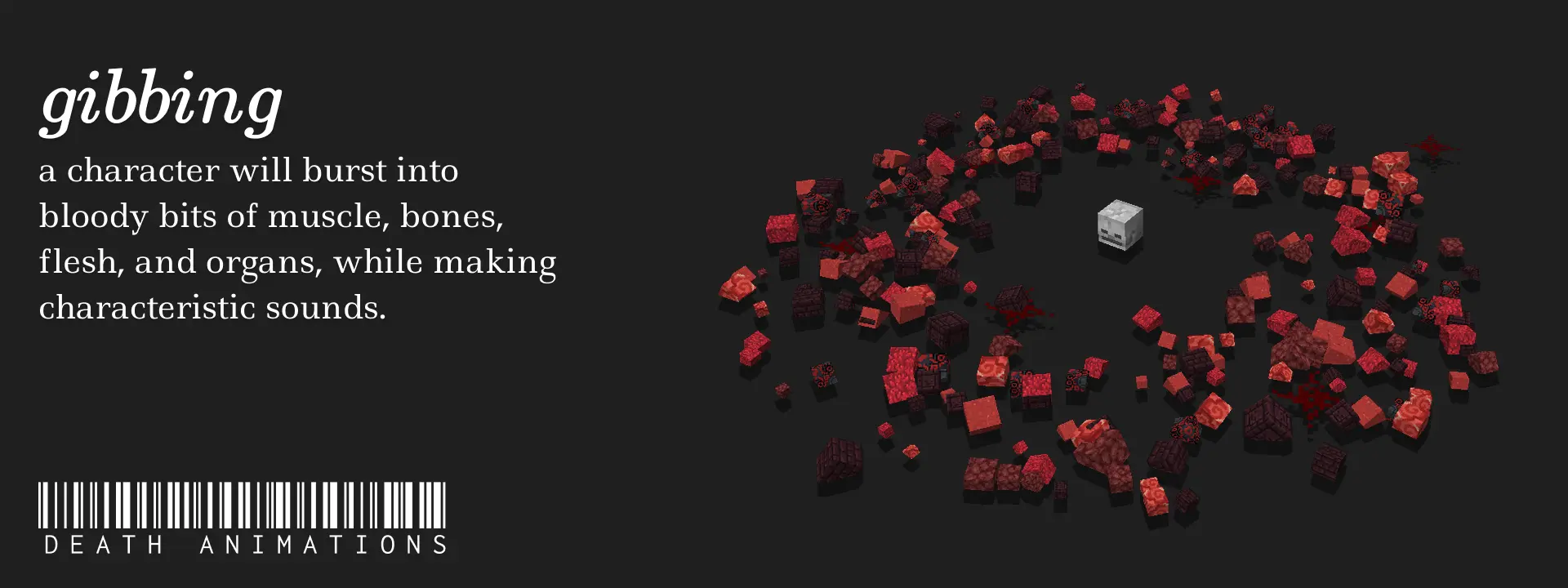
[pemain & entitas] meledak berkeping-keping saat mereka mati!
- dilihat
- 49 dilihat
- Diperbarui
- Diperbarui 23.08.2026
- 1.20.5 — 26.2
 Paket data
- Klien dan server
Death Animations
- Supported Versions: 1.20.2+
- Players explode into ~Red colored blocks when they meet their demise!
- Mobs have varying Gibs!
Zombie, Skeleton, Wither Skeleton, Creeper, Drowned, Ender Dragon, Enderman, Ghast, Spider, Evoker, Vindicator, Piglin, Piglin Brutes and Warden are currently supported. More to come in the Future!

Extras
Mob Gibbing is enabled by default, but you can disable it by running the command:
/scoreboard players set EnableMobGibbing gib.CONFIG 0
Credits
SCHMOOVE II (chopstickwater)
SCHMOOVE II is a Movement Shooter created by chopstickwater on the Sandbox Server legitimoose.com. Gibbing (or 'Death Animations') was an original feature introduced to the game by her, where players would explode into small colored blocks (or 'Gibs') when they died. These were physics-based, meaning the explosions were as authentic as they can be.
Suspicious Link? https://files.catbox.moe/8to4ap.mp4
Cara memasang Death Animations
With Millida Launcher
Install Millida Launcher
The launcher is free: download it at millida.net/launcher and sign in with any nickname.
Click “Install” on this page
The launcher opens and installs the data pack for Minecraft 1.20.5–26.2 automatically.
Launch the game
A profile with it appears in the launcher: click “Play”.
Manually
Download the archive
Pick the file Death Animations v1.5.zip (149 KB) for your game version.
New world: “Data Packs”
When creating a world, click “Data Packs”, drag the archive into the window, then move it to “Selected”.
Existing world: the datapacks folder
Put the archive into saves/<world>/datapacks and type /reload in game.
On a server
Archive goes into the server world’s datapacks
The world/datapacks folder on the server; players do not need to install anything.
Reload the data
Type /reload in the server console or restart the server.
Use the “To server” button
On Millida Hosting, the button at the top of the page uploads the file to your server and restarts it for you.
Versi
Dengan dependensi
| Minecraft | Loader | File | Tanggal | Tindakan |
|---|---|---|---|---|
| 26.2 | Paket data | 26.2149 KB | ||
| 26.1 | Paket data | 26.1160 KB | ||
| 1.21.11 | Paket data | 1.21.11160 KB | ||
| 1.21 | Paket data | 1.21187 KB |
Ulasan
Jadilah yang pertama menilai Death Animations


