

Visual Leaf Decay
(link to Planet Minecraft page)
This resource pack changes leaves to look dead and brown when they are decaying.
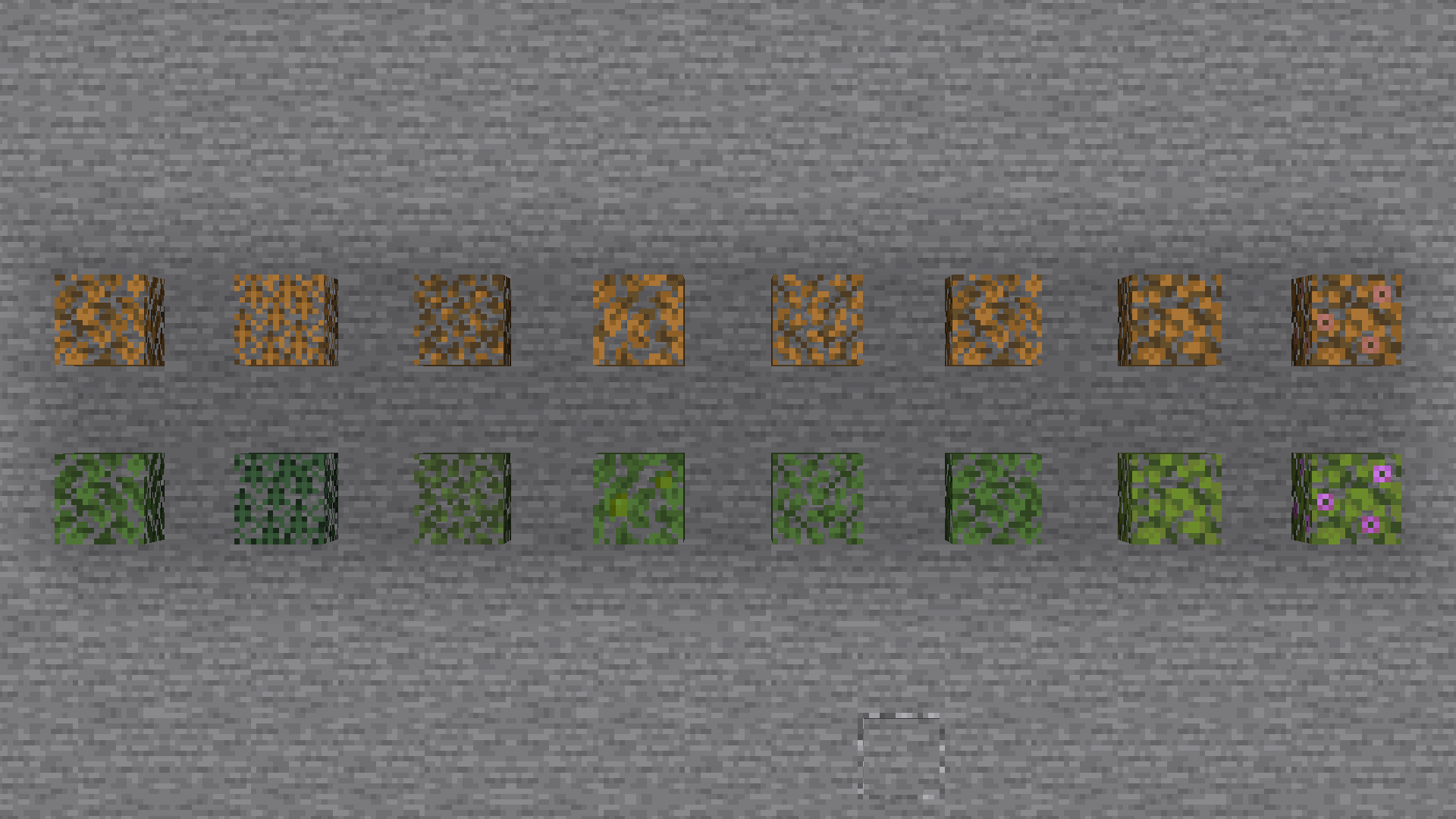
This can be useful to tell if you have removed all the logs from a tree, or just as a general aesthetic improvement.
There are also versions for bushy leaves and programmer art available.
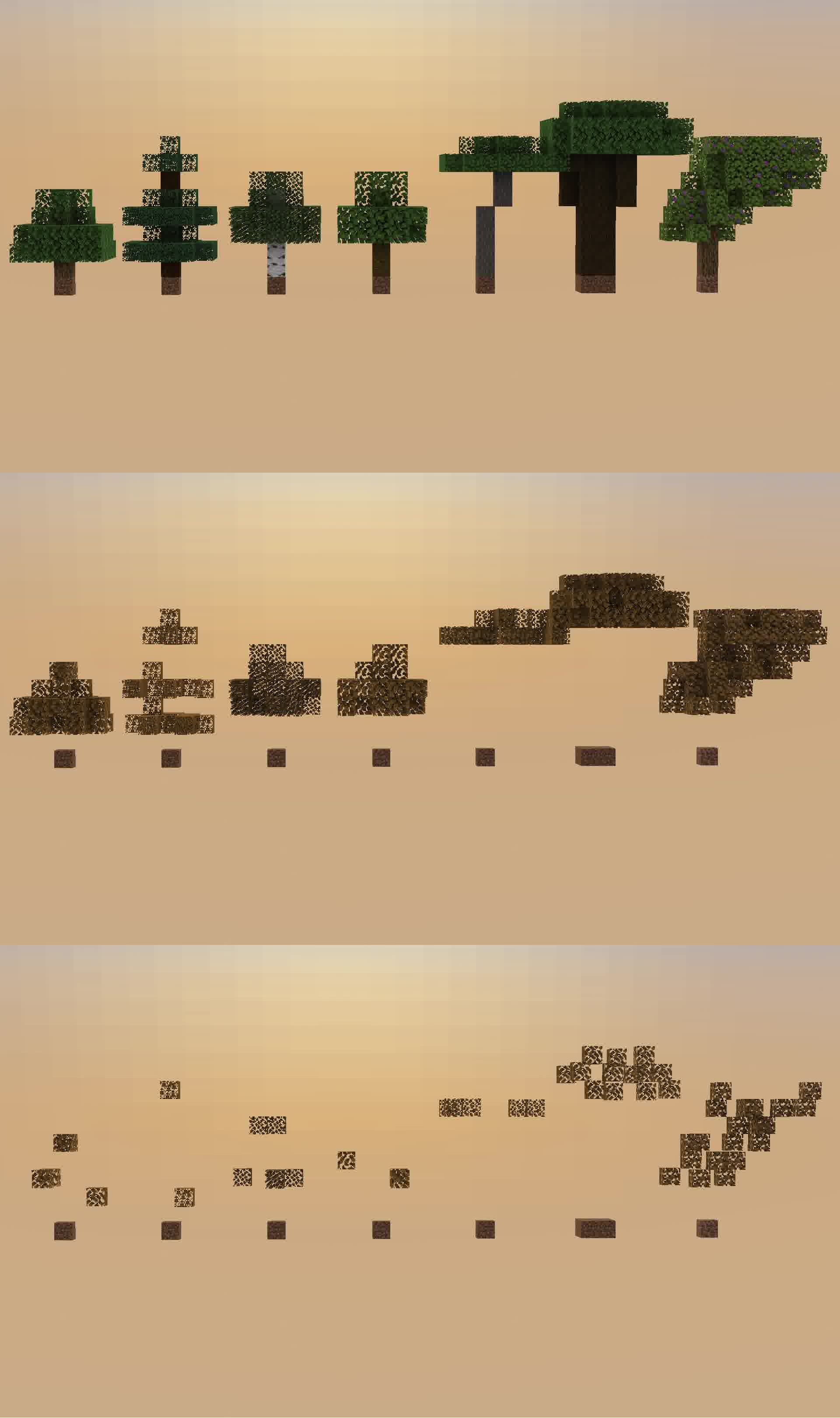
how the pack works:
Terms of usage:
If you use or feature this resourcepack through any medium (PMC, YouTube, Curseforge, etc.), you must credit me and link to this page and/or my profile.
If you would like to use this in your public resourcepack, please ask me first, and include credit and a link to this page both in a credits.txt in the resourcepack file and in the description.
Usage must be a modification or addition to your pack, not a repost.
If you see anyone using my content without permission, please let me know so I can sort it out :)
License:
This resourcepack is licensed under Creative Commons Attribution-NonCommercial-ShareAlike 4.0 International License.
Visual Leaf Decay कैसे इंस्टॉल करें
Install Millida Launcher
The launcher is free: download it at millida.net/launcher and sign in with any nickname.
Click “Install” on this page
The launcher opens and installs the resource pack for Minecraft 1.20–1.20.1 automatically.
Launch the game
A profile with it appears in the launcher: click “Play”.
वर्ज़न
डिपेंडेंसी के साथ
| Minecraft | लोडर | फ़ाइल | तारीख़ | क्रियाएँ |
|---|---|---|---|---|
| 1.20.1 | — | Visual Leaf Decay v1.414.1 KB |
रिव्यू
Visual Leaf Decay को सबसे पहले रेट करें


