
Minecraft 1.20.1, 1.21 के लिए FontStyle+ रिसोर्स पैक
एक अनुकूलन योग्य फ़ॉन्ट पैक जो सबपैक का उपयोग करके दो नए फ़ॉन्ट जोड़ता है—Minecraft Five और Smoother Font। इन-गेम रेट्रो या साफ़ टेक्स्ट विज़ुअल के लिए अपनी पसंद के अनुसार शैलियाँ आसानी से बदलें।
FontStyle+ रिसोर्स पैक के बारे में
🔷 About FontStyle+
Built for players who want to personalize their Minecraft experience, FontStyle+ lets you choose from a variety of unique font styles using simple built-in subpacks.
🔷 What Sets FontStyle+ Apart?
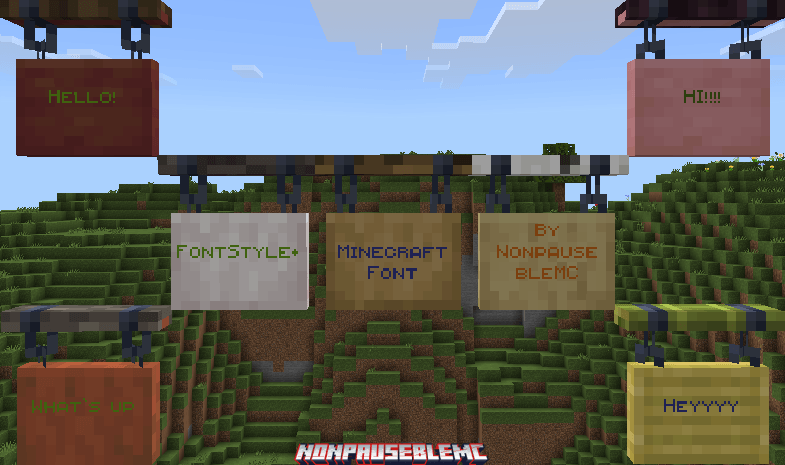
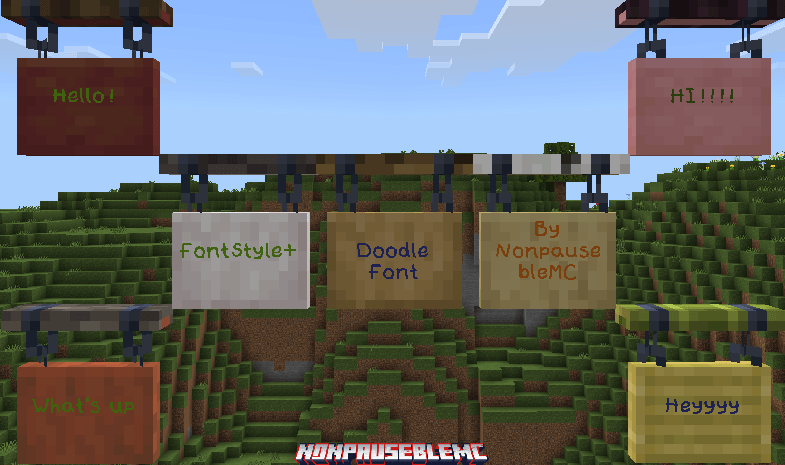
8 Unique Font Styles:
- Minecraft Five - A bold, retro-inspired font with a distinct pixel style.
- Smoother Font - A cleaner, more polished take on the default font for easier reading.
- Anti-Alias Font - A finely smoothed font that reduces pixelation for a softer, modern look.
- Doodle Font - A playful, hand-drawn style that adds a casual, creative vibe.
- Blocky Font - A chunky, heavy-weight font for a strong, eye-catching presence.
- Square Font - A geometric, grid-based style for a modern, structured look.
- Small Caps Font - A font using only capital letters with smaller uppercase for a classic, uniform feel.
- Shaded Font - A clean, shadowed font style that improves readability with a bold, polished appearance.
Also try Truly Bedrock+, a resource pack that adds Quality of life features such as Ore borders, etc
FontStyle+ कैसे इंस्टॉल करें
With Millida Launcher
Install Millida Launcher
The launcher is free: download it at millida.net/launcher and sign in with any nickname.
Click “Install” on this page
The launcher opens and installs the resource pack for Minecraft 1.20–26.30 automatically.
Launch the game
A profile with it appears in the launcher: click “Play”.
Manually
Download the archive
Pick the file FontStyle+ v1.0.4.mcpack (111 KB) for your game version. No need to unpack it.
Put it in the resourcepacks folder
The easiest way: “Options”, then “Resource Packs”, then “Open Pack Folder”, and drag the archive there.
Enable the pack
In the same window, move the pack to the right-hand “Selected” column and click “Done”.
वर्ज़न
डिपेंडेंसी के साथ
| Minecraft | लोडर | फ़ाइल | तारीख़ | क्रियाएँ |
|---|---|---|---|---|
| 1.20.40 | — | FontStyle+ v1.0.4.mcpack111 KB |
FAQ
Which Minecraft versions does FontStyle+ work on?
There are files for 1.20–26.30, 52 versions in total. The newest is 26.30.
Where can I download FontStyle+ safely?
On this page: the file FontStyle+ v1.0.4.mcpack (111 KB) is stored on Millida’s server, with no link shorteners. SHA-1 checksum: ef41ed329ed45b05a7cae23ec63fb094939d7b9b.
रिव्यू
FontStyle+ को सबसे पहले रेट करें



