
Minecraft 1.21.1, 1.21.5 के लिए Authentic Shadows रिसोर्स पैक
वह छाया जिसका हम हकदार हैं!
Authentic Shadows रिसोर्स पैक के बारे में
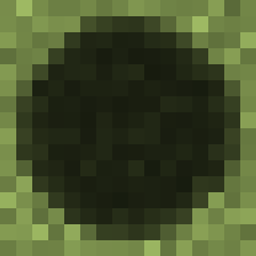
This super-lightweight texture pack is specially designed for aesthetes who value style and extend the pinky finger while drinking coffee. The texture pack contains only one texture, but you can’t even imagine how much it changes the game world! If these creepy round shadows cut your eyes like mine, this pack is for you!
Also try: Misty World, SaltyMod & Masonry Blocks
And my new game: 26-PUZZLE !!!

Authentic Shadows कैसे इंस्टॉल करें
Install Millida Launcher
The launcher is free: download it at millida.net/launcher and sign in with any nickname.
Click “Install” on this page
The launcher opens and installs the resource pack for Minecraft 1.21.1–1.21.5 automatically.
Launch the game
A profile with it appears in the launcher: click “Play”.
वर्ज़न
डिपेंडेंसी के साथ
| Minecraft | लोडर | फ़ाइल | तारीख़ | क्रियाएँ |
|---|---|---|---|---|
| 1.21.5 | — | Authentic Shadows_1.21+.zip7.9 KB 2 |
FAQ
Which Minecraft versions does Authentic Shadows work on?
There are files for 1.21.5, 1.21.4, 1.21.3, 1.21.2, 1.21.1. The newest is 1.21.5.
How do I download Authentic Shadows?
With Millida Launcher: it installs Authentic Shadows into a modpack by itself, for the right game version and loader. The launcher is free.
रिव्यू
Authentic Shadows को सबसे पहले रेट करें


