

Minecraft 1.20.1, 1.21.1 के लिए TAA Project शेडर
हल्का Temporal Anti-Aliasing shaderpack।
 Fabric
 OptiFine
About
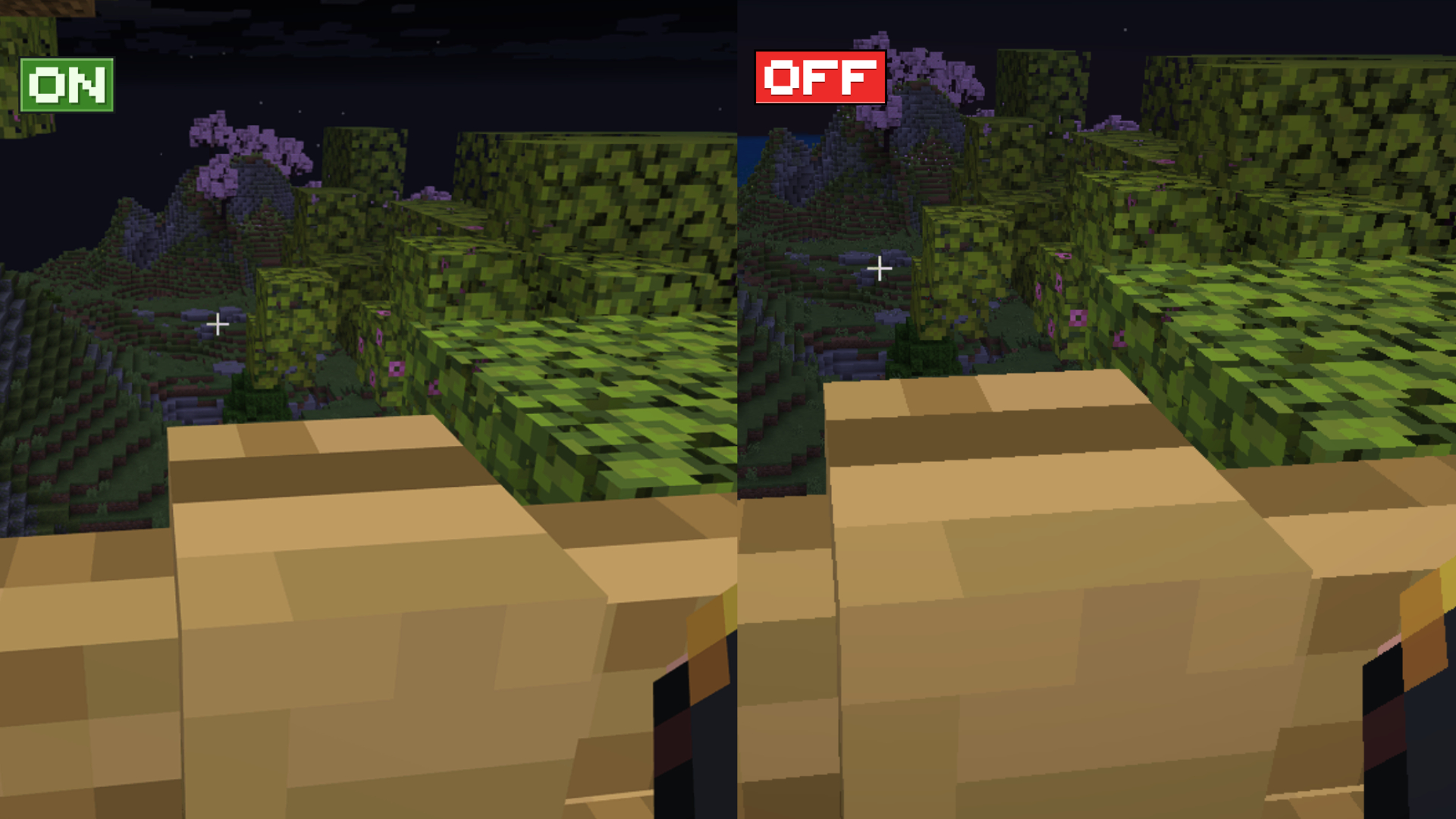
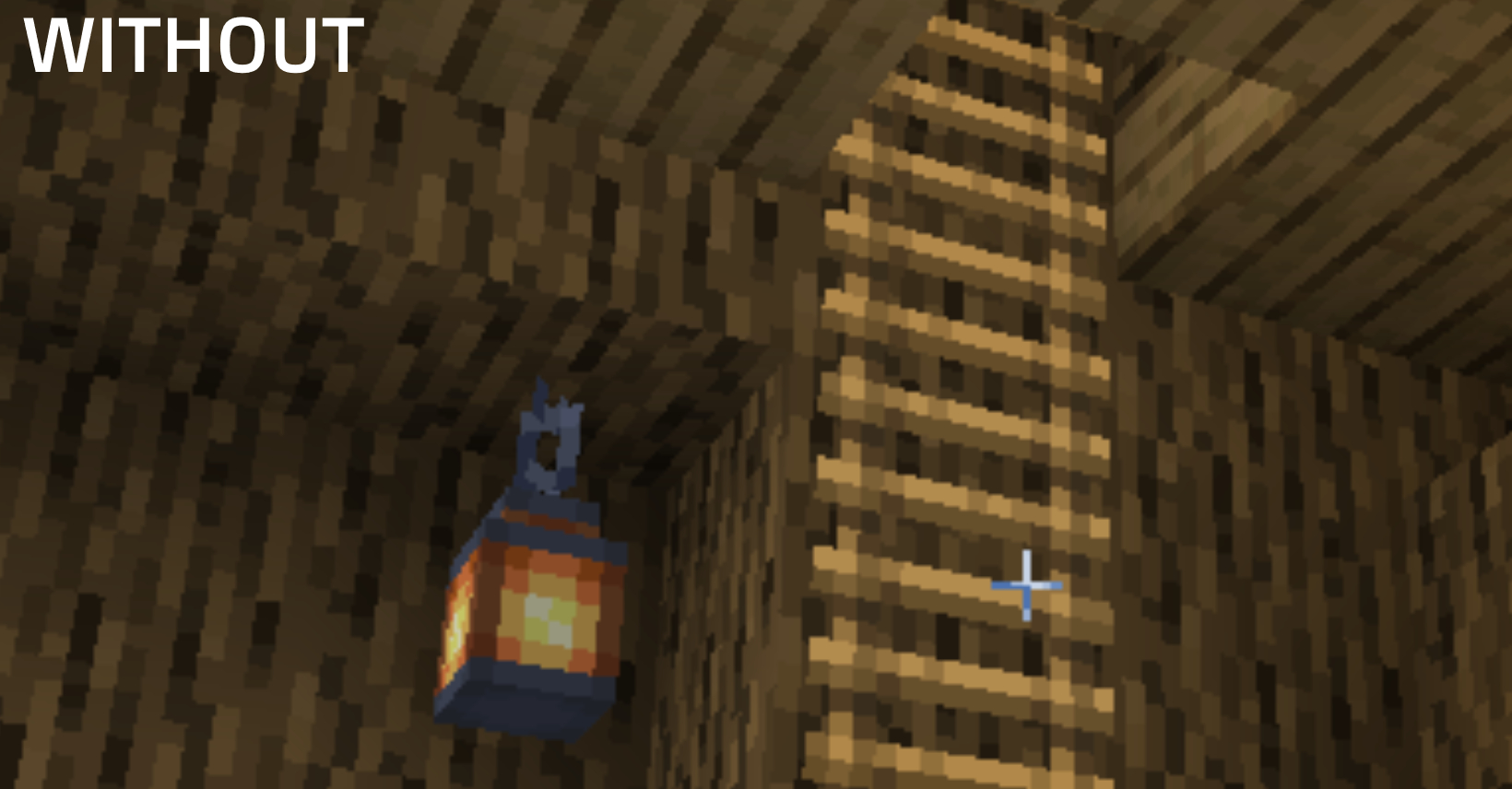
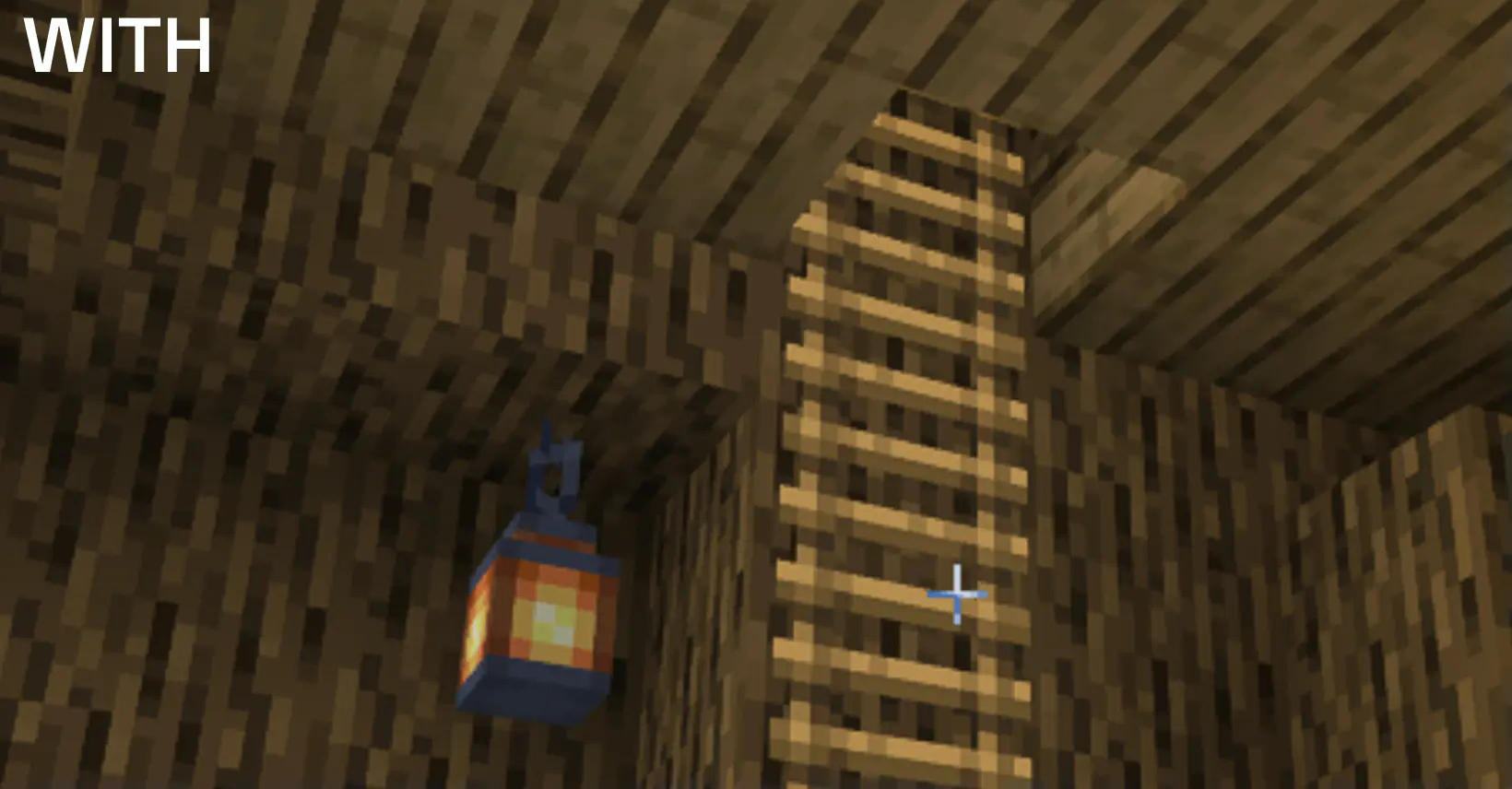
The TAA Project is a shaderpack that enhances the visual experience while maintaining a lightweight performance profile. With a minimal performance impact of just 3-6%*, this shaderpack integrates Temporal Anti-Aliasing (TAA) for smoother edges. _*On scene with 32 render distance._
Gallery
Features
- Compatibility: TAA Project is fully compatible with both OptiFine and Iris.
- Temporal Anti-Aliasing (TAA): The core feature of this shader pack is its implementation of TAA, which effectively reduces visual artifacts such as jagged edges and shimmering. By using previous frames' data, TAA smooths out edges and enhances the overall visual fidelity of the game.

- Sharpening Options: To further enhance image clarity, the TAA Project supports two types of sharpening techniques:
- Unsharp Mask: Leaves trails behind fast moving objects.
- CAS (Contrast Adaptive Sharpening): More stable, but still has some downsides to it.
If you want to play with distant horizons: https://modrinth.com/project/sdHPkbgOtW FXAA fork (probably abandoned): https://modrinth.com/project/HPkbgOtW

TAA Project कैसे इंस्टॉल करें
With Millida Launcher
Install Millida Launcher
The launcher is free: download it at millida.net/launcher and sign in with any nickname.
Click “Install” on this page
The launcher opens and installs the shaders for Minecraft 1.14–26.3 automatically.
Launch the game
A profile with it appears in the launcher: click “Play”.
Manually
Install Iris or OptiFine
Without a shader mod the game cannot see shaders. Install it for the same Minecraft version.
Download the shader archive
Pick the file TAA Project.zip (20 KB) and do not unpack it.
Put it in the shaderpacks folder
“Options”, then “Video Settings”, then “Shader Packs”, then “Open Shader Pack Folder”, and drag the archive there.
Select the shaders
In the same window, click the pack name and “Apply”.
वर्ज़न
डिपेंडेंसी के साथ
| Minecraft | लोडर | फ़ाइल | तारीख़ | क्रियाएँ |
|---|---|---|---|---|
| 26.3 | Iris, OptiFine | 26.320.5 KB 5 | ||
| 26.3 | Iris, OptiFine | 26.314 KB 8 | ||
| 26.1.2 | Iris, OptiFine | 26.1.214.5 KB | ||
| 1.21.1 | Iris, OptiFine | 1.21.113.9 KB 1 | ||
| 1.21.1 | Iris, OptiFine | 1.21.113.9 KB | ||
| 1.21.1 | Iris, OptiFine | 1.21.119.1 KB | ||
| 1.21.1 | Iris, OptiFine | 1.21.119.3 KB | ||
| 1.21.1 | Iris, OptiFine | 1.21.119.5 KB |
FAQ
Which Minecraft versions does TAA Project work on?
There are files for 1.14–26.3, 48 versions in total. The newest is 26.3.
What do I need to run TAA Project?
Shaders are loaded through Iris or OptiFine: without one of them the game cannot see them.
Where can I download TAA Project safely?
On this page: the file TAA Project.zip (20 KB) is stored on Millida’s server, with no link shorteners. SHA-1 checksum: 457ddb77e6880a4e03c91527a6b1b52a8aec1abf.
रिव्यू
TAA Project को सबसे पहले रेट करें


