
Minecraft के लिए Turnstile प्लगइन
किसी क्षेत्र में प्रवेश करने के लिए खिलाड़ियों से पैसे/आइटम लें
Turnstile प्लगिन के बारे में
Version 2.7.0
NOTE: This plugin requires you have Vault enabled on your server
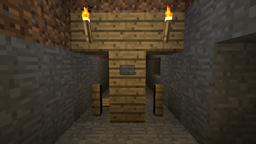
This plugin is used to create a Turnstile to prevent players from entering certain locations without paying money/items.
A Turnstile is a gate made up of a fence block or a door, this gate is only opened by paying money (triggered by either pressing a linked button, standing on a linked pressure plate, or walking through it) or placing specific items in a linked chest. The gate will close once someone steps through it or after a certain amount of time. Money/Items goes to the Turnstile owner (Money may go to a bank)
Features:
- Supports all major Economies and Permission Plugins thanks to Vault
- You can change what command this plugin uses by editing the plugin.yml (found inside the plugin jar file)
- MultiWorld support
- Configurable properties
- Custom messages
- Turnstiles can charge specific items instead of money
- Turnstiles may be set to charge money and allow the Player to pass for free for a given amount of time (like a day pass)
- Set different Turnstiles to unique prices and owners/banks
- Make Turnstiles one way
- Players can be charged either when they open the Turnstile, or when they walk through it
- Restrict use of a specific Turnstile to a certain group
- Create private Turnstiles only you can use
- Make a Turnstile Free or Locked during a certain time of day
- Autoclose timer
- Create Signs that automatically display and update Turnstile information
- Charge users money to create turnstiles
- Only owners and admins can destroy Turnstile blocks, buttons, and chests
- Only one person may look into a Turnstile Chest at a time
- List and locate Turnstiles
- Durability support
- Supports fence blocks, iron or wood doors, trapdoors, and fence gates
Permission Nodes:
- turnstile.open = Needed to open a Turnstile
- turnstile.sign = Needed to make a Turnstile Sign
- turnstile.make = Needed to make a Turnstile (/ts make)
- turnstile.set.price = Needed to set the price of a Turnstile (/ts price)
- turnstile.set.owner = Needed to the owner of a Turnstile (/ts owner)
- turnstile.set.access = Needed to set who has access to a Turnstile (/ts access)
- turnstile.set.bank = Needed to set the bank that a Turnstile is connected to (/ts bank)
- turnstile.set.free = Needed to set the time that a Turnstile is free (/ts free)
- turnstile.set.locked = Needed to set the time that a Turnstile is locked (/ts locked)
- turnstile.earned = Needed to see how much a Turnstile has earned (/ts earned)
- turnstile.collect = Needed to collect money/items from a Turnstile (/ts collect)
- turnstile.list = Needed to see a list of Turnstiles (/ts list)
- turnstile.info = Needed to See info about a Turnstile (/ts info)
- turnstile.openfree = Open Turnstiles free of charge
- turnstile.ignoreowner = Edit other Players' Turnstiles
Commands:
Turnstile Commands Page
Turnstile Signs:
Turnstile Signs can automatically update information Each Sign can display two pieces of information such as:
- Name: The name of the Turnstile
- Price: The amount of money to use the Turnstile
- Cost: The item cost to use the Turnstile
- Counter: The amount of Players who used the Turnstile
- Money: The amount of money the Turnstile has earned
- Items: The amount of items the Turnstile has earned
- Access: Whether the Turnstile is public or private
- Status: Whether the Turnstile is open, free, or locked
Format:
- ts link
- [Turnstile Name]
- [Information type 1]
- [Information type 2]
Tutorials:
Video:
Use Custom Command Instead of /ts
Links
Stable Build | GitHub | Source | Other Plugins
Turnstile कैसे इंस्टॉल करें
A server on Paper or Spigot
The plugin runs on the server core; players do not need to install anything.
File goes into the plugins folder
Download the file Turnstile.jar (157 KB) and put it into the server’s plugins folder.
Restart the server
On startup the plugin creates its own settings folder in plugins.
Use the “To server” button
On Millida Hosting, the button at the top of the page uploads the file to your server and restarts it for you.
वर्ज़न
डिपेंडेंसी के साथ
| Minecraft | लोडर | फ़ाइल | तारीख़ | क्रियाएँ |
|---|---|---|---|---|
| — | — | v2.7.0157 KB |
FAQ
Do players need to install Turnstile?
No, the plugin goes only on the server, into the plugins folder: players do not need to download anything.
Where can I download Turnstile safely?
On this page: the file Turnstile.jar (157 KB) is stored on Millida’s server, with no link shorteners. SHA-1 checksum: 6158d62382664463de6c5901c31194939f5691fa.
रिव्यू
Turnstile को सबसे पहले रेट करें


