
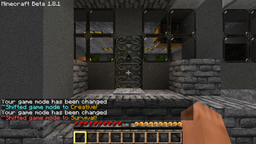
Minecraft के लिए ShiftMode प्लगइन
गेम मोड्स को पहले से कहीं तेज़ी से बदलें!
ShiftMode प्लगिन के बारे में
This allows you to switch between game modes with a simple command which is /shift. This command changes to the opposite game mode of the one your currently on. This plugin also uses PermissionsEx and the node is shiftmode.shift
Default to Op if there are no permissions!
Features
Commands: /shift or /sm
- simple commands
- supports superperms
Permission node
- shiftmode.shift
Configuration file
- edit messages given to players
Todo
- change others game mode
ShiftMode कैसे इंस्टॉल करें
A server on Paper or Spigot
The plugin runs on the server core; players do not need to install anything.
File goes into the plugins folder
Download the file ShiftMode.jar (3 KB) and put it into the server’s plugins folder.
Restart the server
On startup the plugin creates its own settings folder in plugins.
Use the “To server” button
On Millida Hosting, the button at the top of the page uploads the file to your server and restarts it for you.
वर्ज़न
डिपेंडेंसी के साथ
| Minecraft | लोडर | फ़ाइल | तारीख़ | क्रियाएँ |
|---|---|---|---|---|
| — | — | ShiftMode2.8 KB |
FAQ
Do players need to install ShiftMode?
No, the plugin goes only on the server, into the plugins folder: players do not need to download anything.
Where can I download ShiftMode safely?
On this page: the file ShiftMode.jar (3 KB) is stored on Millida’s server, with no link shorteners. SHA-1 checksum: aad6e8f28d40e71e3e3ec4b90126feeb5b5c4c9d.
रिव्यू
ShiftMode को सबसे पहले रेट करें


