

Minecraft के लिए Pushball प्लगइन
A fun game anyone can enjoy.Push a ball around your server
Pushball
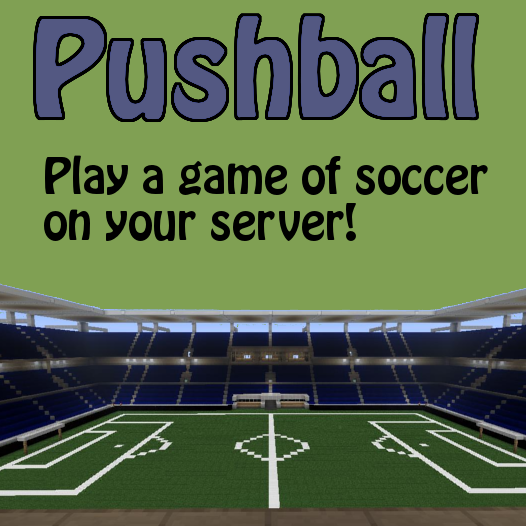
play a game of soccer on your server! just place a block type in a command and wollah you have a soccer ball! just walk up to the ball to push it. Push balls up hills and let them roll down the other side, push them into a 2 high wall and watch them bounce off of it

Features
- Economy Support
- Permissions Support
- Easily create and destroy push balls
- push blocks up hills
- let them roll down the other side
- balls bounce off 2 high walls to ensure they don't get stuck in corners
- simply destroy the block to get rid of pushball
- easily create automated arenas for your players to play in
- request features below!
Commands
/pb, /pball and /pushball can all be used for the commands below
/pb create <name> - makes the block you are looking at a pushball /pb createArena <name> - creates an arena using your current selection /pb delete - deletes the pushball you are looking at /pb delete <name> - deletes the pushball by its name /pb deleteAll - deletes All pushballs /pb deleteArena <name> - deletes the named arena /pb set <goal1:goal2:ball:ballspawn> <arena> - sets an attribute of an arena /pb wand - gives you the selection wand /pb select <1:2> /pb start <arena> - starts the game in the named arena /pb stop <arena> - stops the game in the named arena /pb time <arena> - tells you the time left in the named arena /pb list <balls:arenas> - lists all the current pushballs or arenas /pb help - displays help /pb info <name> - shows the info of the named player /pb info - shows your info
How to Create An Arena
Its easy to create an arena below are the steps to do so
- Selection
To select a selection using left and right clicking you need a wand. By default the wand is a stick which you can get from your creative inventory or you can get the wand by using the command /pb wand. The item used for the wand can be changed in the config. If you dont want to use the wand you can look at the block you want to select and type /pb select <1:2>. the 1 and 2 are the points so you can use /pb select 1 to select point 1.
- Creating the Arena
Once you have selected the area for the arena you have to create it. Note, the selection of the arena automatically spans from the bottom of the map to the top. To create the arena simply use the command /pb createArena <name>. The name that you select will be used for almost all arena related commands so pick a good one. Thats it! you have now created the arena.
- Setting the Goal, Ballspawn and Ball
You now have an arena, great! but you cant play on it without goals and a place for the ball to return to each time you score. To set the goals you simply select the goals using the technique stated in point 1. Note, the goals do not span from bottom to top of the world so go crazy with your arenas (maybe make the goals on different levels that you have to get them to instead of making just a default soccer field). To set the goals simply use the command /pb set <goal1:goal2> <arena>. You can use this to set goal1 and goal2!
Now to set the ballspawn simply stand where you want the ball to spawn and use the command /pb set ballspawn <arena>. This will set where the ball will spawn.
To set the ball for the game you can look at the pushball and type /pb set ball. Note, this is optional and is only recommended if you want a ball other than the default white wool that will be spawned if a ball is not set.
- Start your match
You have now created an arena! But how do i play in it. Just use the command /pb start <arena> and it will start the match. Then to join the match type /pb join <arena> and you will be added the the game. You can also stop the game by using /pb stop <arena> or check how much time is left in a match by using /pb time <arena>.
Permissions
Important! Do not add the colons ":" to the permissions. for example below there is a permission that is pushball.create.ball with a colon to indicate going onto the info for that permission. so for the example you wouldnt do "pushball.create.ball:" but instead "pushball.create.ball"
pushball.*: description: Gives access to all pushball commands children: pushball.delete.all: true pushball.delete.own: true pushball.ride: true pushball.create.ball: true pushball.create.arena: true pushball.list: true pushball.info.own: true pushball.info.other: true pushball.paybypass: true pushball.delete.*: description: Gives access to all pushball delete commands children: pushball.delete.all: true pushball.delete.own: true pushball.delete.arena.own: true pushball.delete.arena.all: true pushball.set.*: description: Gives access to all set commands children: pushball.set.goals: true pushball.set.ball: true pushball.set.ballspawn: true pushball.info.*: description: Gives access to all pushball info commands children: pushball.info.own: true pushball.info.other: true pushball.create.*: description: Gives access to all pushball create commands children: pushball.create.ball: true pushball.create.arena: true pushball.create.ball: description: Allows you to create a pushball default: true pushball.wand: description: Allows you to obtain a wand using /pb wand default: op pushball.join: description: Allows you to join a pushball match default: true pushball.start: description: Allows you to manually start a match default: op pushball.stop: description: Allows you to stop a match default: op pushball.time: description: Allows you to see how much time is left on a match default: true pushball.set.ballspawn: description: Allows you to set the ballspawn for an arena default: op pushball.set.ball: description: Allows you to set the ball for an arena default: op pushball.set.goal: description: Allows you to set the goals for an arena default: op pushball.select: description: Allows you to set a selection default: op pushball.create.arena: description: Allows you to create a pushball arena default: op pushball.ride: description: Allows you to ride on pushballs - Currently obsolete because riding pushballs not working default: true pushball.delete.arena.own: description: Allows you to delete arenas you made using command /pb deleteArena <name> default: op pushball.delete.arena.all: description: Allows you to delete all arenas using command /pb deleteArena <name> default: op pushball.delete.all: description: Allows you to delete all pushballs using command /pb deleteAll default: op pushball.delete.own: description: Allows you delete a pushball you have created default: true pushball.list: description: Allows you to view all pushballs names default: true pushball.help: description: displays pushball help default: true pushball.paybypass: description: Allows players to create pushballs without paying default: op pushball.info.own: description: Allows you show your own info default: true pushball.info.other: description: Allows you to show another player's info default: true
Plugin Metrics
if you would not like to be involved in this simply change the value opt-out: false in the plugin metrics config to opt-out: true
Support Pushball
copy the code below into your signature and help pushball grow!
For BukkitDev Sigs:
[[http://dev.bukkit.org/server-mods/pushball/|{{http://dev.bukkit.org/media/images/52/758/pushballLogoPlain_small.png|Pushball}}]]
For Bukkit Forums Sigs:
URL='http://dev.bukkit.org/server-mods/pushball/'http://dev.bukkit.org/media/images/52/758/pushballLogoPlain_small.png/IMG
The code above will add the following image/link to your signature.
Donate ===
Donating helps me find time to update this plugin! although not necessary donating is greatly appreciated! a donate button can be found in the top right of the page if you would like to help me out!
Pushball कैसे इंस्टॉल करें
A server on Paper or Spigot
The plugin runs on the server core; players do not need to install anything.
File goes into the plugins folder
Download the file Pushball.jar (98 KB) and put it into the server’s plugins folder.
Restart the server
On startup the plugin creates its own settings folder in plugins.
Use the “To server” button
On Millida Hosting, the button at the top of the page uploads the file to your server and restarts it for you.
वर्ज़न
डिपेंडेंसी के साथ
| Minecraft | लोडर | फ़ाइल | तारीख़ | क्रियाएँ |
|---|---|---|---|---|
| — | — | V3.0 -2nd DEV97.7 KB |
रिव्यू
Pushball को सबसे पहले रेट करें


