
 Forge
 Fabric
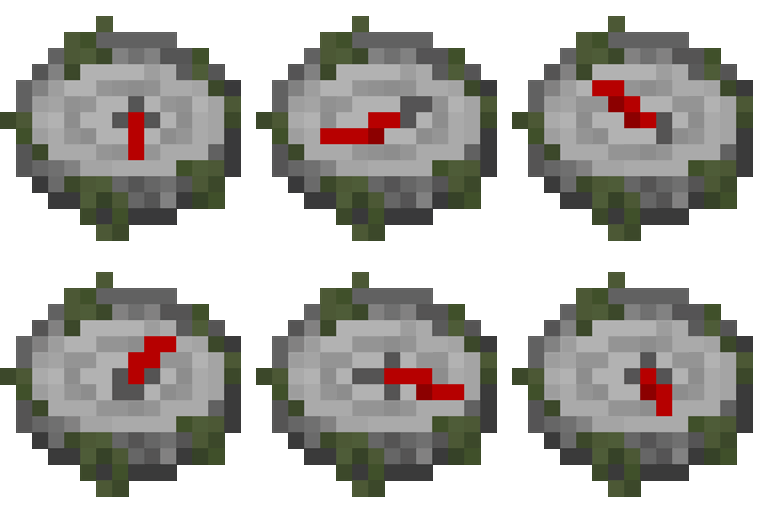
Structures' Compass
Structures' Compass एक Minecraft Forge मॉड है जो खिलाड़ी को किसी विशिष्ट संरचना को जल्दी से ढूंढने की सुविधा देता है।
यह मॉड Nature's Compass से प्रेरित है, और हमारे कोड का एक हिस्सा उनके मॉड से लिया गया है।
दोस्तों के साथ खेलने के लिए सर्वर चाहिए? सेट अप करना नहीं आता? बस पहले से कॉन्फ़िगर किया हुआ सर्वर किराए पर ले लीजिए!
ऊपर दी गई तस्वीर पर क्लिक करें, प्लान चुनें, हमारा कोड FishToucher इस्तेमाल करें और अपने पहले महीने पर 25% छूट पाएं और दोस्तों के साथ खेलने का मज़ा लें!
विशेषताएँ
- कम्पास हाथ में लेकर Sneak + right click करने पर खोज GUI खुल जाता है।
- संरचना का नाम सीधे खोजें
- '@' से शुरू करके संरचना का स्रोत खोजें
- '' से शुरू करके संरचना के उपलब्ध आयाम खोजें
- चुनी हुई संरचना को दोबारा खोजने के लिए right click करें।
- जब कम्पास किसी संरचना की ओर इशारा नहीं कर रहा हो, या संरचना किसी दूसरे आयाम में हो, तो यह बेतरतीब स्थान की ओर इशारा करेगा, ठीक वैसे ही जैसे Nether या End में सामान्य कम्पास।
- कम्पास सभी पंजीकृत संरचनाओं (vanilla और modded) का समर्थन करता है।
- v1.3.0 संरचनाओं को कॉन्फ़िगरेशन फ़ाइल के ज़रिए whitelist मोड या blacklist मोड का उपयोग करके फ़िल्टर किया जा सकता है (दोनों "" को wild card के रूप में उपयोग करने का समर्थन करते हैं)
तस्वीरें

संरचनाओं को खोजने के लिए GUI

मिली संरचना की जानकारी दिखाने के लिए HUD
रेसिपी

4 किसी भी dead coral 4 कोनों पर, 4 mossy stone bricks 4 किनारों पर और 1 compass बीच में
हमें लगता है कि कम्पास बहुत op है, इसलिए हम इसे संतुलित करने के लिए क्राफ्टिंग की कठिनाई बढ़ा देते हैं।
आगे का विकास
हम विकास के लिए बहुत व्यस्त हैं, इसलिए हम सिर्फ़ कुछ संभावनाएँ सूचीबद्ध करते हैं
- किसी दूसरे संस्करण जैसे 1.12.2 पर पोर्ट करना (छोड़ दिया गया)
- Fabric पर पोर्ट करना (पूरा हुआ)
योगदान करें
संरचनाओं और आयामों के नाम डिफ़ॉल्ट रूप से स्थानीयकृत नहीं होते। अगर आप GUI या HUD में structure.[modid].[name] जैसा कुछ देखते हैं, तो इसका मतलब है कि उसका कोई स्थानीयकृत नाम नहीं है। अगर आप अनुवाद जोड़ना चाहते हैं, तो resources/assets/[modid]/lang/ के अंतर्गत संबंधित JSON फ़ाइलें बनाएँ और हमें GitHub पर Pull requests भेजें। हमने vanilla Minecraft में संरचनाओं और आयामों के zhcn अनुवाद एक टेम्पलेट के रूप में वहाँ रखे हैं, और आपके अनुवादों को भी उसी शैली का पालन करना चाहिए।
{ "dimension.minecraft.overworld": "Overworld", "structure.minecraft.bastionremnant": "Bastion Remnant" }
लाइसेंस
जैसा कि परिचय में बताया गया है, हमारे कोड का एक हिस्सा Nature's Compass से है, जो Creative Commons Attribution-NonCommercial-ShareAlike 4.0 International License के अंतर्गत है और हमने इसे doc string में अंकित किया है। चूँकि CC BY-NC-SA 4.0 एक सॉफ़्टवेयर लाइसेंस नहीं है, हम व्यावसायिक उपयोग को हतोत्साहित करने के लिए कोड के अन्य हिस्सों के लिए GNU General Public License 3.0 चुनते हैं।
Structures' Compass कैसे इंस्टॉल करें
With Millida Launcher
Install Millida Launcher
The launcher is free: download it at millida.net/launcher and sign in with any nickname.
Click “Install” on this page
The launcher opens and installs the mod for Minecraft 1.16.5–1.18.2 on Fabric or Forge automatically.
Launch the game
A profile with it appears in the launcher: click “Play”.
Manually
Install Fabric or Forge
The loader must match the game version of the mod file, for example Minecraft 1.18.2. After installing it, a separate profile appears in your launcher.
Download the file for your version
In the version list above, pick the file structures_compass-1.18.2-1.4.1.jar (209 KB) for your game version and loader.
Put it in the mods folder
The folder is inside .minecraft (Windows: %appdata%\.minecraft\mods). If it does not exist, create it.
Launch the loader profile
Open “Mods” in the main menu: Structures' Compass should be in the list.
Minecraft 1.18.2 runs on Java 17: with a different Java version the game may close right after launch.
वर्ज़न
डिपेंडेंसी के साथ
| Minecraft | लोडर | फ़ाइल | तारीख़ | क्रियाएँ |
|---|---|---|---|---|
| 1.18.2 | Forge | structures_compass-1.18.2-1.4.1.jar209 KB | ||
| 1.18.2 | Fabric | structures_compass-fabric-1.18.2-1.4.2.jar259 KB | ||
| 1.16.5 | — | structurescompass-1.16.5-1.1.0.jar215 KB |
रिव्यू
Structures' Compass को सबसे पहले रेट करें


