

Minecraft 1.20.1, 1.21.1 के लिए Potions Master मॉड
Minecraft पोशन्स का विस्तार
 NeoForge
 Forge
ForgePotions Master मॉड के बारे में
यह मॉड एक नए स्तर की पोशन जोड़ता है: OreSight, प्रत्येक पोशन आपको उस विशिष्ट अयस्क के लिए थोड़े समय के लिए xray दृष्टि प्रदान करेगी। इसमें Regular, Splash और Lingering संस्करण उपलब्ध हैं।
वर्तमान में Vanilla अयस्कों का समर्थन करता है (Coal, Iron, Redstone, Lapis, Gold, Diamond, Emerald, Nether Quartz)
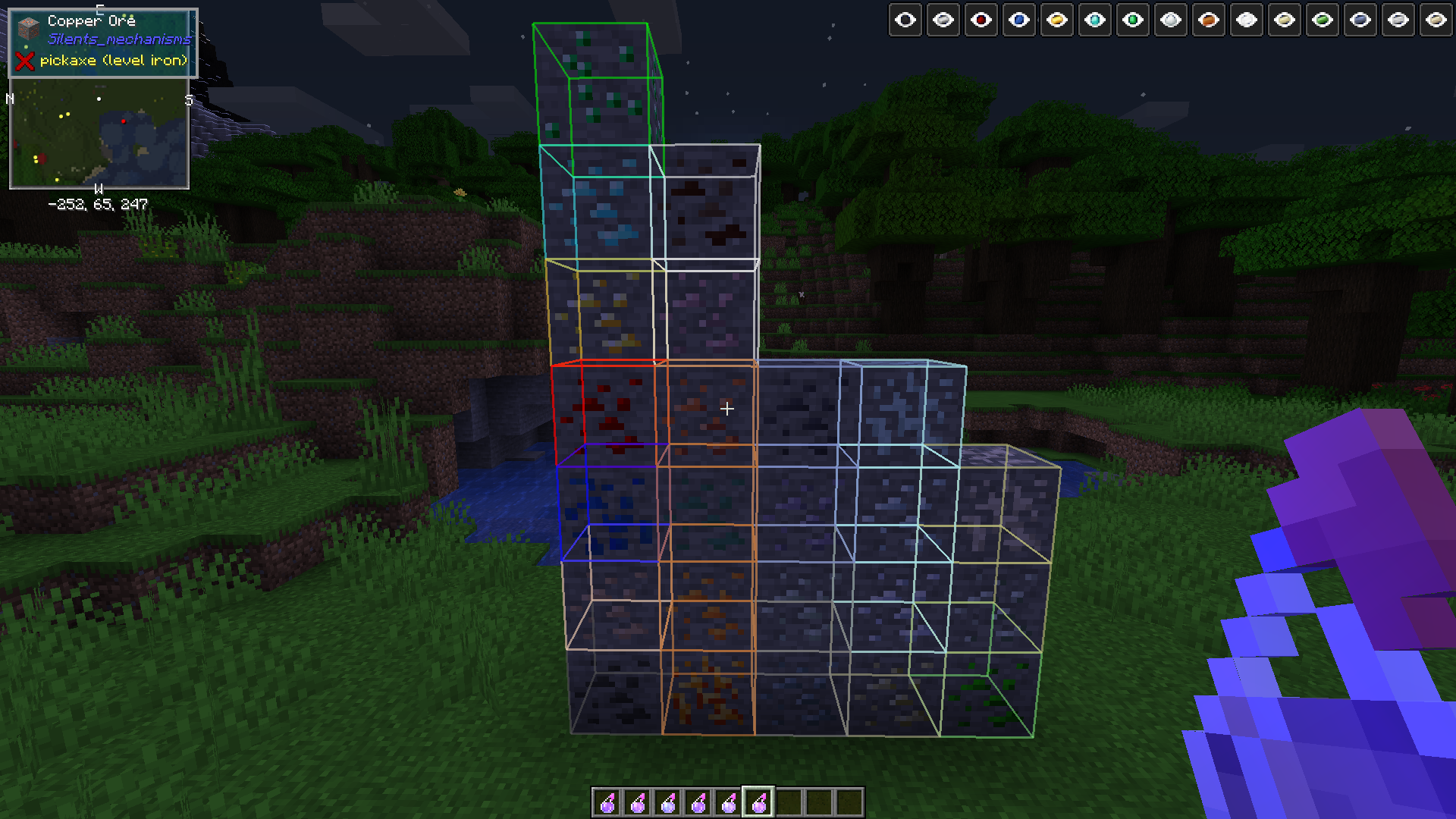
मॉडेड समर्थन: Aluminium, Copper, Lead, Nickel, Silver, Tin, Uranium, Zinc ( Osmium, Crimson Iron, Bismuth, Platinum, 1.15.1+))
यह मॉड किसी भी ऐसे मॉड के साथ काम करना चाहिए जो ये अयस्क प्रदान करता है और सही Forge Tag पंजीकृत करता है।
पहले एक pestle बनाएं, रेसिपी के लिए JEI/JER देखें
एक mortar बनाएं, रेसिपी के लिए JEI/JER देखें
dusts की रेसिपी JEI में हैं
अपनी इच्छित पोशन के लिए ingot (या redstone powder/diamond gem या emerald gem) को crafting table में pestle और mortar के साथ craft करें ताकि powder प्राप्त हो। या
mortar को दुनिया में रखें और अपने offhand में एक ingot/gem/coal/redstone/lapis आदि तथा main hand में pestle पकड़ें, अपना dust पाने के लिए mortar पर right click करें
Calcinated <OreType> Powder प्राप्त करने के लिए dust को furnace में smelt करें
अपनी OreSight Potions पाने के लिए उस powder को 3 mundane potions के साथ brew करें।
powders, pestle और brewing रेसिपी आपके पसंदीदा रेसिपी मॉड (JEI/JER जो भी हो) के माध्यम से पाई जा सकती हैं
ATM4 modpack के विरुद्ध परीक्षण किया गया, उस पैक में शामिल पहले बताए गए Ore Variants का समर्थन करता है।(Silents Mechanisms, Tinkers Mechworks,, MysticalWorlds, Blue Power)
जहां लागू हो वहां UsefulResources का भी समर्थन करता है
कुछ नकारात्मक स्टेटस प्रभावों को हटाने के लिए 3 नए आइटम (जो 16 तक स्टैक होते हैं) भी जोड़ता है:
Bezoars: Sheep से गिरते हैं, सेवन करने पर Poison ठीक करते हैं
Polar Bear Gall Bladders: Polar Bears से गिरते हैं, Mining Fatigue ठीक करते हैं
Activated Charcoal: Charcoal Powder smelt करें (रेसिपी आपके पसंदीदा Recipe Viewer में) और Wither प्रभाव हटाने के लिए इसका सेवन करें
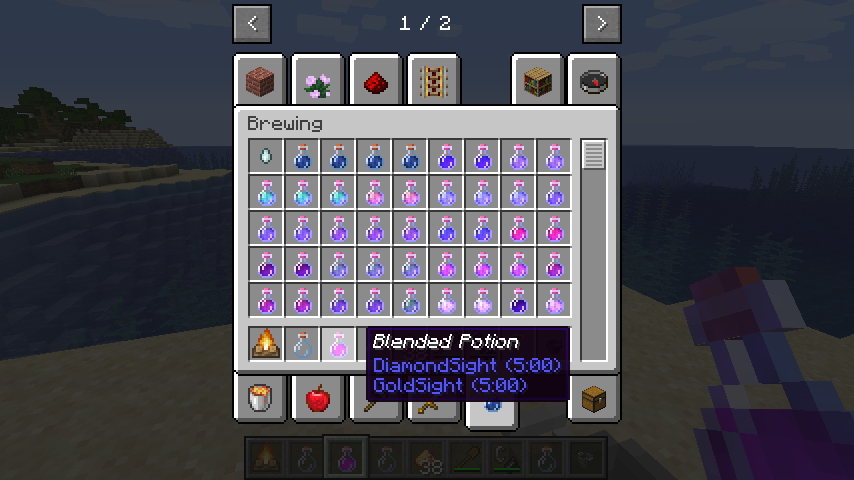
संस्करण 0.1.0 + नई मैकेनिक: Mixing Potions! Cauldron को campfire के ऊपर रखें, किसी भी 2 potions और एक glowstone के साथ cauldron पर right click करें। अगर campfire पहले से जल नहीं रहा है तो उसे जलाएं। प्रतीक्षा करें जब तक मिश्रण का आकार कम न हो जाए, फिर एक खाली bottle के साथ cauldron के ऊपर right click करें। परिणामी पोशन को वापस डालकर अन्य potions के साथ मिलाया जा सकता है।
खाली हाथ से cauldron पर right click करने से इसकी सामग्री साफ हो जाएगी और यह रीसेट हो जाएगा। सावधानी बरतें
अतिरिक्त पोशन प्रभावों पर भी काम किया जा रहा है।
Invisibility और Long Invisibility potions अब कण प्रभाव उत्पन्न नहीं करतीं, अब आप वास्तव में अदृश्य हैं
यह मॉड 1.12 या उससे पहले पर समर्थित नहीं होगा, क्षमा करें। अपेक्षा करें कि यह काफी बगी होगी, हालांकि इसे किसी भी दुनिया को खराब नहीं करना चाहिए।
CurseForge ecosystem के भीतर किसी भी modpack में इस मॉड का उपयोग करने के लिए स्वतंत्र महसूस करें, यह client और server दोनों पर आवश्यक है
Potions Master कैसे इंस्टॉल करें
With Millida Launcher
Install Millida Launcher
The launcher is free: download it at millida.net/launcher and sign in with any nickname.
Click “Install” on this page
The launcher opens and installs the mod for Minecraft 1.14.4–26.1.2 on Forge or NeoForge automatically.
Launch the game
A profile with it appears in the launcher: click “Play”.
Manually
Install Forge or NeoForge
The loader must match the game version of the mod file, for example Minecraft 26.1.2. After installing it, a separate profile appears in your launcher.
Download the file for your version
In the version list above, pick the file potionsmaster-26.1.2.100-2.0.0.jar (215 KB) for your game version and loader.
Put it in the mods folder
The folder is inside .minecraft (Windows: %appdata%\.minecraft\mods). If it does not exist, create it.
Launch the loader profile
Open “Mods” in the main menu: Potions Master should be in the list.
वर्ज़न
डिपेंडेंसी के साथ
| Minecraft | लोडर | फ़ाइल | तारीख़ | क्रियाएँ |
|---|---|---|---|---|
| 26.1.2 | NeoForge | potionsmaster-26.1.2.100-2.0.0.jar215 KB | ||
| 1.21.1 | NeoForge | potionsmaster-21.1.113-1.0.1.jar212 KB 1 | ||
| 1.20.1 | NeoForge, Forge | potionsmaster-1.20.1-47.1.70-0.6.0.jar288 KB | ||
| 1.19.2 | Forge | potionsmaster-0.6.0-1.19.2-43.1.1.jar286 KB | ||
| 1.15.2 | — | potionsmaster-0.1.10-1.15.2-31.2.0.jar340 KB | ||
| 1.14.4 | Forge | PotionsMaster 0.0.1 Alpha164 KB |
FAQ
Which Minecraft versions does Potions Master work on?
There are files for 26.1.2, 1.21.1, 1.20.1, 1.19.2, 1.15.2, 1.14.4. The newest is 26.1.2.
Is Potions Master for Forge or Fabric?
There are files for Forge: 1.14.4–1.20.1 and for NeoForge: 1.20.1–26.1.2. There are no files for Fabric: a mod for another loader will not start.
Does Potions Master need other mods?
The author lists no required dependencies: the Forge or NeoForge loader is enough.
Where can I download Potions Master safely?
On this page: the file potionsmaster-26.1.2.100-2.0.0.jar (215 KB) is stored on Millida’s server, with no link shorteners. SHA-1 checksum: 9ee49aad9324a758c3518d299d15ff8bd0db54b2.
रिव्यू
Potions Master को सबसे पहले रेट करें


