

Minecraft 1.20.1, 26.1.2 के लिए Pickle Tweaks मॉड
क्राफ्टिंग ग्रिड टूल रिपेयरिंग, पैक्सल्स, वॉटरिंग कैन और बहुत कुछ!
 NeoForge
 Forge
Pickle Tweaks मॉड के बारे में
Pickle Tweaks कई उपयोगी Vanilla+ शैली की सुविधाएँ और ट्वीक्स जोड़ता है।
इस मॉड की सभी सुविधाओं को कॉन्फ़िग फ़ाइल में अलग-अलग बंद किया जा सकता है।
सुविधाएँ
- Crafting Grid Tool Repair: Anvil की तरह crafting grid में अपने टूटे औज़ारों और हथियारों को उनकी मरम्मत सामग्री से ठीक करें।
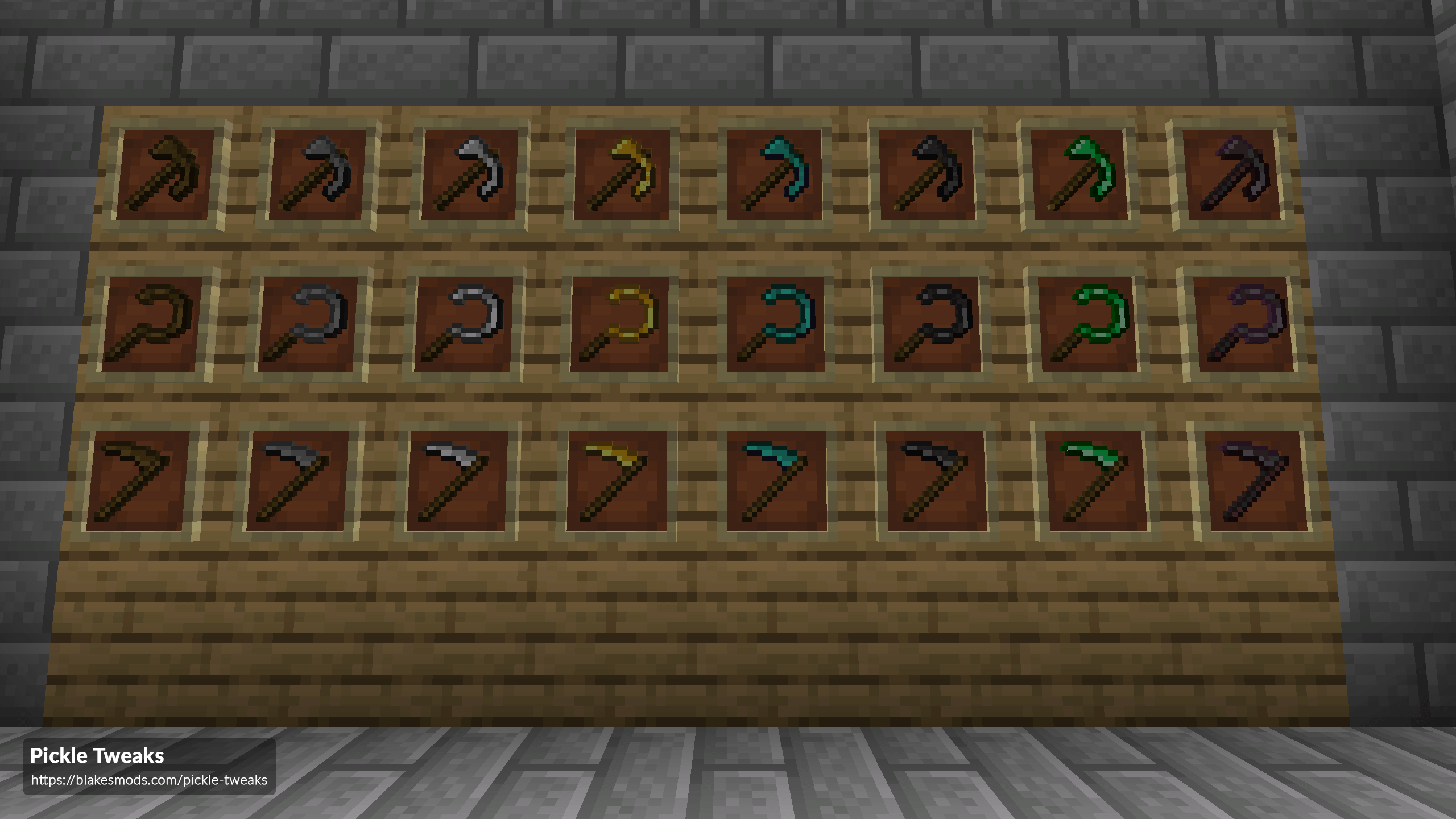
- Paxels: Axe, Pickaxe और Shovel का संयोजन।
- Right Click Crop Harvesting: पूरी तरह उगी फ़सल पर right click करने से वह कटाई और दोबारा रोपाई हो जाती है।
- Tool Information Tooltips: औज़ारों के tooltips में उनकी mining speed और mining level जोड़ता है। साथ ही bow tooltips में आपकी inventory में मौजूद मान्य ammo की मात्रा भी जोड़ता है।
- Flint & Emerald Tools: Flint और Emerald से बने औज़ार जोड़ता है।
- Sickles: AOE में पौधों की सामग्री वाले ब्लॉक खनन करने का औज़ार।
- Scythes: किसी क्षेत्र में फ़सलों की कटाई और दोबारा रोपाई का औज़ार। AOE हथियार के रूप में भी काम करता है।
- HWYLA/Jade Harvestability Tooltip: ब्लॉक की harvest level को उसके HWYLA/Jade tooltip में जोड़ता है।
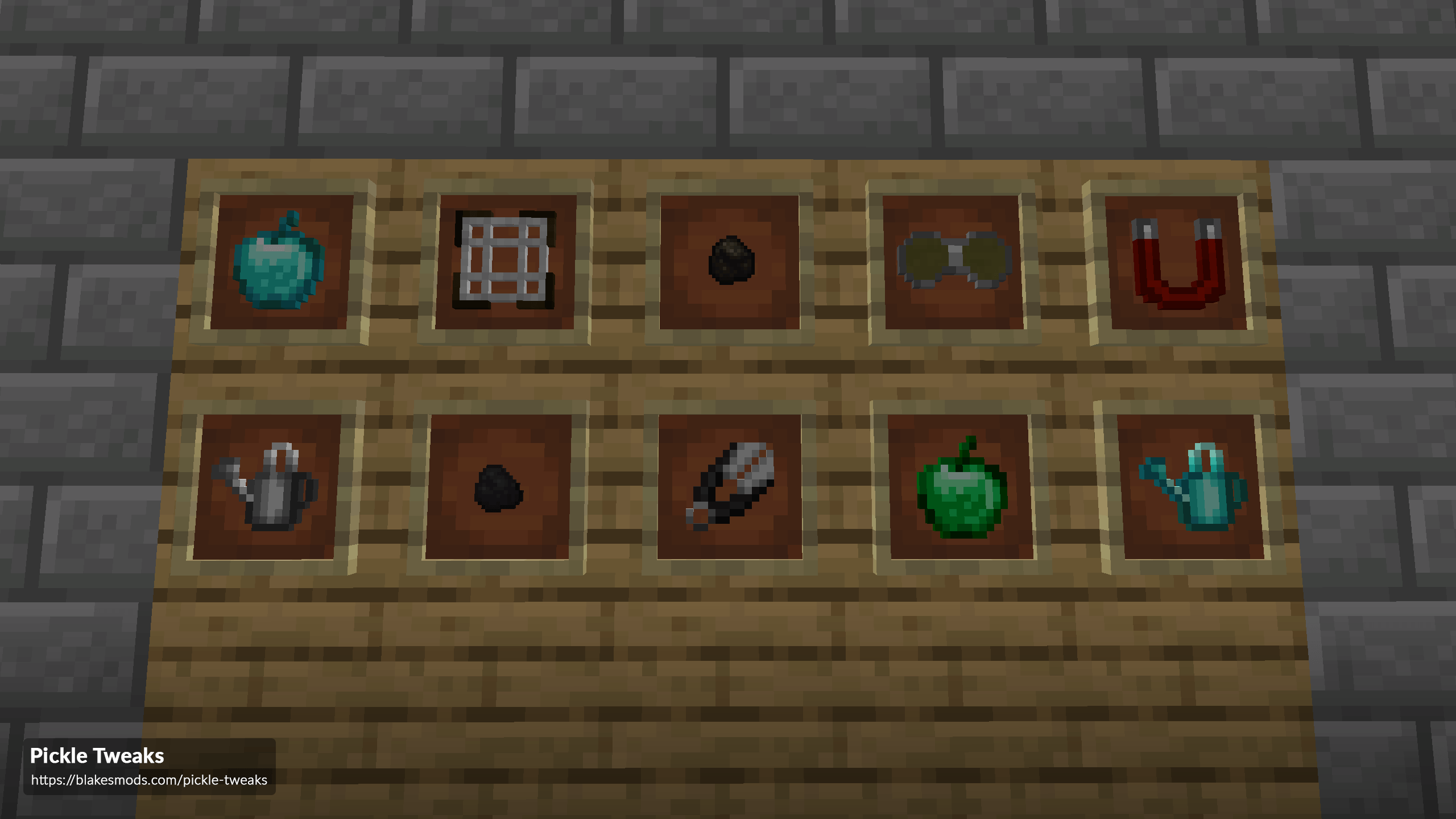
- Watering Can: किसी क्षेत्र में फ़सल की वृद्धि गति बढ़ाता है। basic (3x3) और Reinforced (7x7) वेरिएंट में आता है।
- Coal & Charcoal Pieces: प्रत्येक 1 आइटम पकाता है।
- Night Vision Goggles: पहनने पर पहनने वाले को night vision देता है। basic और Reinforced वेरिएंट में आता है।
- Diamond & Emerald Apples: सेब जो अतिरिक्त buffs देते हैं।
- Item Magnet: आइटम और experience orbs को आपकी ओर खींचता है।
- Meshes: Gravel से Flint बनाने के लिए उपयोग होता है।
- Tool Breaking Tweaks: एक ट्वीक जोड़ता है जिससे औज़ार और हथियार टूटने से 1 उपयोग पहले अप्रभावी हो जाते हैं, जिससे मरम्मत संभव होती है।
- Tool Uselessifier: आप कॉन्फ़िग फ़ाइल में ऐसे औज़ार निर्दिष्ट कर सकते हैं जो ब्लॉक नहीं तोड़ सकें, नुकसान नहीं पहुँचा सकें, आदि।
Pickle Tweaks कैसे इंस्टॉल करें
With Millida Launcher
Install Millida Launcher
The launcher is free: download it at millida.net/launcher and sign in with any nickname.
Click “Install” on this page
The launcher opens and installs the mod for Minecraft 1.14.4–26.1.2 on Forge or NeoForge automatically.
Launch the game
A profile with it appears in the launcher: click “Play”.
Manually
Install Forge or NeoForge
The loader must match the game version of the mod file, for example Minecraft 26.1.2. After installing it, a separate profile appears in your launcher.
Download the file for your version
In the version list above, pick the file PickleTweaks-26.1.2-10.0.1.jar (255 KB) for your game version and loader.
Put it in the mods folder
The folder is inside .minecraft (Windows: %appdata%\.minecraft\mods). If it does not exist, create it.
Launch the loader profile
Open “Mods” in the main menu: Pickle Tweaks should be in the list.
वर्ज़न
डिपेंडेंसी के साथ
| Minecraft | लोडर | फ़ाइल | तारीख़ | क्रियाएँ |
|---|---|---|---|---|
| 26.1.2 | NeoForge | PickleTweaks-26.1.2-10.0.1.jar255 KB | ||
| 1.20.1 | Forge | PickleTweaks-1.20.1-8.0.6.jar236 KB 2 | ||
| 1.14.4 | — | PickleTweaks-1.14.4-3.0.7.jar172 KB 1 |
FAQ
Which Minecraft versions does Pickle Tweaks work on?
There are files for 26.1.2, 1.20.1, 1.14.4. The newest is 26.1.2.
Is Pickle Tweaks for Forge or Fabric?
There are files for Forge: 1.20.1 and for NeoForge: 26.1.2. There are no files for Fabric: a mod for another loader will not start.
Does Pickle Tweaks need other mods?
The author lists no required dependencies: the Forge or NeoForge loader is enough.
Where can I download Pickle Tweaks safely?
On this page: the file PickleTweaks-26.1.2-10.0.1.jar (255 KB) is stored on Millida’s server, with no link shorteners. SHA-1 checksum: 34a704d839c4af3604959a4c5d1481254ff0216d.
रिव्यू
Pickle Tweaks को सबसे पहले रेट करें


