

Minecraft 1.20.1, 26.3 के लिए Integrated Scripting मॉड
Integrated Dynamics में जटिल कार्यों को संभालने के लिए स्क्रिप्ट बनाएँ
 NeoForge
 Forge
Integrated Scripting मॉड के बारे में

इसके लिए Cyclops Core लाइब्रेरी और Integrated Dynamics की आवश्यकता है!
Cyclops Discord सर्वर पर integratedmods में हमसे बात करने आएं!
यह मॉड आपको Integrated Dynamics नेटवर्क में जटिल कार्यों को संभालने के लिए स्क्रिप्ट बनाने की अनुमति देता है। स्क्रिप्ट का उपयोग करके, कुछ ऐसे कार्य जो vanilla Integrated Dynamics में करना बहुत जटिल होता है, इस मॉड के साथ बहुत आसान हो जाते हैं, जैसे:
- माध्यिका और मानक विचलन जैसी सांख्यिकी की गणना करना।
- Integrated Tunnels exporter और importer के लिए predicate filter आसानी से बनाना।
- किसी chest में मौजूद उन सभी items के औसत stack size की गणना करना जो किसी निश्चित tag से मेल खाते हैं।
- पिछले एक मिनट के दौरान औसत power consumption दिखाना।
- आप जिस tool को पकड़े हुए हैं उसका उपयोग करके आप जिस block को देख रहे हैं उसकी break speed प्राप्त करना।
- गेम के अंदर और बाहर copy-paste करके अपनी स्क्रिप्ट आसानी से दूसरों के साथ साझा करना।
- ...
यह मॉड Integrated Dynamics की 'On the Dynamics of Integration' पुस्तक के माध्यम से इन-गेम दस्तावेज़ीकरण और ट्यूटोरियल प्रदान करता है।
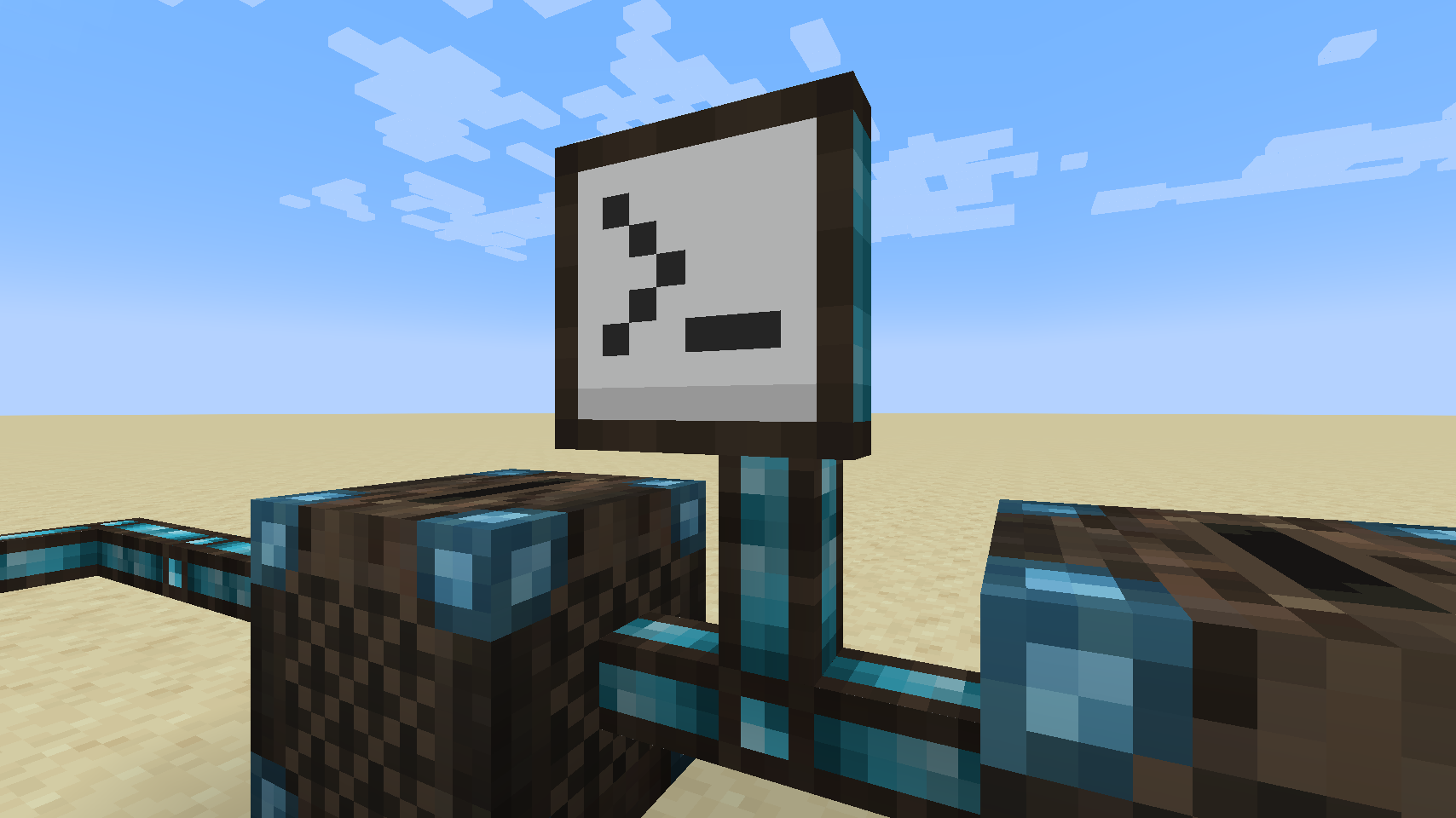
Scripting Terminal इस मॉड का मुख्य जोड़ है। यह आपको JavaScript भाषा में स्क्रिप्ट बनाने की अनुमति देता है, जिन्हें फिर आपके बाकी Integrated Dynamics नेटवर्क में उपयोग के लिए Variable Cards में संग्रहीत किया जा सकता है।
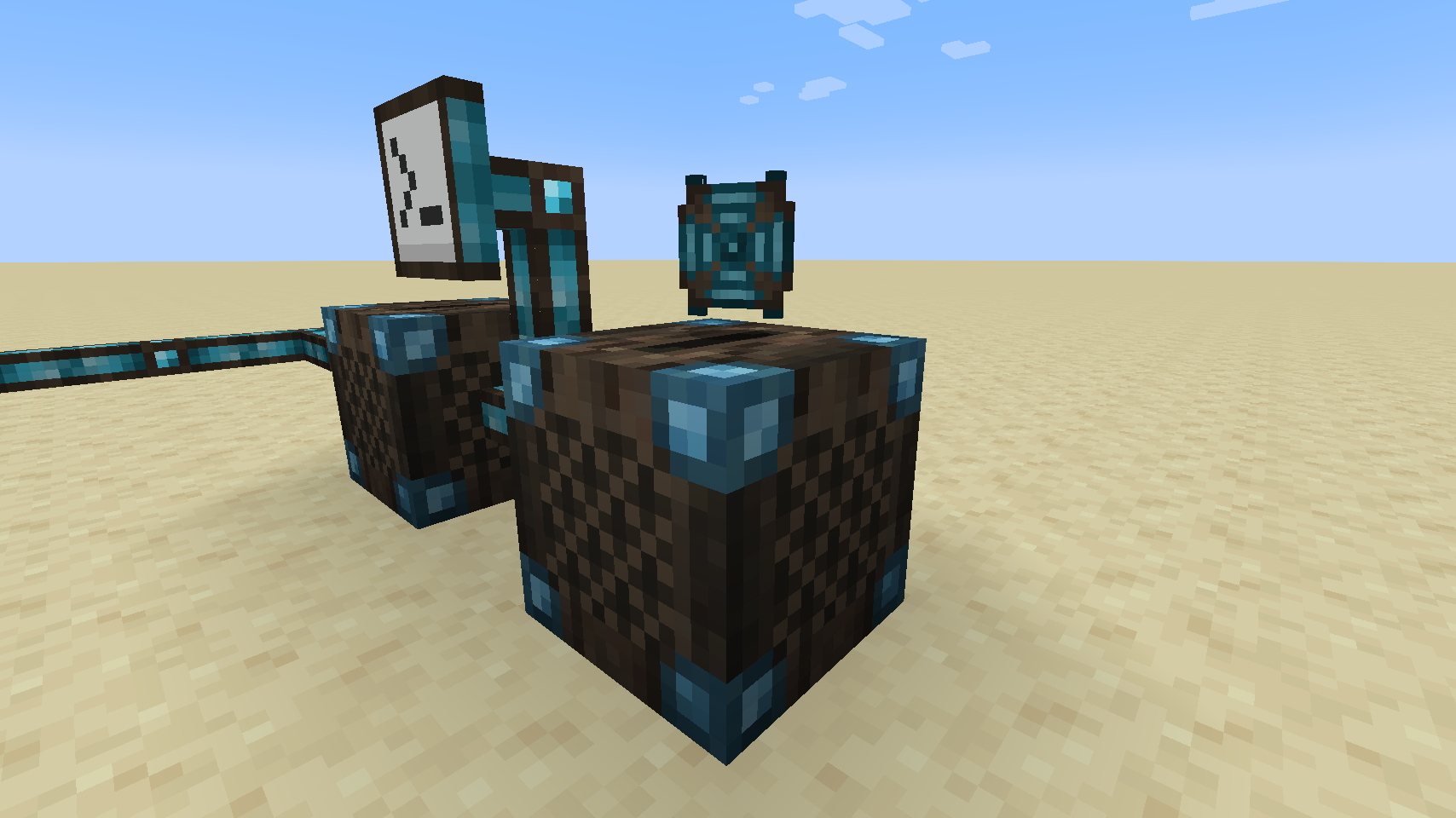
Scripting Drives ऐसे items हैं जो उन पर script data संग्रहीत करने की अनुमति देते हैं। इन्हें Scripting Drives में डाला जा सकता है, जिससे वे आपके नेटवर्क में उपयोग और संपादन के लिए सुलभ हो जाते हैं।
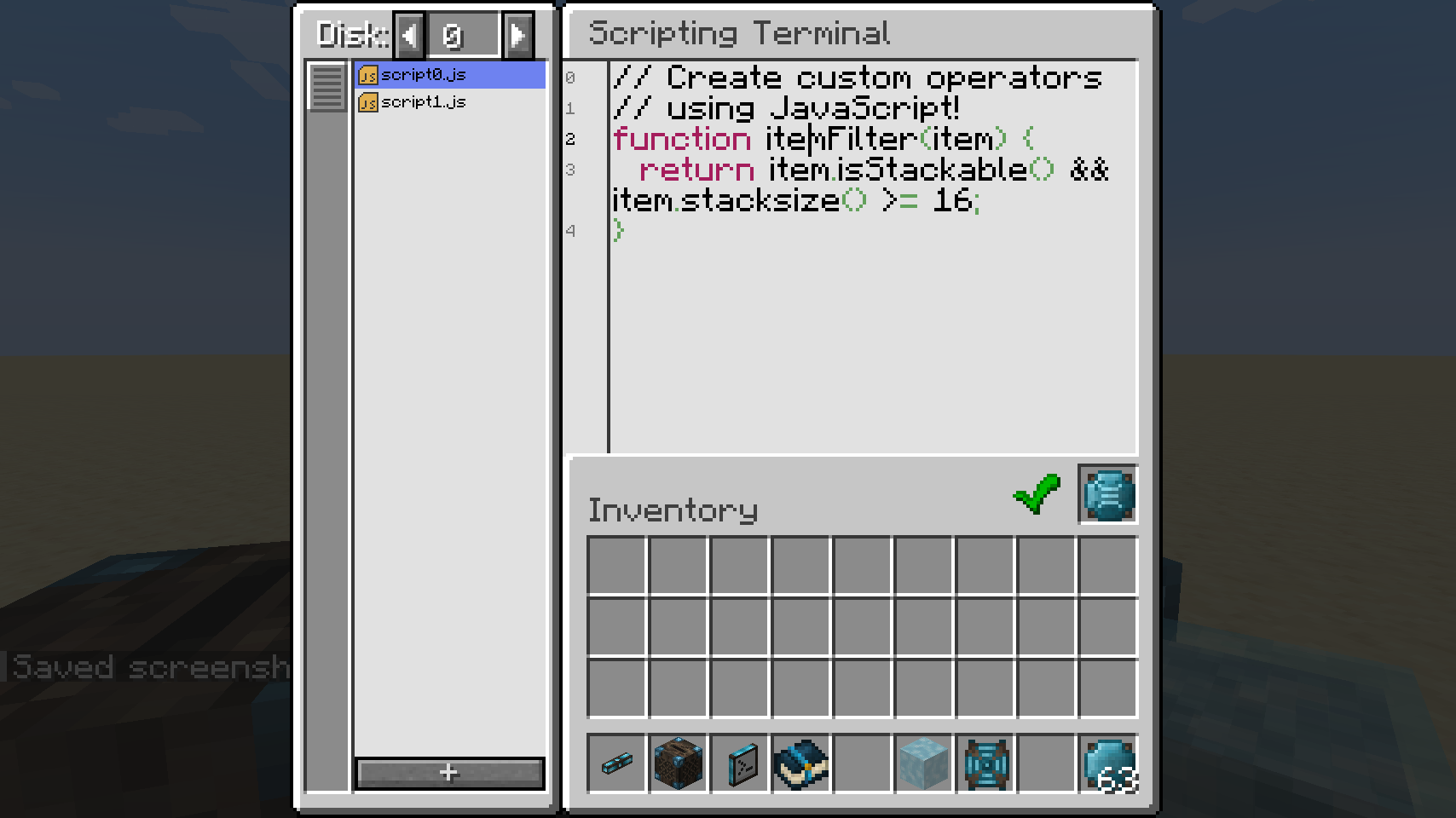
Scripting Terminal स्क्रिप्ट लिखने के लिए एक editor प्रदान करता है। Script members (जैसे variables और functions) को variables से बांधा जा सकता है। इन variables का उपयोग जुड़े हुए Integrated Dynamics नेटवर्क में कहीं भी किसी अन्य variable की तरह किया जा सकता है। यदि आपके पास अपनी world files तक सीधी पहुंच है, तो script files को अपने पसंदीदा IDE के माध्यम से बाहरी रूप से भी संपादित किया जा सकता है!

आप कई function executions में कुछ मानों पर नज़र रख सकते हैं, जैसे sums और averages की गणना के लिए। यह किसी निश्चित अवधि में आपकी average energy consumption जैसी चीज़ों की गणना के लिए उपयोगी हो सकता है।
यदि आपको जटिल कार्यों को debug करने की आवश्यकता है, तो आप बाद में जांच के लिए messages log कर सकते हैं।
स्क्रिप्ट को अत्यधिक प्रदर्शनकारी Graal.JS JavaScript engine द्वारा निष्पादित किया जाता है, जो Oracle के Graal VM पर चलता है। इस मॉड को विकसित करते समय performance और security प्राथमिक फोकस थे। डिफ़ॉल्ट रूप से, JavaScript को सबसे सख्त Graal settings के साथ निष्पादित किया जाता है। इन सख्त security options को server admins द्वारा अधिक ढीला किया जा सकता है, यदि खिलाड़ी उदाहरण के लिए IO करना चाहते हैं, जैसे external files से पढ़ना या उनमें लिखना। performance समस्याओं से बचने के लिए स्क्रिप्ट के maximum execution size को भी कॉन्फ़िगर किया जा सकता है।

Bisect Hosting पर server किराए पर लेते समय referral code cyclops के माध्यम से हमारा समर्थन करें, और अपने पहले महीने पर 25% छूट पाएं!
यदि आपको यह मॉड पसंद है, तो Patreon पर मेरा समर्थन करने पर विचार करें!
Integrated Scripting कैसे इंस्टॉल करें
With Millida Launcher
Install Millida Launcher
The launcher is free: download it at millida.net/launcher and sign in with any nickname.
Click “Install” on this page
The launcher opens and installs the mod for Minecraft 1.20.1–26.3 on Forge or NeoForge automatically.
Launch the game
A profile with it appears in the launcher: click “Play”.
Manually
Install Forge or NeoForge
The loader must match the game version of the mod file, for example Minecraft 26.3. After installing it, a separate profile appears in your launcher.
Download the file for your version
In the version list above, pick the file integratedscripting-26.3-neoforge-1.0.22-499.jar (28 MB) for your game version and loader.
Put it in the mods folder
The folder is inside .minecraft (Windows: %appdata%\.minecraft\mods). If it does not exist, create it.
Launch the loader profile
Open “Mods” in the main menu: Integrated Scripting should be in the list.
वर्ज़न
डिपेंडेंसी के साथ
| Minecraft | लोडर | फ़ाइल | तारीख़ | क्रियाएँ |
|---|---|---|---|---|
| 26.3 | NeoForge | integratedscripting-26.3-neoforge-1.0.22-499.jar28.1 MB | ||
| 26.1.2 | NeoForge | integratedscripting-26.1.2-neoforge-1.0.28.jar28.1 MB | ||
| 1.20.1 | Forge, NeoForge | IntegratedScripting-1.20.1-1.0.19.jar36.9 MB |
FAQ
Which Minecraft versions does Integrated Scripting work on?
There are files for 26.3, 26.1.2, 1.20.1. The newest is 26.3.
Is Integrated Scripting for Forge or Fabric?
There are files for Forge: 1.20.1 and for NeoForge: 1.20.1–26.3. There are no files for Fabric: a mod for another loader will not start.
Does Integrated Scripting need other mods?
The author lists no required dependencies: the Forge or NeoForge loader is enough.
Where can I download Integrated Scripting safely?
On this page: the file integratedscripting-26.3-neoforge-1.0.22-499.jar (28 MB) is stored on Millida’s server, with no link shorteners. SHA-1 checksum: 90ef7210d8be44a1bd7fcd9cbb7098a27f35f19c.
रिव्यू
Integrated Scripting को सबसे पहले रेट करें


