
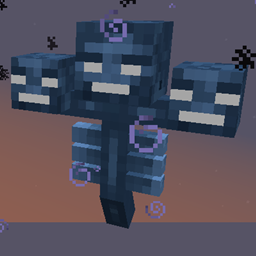
Minecraft 1.10.2 के लिए Hardcore Wither मॉड
Wither की कठिनाई खिलाड़ियों के अनुसार अनुकूलित होती है
Hardcore Wither मॉड के बारे में
जितने अधिक Withers से आप लड़ेंगे, लड़ाई उतनी ही कठिन होती जाएगी, और इनाम उतने ही मीठे मिलेंगे।
आपके आसपास पैदा होने वाले Withers को धीरे-धीरे कठिन विशेष क्षमताएँ मिलती जाती हैं। अगर किसी Wither को कई खिलाड़ियों के आसपास पैदा किया जाता है, तो उन सभी का Withers के साथ अनुभव ध्यान में रखा जाता है।
कई विशेष क्षमताएँ हैं (बढ़ी हुई हेल्थ) जिनमें से अधिकांश को कठिन तरीके से खोजने के लिए बनाया गया है। सभी क्षमताओं को कॉन्फ़िग्स में बंद/समायोजित किया जा सकता है। प्रत्येक क्षमता को प्रति-डाइमेंशन आधार पर उपयोग से ब्लैकलिस्ट करने के लिए भी कॉन्फ़िगर किया जा सकता है अगर वह वहाँ अच्छी तरह काम न करे।
अगर आप Runic Dungeons के साथ खेलते हैं तो अनुशंसित:
runic dungeons डाइमेंशन में Teleport क्षमता को बंद करें जैसे S:blacklistDims="34"
भविष्य में और विशेष क्षमताओं की योजना है, सुझावों का स्वागत है (रिपॉज़िटरी में सबमिट किए गए issues को प्राथमिकता दी जाती है)।
अगर वह मॉड मौजूद हो तो Tinkers' Construct Green Heart Canisters पाने का एक तरीका भी है (कॉन्फ़िग्स में बंद करने योग्य)।
Nether Stars को Looting enchant से प्रभावित होने देता है। (एक कॉन्फ़िगर करने योग्य दर पर)।
मॉडपैक्स में उपयोग करने में संकोच न करें; सूचना की सराहना की जाती है, लेकिन आवश्यक नहीं है।
Minecraft Forum Thread
Hardcore Wither कैसे इंस्टॉल करें
With Millida Launcher
Install Millida Launcher
The launcher is free: download it at millida.net/launcher and sign in with any nickname.
Click “Install” on this page
The launcher opens and installs the mod for Minecraft 1.7.10–1.10.2 automatically.
Launch the game
A profile with it appears in the launcher: click “Play”.
Manually
Download the file for your version
In the version list above, pick the file hardcoreWither-1.10.2-2.2.3-beta-4bd2a01-universal.jar (138 KB) for your game version.
Put it in the mods folder
The folder is inside .minecraft (Windows: %appdata%\.minecraft\mods). If it does not exist, create it.
Launch the loader profile
Open “Mods” in the main menu: Hardcore Wither should be in the list.
Minecraft 1.10.2 runs on Java 8: with a different Java version the game may close right after launch.
वर्ज़न
डिपेंडेंसी के साथ
| Minecraft | लोडर | फ़ाइल | तारीख़ | क्रियाएँ |
|---|---|---|---|---|
| 1.10.2 | — | 1.10.2-2.2.3-beta138 KB | ||
| 1.10.2 | — | 1.10.2-2.1.2-alpha136 KB | ||
| 1.7.10 | — | 1.7.10-1.1.383.1 KB |
FAQ
Which Minecraft versions does Hardcore Wither work on?
There are files for 1.10.2, 1.7.10. The newest is 1.10.2.
Which Java does Hardcore Wither need?
Minecraft 1.10.2 runs on Java 8. If the game closes right after launch, the usual cause is the wrong Java version in the profile settings.
Where can I download Hardcore Wither safely?
On this page: the file hardcoreWither-1.10.2-2.2.3-beta-4bd2a01-universal.jar (138 KB) is stored on Millida’s server, with no link shorteners. SHA-1 checksum: 483ce92e96cfa57e0a0882668a05697d7a725202.
रिव्यू
Hardcore Wither को सबसे पहले रेट करें


